
OrbitX reviewed: a self-custody card priced like a premium product
 Available in US
OrbitX is a crypto payment card that sits on an unusual middle ground. The money does not leave your own wallet: you lock USDT or USDC as collateral, and the card draws against it, liquidating what it needs at the moment of payment. That design appeals to people who have worked out how to hold their own keys and want a piece of plastic or a virtual card number without handing a custodian the balance. It also comes with real frictions — the physical card is not yet in circulation, the app has a thin public rating, and the fee table is hard to read. My score is 5.7 out of 10, which is roughly average: a promising structure attached to a young product with several things still unstated.
The conditions described here are current as of October 28, 2026.
The score in full
Here is how the 5.7 came together, criterion by criterion, with the reasoning behind each mark.
| Criterion | Mark | Why |
|---|---|---|
| Who can get it | 7 / 10 | International users under international terms; US citizens under separate terms; no country list published |
| Cost | 4 / 10 | Annual fee $12 on Neo and $30 on Lux; plastic $100 (Neo) and metal $350 (Lux); Base ATM charges + 2% + $2; corporate cards carry 1.50% FX |
| Top-up options | 5 / 10 | Self-custodied wallet with USDT or USDC collateral, liquidated at the point of sale; networks not named |
| Reliability and complaints | 5 / 10 | OrbitX Network Group Pte. Ltd in Singapore, “not a bank”; issuer Third National; App Store 2.5 out of 5 from 2 ratings, with a report of a failed transfer |
| Everyday use | 8 / 10 | Virtual Visa card, plastic and metal listed; physical card described as “coming soon”; Apple Pay and Google Pay; ATM withdrawals |
| Total | 5.7 / 10 |
The audience this fits best is straightforward: self-custody holders who already spend against USDT or USDC collateral and want a card that leaves the keys where they are. Who it does not fit is almost everyone else — people without stablecoins, people who want a card arriving in the post next week, and anyone who plans around a rewards programme or a fixed FX rate.
Who gets the card
Eligibility is broader than most crypto cards and narrower than the marketing suggests. OrbitX runs two sets of consumer terms: international users sign up under International Consumer Terms, while US consumers are covered by separate US terms. To use the international card you have to attest that you are “not a United States citizen” and that you are not sanctioned under OFAC rules. US citizens are not barred from the card — they route through a different agreement — but the international path explicitly turns them away.
The one thing you will not find is a country list. No supported countries are published on the card pages, so there is no way to check your eligibility before installing the app. The absence cuts both ways: nobody has been turned away by a published restriction, and nobody can predict from the website whether they will be accepted. In practice, the gate is your attestation and whatever the issuer’s own risk checks decide.
The company behind it is OrbitX Network Group Pte. Ltd, registered at 3 Fraser Street, #04-23A Duo Tower, Singapore, UEN 202448623M. It states plainly that it is “not a bank or regulated financial institution”. The card itself is issued under a Visa licence by a partner named Third National. So the money-handling entity that is not a bank is the brand and programme manager; the entity that actually stands behind the card is the issuer. Keep that separation in mind — it is the normal structure in this category, and it is where your recourse lives if something goes wrong.
Getting the card
There is a KYC process. The app release notes refer to it directly and mention resubmissions, so expect to be asked for documents and expect at least one possible second round. What the public pages do not say is which documents are required, whether proof of address is needed, or what the verification tiers are — the card does not publish a tier structure the way some competitors do. If your situation is complicated, such as a mismatched address or a name spelled differently from your passport, you are in the dark about how much work that will be. The app carries an 18+ age rating, consistent with prepaid and debit card availability for adults.
The card is Visa. A virtual card is available now. Plastic and metal appear on the fee page — the table reads “Neo: Visa Platinum” and “Lux: Visa Signature” — but that same table is garbled, so I would not treat the tier labels as settled. The app says physical cards are “coming soon”, which is the more telling line: you can be eligible for the international card today and still have nothing to put in your wallet. Fees are listed for both USD and non-USD transactions.
Delivery is quoted as “1 to 4 weeks depending on user location” for the physical product. The replacement cost is not stated, so if you lose a card you cannot tell from the public pages what replacing it would cost you.
Fees and what a payment actually costs
This is the weakest area of the card, and the reason Cost scored 4 out of 10. The annual fee is $12 on Neo and $30 on Lux, payable annually only. Card prices are listed separately: $100 for the plastic card on Neo and $350 for metal on Lux. Whether those are one-off purchase prices or reflect an upgrade is not spelled out, and the garbled table is the reason.

| Fee or limit | Value |
|---|---|
| Annual fee, Neo | $12 (annually only) |
| Annual fee, Lux | $30 (annually only) |
| Card price, plastic (Neo) | $100 |
| Card price, metal (Lux) | $350 |
| FX fee, consumer cards | not found |
| FX fee, corporate cards | 1.50% on non-USD spend |
| Deposit fee, corporate cards | 0.50% |
| Transaction fee, corporate cards | $0.20 |
| ATM | “Base ATM charges + 2% + $2” |
| Daily limit | not stated |
| Monthly limit | not stated |
Two lines in that table deserve your attention. First, the consumer FX fee was not found on the public pages — the 1.50% figure belongs to corporate cards. That does not mean a consumer pays nothing when you spend outside the US; it means the card’s own documents did not tell me. Second, the ATM line is quoted as “Base ATM charges + 2% + $2”, and the mapping from that formula to the Neo and Lux tiers is unclear. Read it as: there is a base charge from the ATM operator, plus two percent, plus two dollars, and you do not get told which tier pays what.
The two tiers are Neo, a Visa Platinum product with 10 add-on cards, and Lux, a Visa Signature product with unlimited add-on cards. Beyond those two differences the cards are not clearly separated in the public material, so I cannot tell you what Lux buys you that Neo does not.
Now let us walk three ordinary payments through it. You buy a $30 coffee in your own country. The charge converts your collateral through the card network, and the question is whether a consumer FX fee applies — the card pages do not say, so treat this as unknown rather than free. You take $100 out of a cash machine: the ATM formula adds 2% and $2 to whatever the machine charges, so the all-in cost is above $4 before the operator’s own fee. You spend $80 on an overseas site: the card is USD-based, collateral is measured in USD, and non-USD transactions are converted by the card association — meaning you do not control the rate, and on a corporate card you would pay the 1.50% on top.
An App Store listing claims no spending limits, but that is vendor marketing rather than a documented limit, and the card’s own daily and monthly limits are not stated anywhere I could find. Treat your ceiling as unknown and, if you need certainty, ask support before you commit funds.
How to top up
Topping up OrbitX is not the same as paying into an account, because there is no account balance in the usual sense. You hold the collateral yourself in a self-custodial wallet — USDT or USDC — and the app holds a claim against it. When you make a payment, the stablecoins backing that payment are liquidated at the point of sale. The app presents two named areas, “Cash Account” and “Card Account”, which suggests a separation between spendable cash and the collateral backing the card, but the mechanics behind that split are not documented.
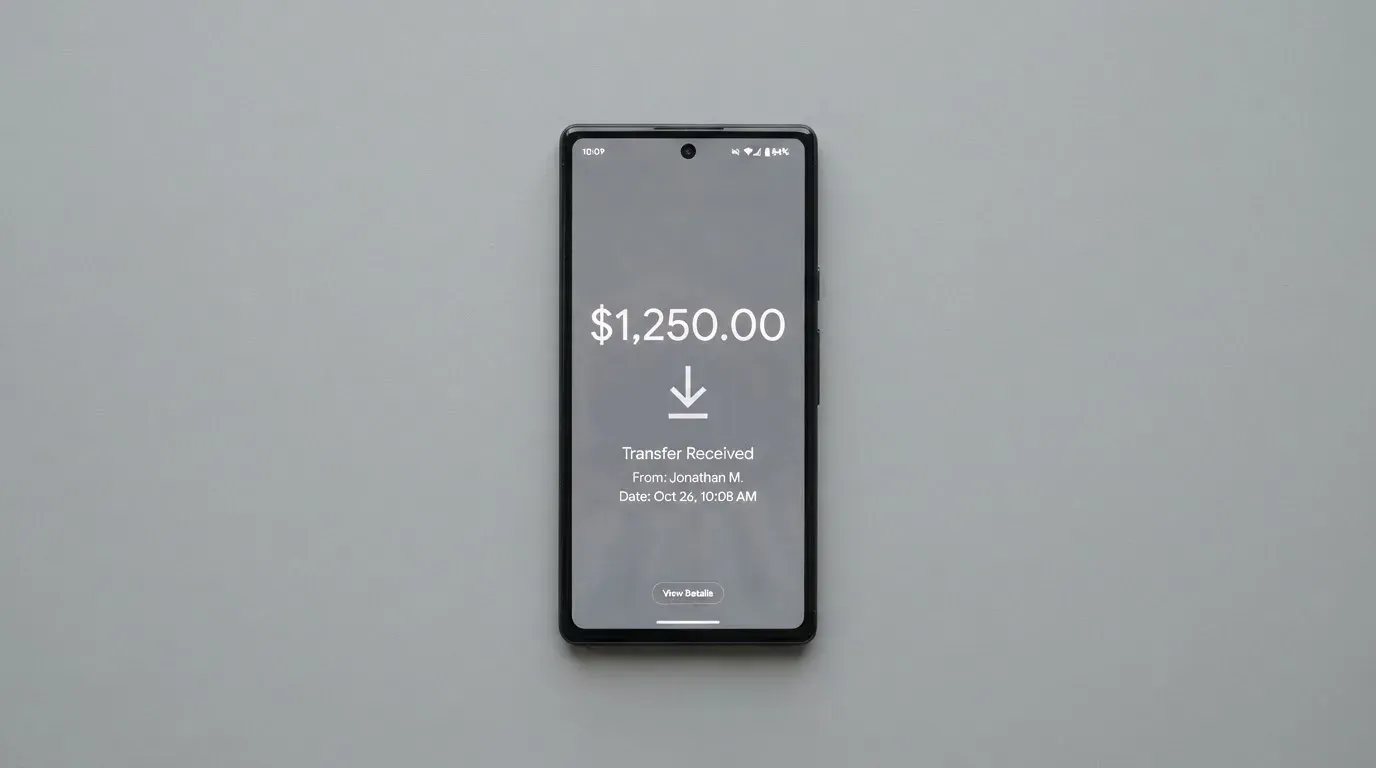
Two things you will look for and not find. The card does not name the networks it accepts. If you send USDT on the wrong chain, or USDC on a chain it does not support, the transfer is a blockchain transfer and therefore irreversible — it can be lost, or recovered only through support with no guarantee. And for consumer cards the top-up method itself is not stated: no bank transfer instructions, no card-to-card path, no on-ramp. That is consistent with the collateral model, but it means the only documented funding route is the crypto you already hold.
If you ever stop using the card, the card’s position is that any unencumbered collateral balance remains freely accessible. That is a reassuring sentence and not much more — no process, no timeline, no named entity is described for actually getting funds back out. Set aside the practical test before you deposit: ask support what the withdrawal path is, in writing, and see whether the answer is concrete.
Paying with it day to day
This is where OrbitX scores well — 8 out of 10, the highest mark in the table. Apple Pay and Google Pay terms are published, which means the mobile wallets are supported. ATM withdrawals work. A virtual Visa card gives you a card number you can put into a wallet and use at online merchants immediately, without waiting for anything to arrive.
The restrictions are standard for this category and worth reading. Prohibited merchants include cash-like transactions — which covers cryptocurrency purchases and wire transfers — and betting. The card may also decline what it calls “internet gambling”. If you were planning to use the card to move money into an exchange or to a betting site, that door is closed by policy, not by law.
If a charge goes wrong, there is a stated process: report a disputed charge within 60 days of posting, the issuer has 10 business days to respond to a Notice of Dispute, and a dispute unresolved after 30 days may go to arbitration. Those are real terms and they are better than silence. What is missing is the consumer protection detail that varies by product — whether these rights apply to prepaid-style balances is not addressed, and it is worth knowing that prepaid-card coverage varies and should not be assumed.
The app itself is where everyday use gets tested, and the app is the weak point. OrbitXPay is on the iOS App Store with a rating of 2.5 out of 5 from just two ratings, read on 2026-10-21. A Google Play listing was not found. Two ratings is not a signal about quality in either direction, but it is almost certainly the entire public review record, and it means you have no crowd-sourced history to lean on.
What can go wrong
The clearest risk in this card’s design is the collateral model, and it is worth being precise about it rather than frightened by it. The card is non-custodial: OrbitX and the issuer state that they “will not, in any circumstance, be holding custody of your Collateral”. The flip side is that they also have no way to help you if something goes wrong at your end. A lost seed phrase is yours alone. A phishing page that looks like the app is yours alone. Malware that swaps a copied address so your transfer lands somewhere else is yours alone. Blockchain transfers are irreversible, and a stolen key has no recovery path because the network cannot freeze or return anything.
Liquidation is the other structural risk. If a payment is not settled within one calendar day, or if your collateral value falls below the charges on it, liquidation is triggered. That is the mechanism by which the card pays itself, but it also means that a market move against your position can liquidate you without any payment failing. Keep a margin above what you are spending. Card freezes and two-factor authentication are not stated as available features, so do not assume the usual self-service safety net exists.
On the operational side, no official incidents came up in my research. What I did find was a single App Store review — a user report, not a verified fact — warning that a bank transfer showed as failed inside the app even though it had completed on the sender’s side, and that support replied from an address that was not the official one. A Trustpilot page was not found, so there is no second public venue to check against. Treat a single review as a hint to verify the support address before you send anything, and no more than that.
The general pattern in this category is worth knowing before you commit. Card programmes do close. WaveCrest, a Visa issuer that supplied several crypto card brands, was suspended by Visa in Europe in 2018 and all its programmes were shut. Visa terminated its global agreements with FTX on 13 November 2022 and the FTX US debit card was wound down by its issuer. Closures usually follow a shape: a notice period, then loading and spending stop, then you are asked to withdraw. A closure reported by a single secondary source had new loads end on 8 July 2026 and spending stop on 8 August 2026 — unconfirmed, but the pattern it illustrates is real.
The company layer is not a bank. OrbitX says it is “not a bank or regulated financial institution”, which means you are not relying on deposit guarantee schemes or the protections that come with a bank balance. Whether your collateral is safeguarded under electronic money rules depends on the issuer’s status, not the brand’s.
I did not find published news, press or company announcements to weigh in on, and I am not going to invent a view of the project’s trajectory from nothing.
What to take instead
None of these is perfect, and none of them is a drop-in substitute for a self-custody card. They are worth comparing because each makes a different trade.
Sponge, at 4.9 out of 10, is the closest in spirit: a virtual card you create in-app, described as a credit card issued by Rain, a Visa Principal Member, accepted wherever Visa is accepted. Funding is USDC collateral moved from the Sponge wallet, with base given as the example chain and the SDK mentioning base or solana. But the published material is thinner than OrbitX’s: no country list, no stated cost, no stated fees. Eligibility is not stated beyond platform terms setting a minimum age of 13 for the service.
Nexo scores 6.3 out of 10 and is the more conventional custodial proposition. It is open to residents and citizens of “selected European countries, including the EEA and the United Kingdom” — note the wording is both citizens and residents — with excluded jurisdictions unnamed. The card comes as virtual or physical, issued by DiPocket UAB, with ATM allowances quoted in EUR and GBP. There is no monthly, annual or inactivity fee, though the virtual card needs at least $50 in the account to activate and the physical card is free to ship but requires more than $5,000 in digital assets and at least Gold tier. Its FX fee is unusually well published: 0.2% on weekdays in the EEA, UK and Switzerland and 2% elsewhere, rising to 0.7% and 2.5% at weekends. Cashback runs only on Credit Mode purchases and only above the $5,000 threshold, in NEXO tokens or Bitcoin, at tier rates from 0.5%/0.1% at Base up to 2%/0.5% at Platinum. A 2025-era report, not official, described a Bulgarian police raid on Nexo’s Sofia office over alleged sanctions and anti-money-laundering violations, with no official statement about Russians found.
Xplace leads the alternatives at 7.7 out of 10. It is Visa, with an instant virtual card and a physical Silver card live while Gold and Platinum are marked “coming soon” with 7–14 business day delivery. Its Cash mode spends a stablecoin balance and its Credit mode borrows against your holdings, with no origination fee on borrowing. The annual fees are Basic free, Silver $99, Gold $249 and Platinum $999. “0% FX on Platinum” is stated; FX for the other tiers and the conversion fee are not. Deposits cover BTC, ETH, SOL, JitoSOL, USDC, USDT and xStocks on Solana. Credit-mode cashback by tier runs 0.5% at Basic to 2% at Platinum, paid in USDC to the wallet at settlement; Cash-mode cashback is not stated.
| OrbitX | Sponge | Nexo | Xplace | |
|---|---|---|---|---|
| Score | 5.7 / 10 | 4.9 / 10 | 6.3 / 10 | 7.7 / 10 |
| Model | Self-custody collateral | USDC collateral in platform wallet | Custodial account | Cash mode or credit mode |
| Network | Visa | Visa | Mastercard trademark shown | Visa |
| Card type | Virtual now, physical “coming soon” | Virtual | Virtual and physical | Virtual now, Silver physical live |
| Annual fee | $12 (Neo), $30 (Lux) | not stated | None | Free to $999 by tier |
| FX | Not found for consumer; 1.50% corporate | not stated | 0.2%–2.5% by region and day | 0% on Platinum; otherwise not stated |
| Rewards | not stated | not stated | Cashback, Credit Mode over $5,000 | Cashback on Credit mode by tier |
The honest comparison: if you want the keys to stay in your own wallet, OrbitX and Sponge are the field, and Sponge’s public documentation is thinner. If you want published fees and a mature app, Nexo or Xplace are further along and cost you custody. OrbitX sits in the middle: real self-custody, incomplete paperwork.
Who I would recommend it to
I would recommend OrbitX to someone already holding USDT or USDC in a wallet they control well enough to have moved funds there without help, who spends most of their money in one currency, and who treats a payment card as a convenience rather than as a financial product with a rewards programme attached. If you can add it to Apple Pay today and start spending against collateral, the awkward parts of the card — the coming-soon plastic, the unknown FX fee — stay mostly theoretical.
I would not recommend it to you if any of these is true. You want a card in the post this week. You need published, reliable FX and ATM numbers before you commit money. You are in the United States and the international attestation complicates your application. You want rewards, and OrbitX states none. Or you want someone else’s balance sheet behind your money: this is a programme manager that says it is not a bank, and if that sentence bothers you, it should.
Before you deposit anything, I would do three things. Ask support, in writing, how a consumer FX fee is applied and what the withdrawal process is. Send a small test transfer and confirm it on the sender’s side as well as in the app, given the reported discrepancy. And keep collateral comfortably above your spending so a price move does not trigger liquidation on a card you were planning to keep using.
Frequently asked questions
What is the OrbitX card?
OrbitX is a Visa payment card that spends against crypto you hold yourself. You lock USDT or USDC as collateral in a self-custodial wallet, and the card draws against that collateral, liquidating stablecoins at the moment of payment. The company is OrbitX Network Group Pte. Ltd in Singapore and says it is not a bank or regulated financial institution.
How does the OrbitX card work?
Your USDT or USDC stays in a wallet you control; OrbitX states it never takes custody of that collateral. When you make a purchase, the stablecoins backing it are liquidated at the point of sale and the card pays the merchant. If a payment is not settled within one calendar day, or the collateral value falls below the charges, liquidation is triggered. Any unencumbered collateral is said to remain freely accessible.
Is OrbitX a bank?
No. OrbitX describes itself as “not a bank or regulated financial institution”. The card is issued under a Visa licence by a partner named Third National, which is a normal structure in this category: the brand manages the programme and the issuer holds it. It also means you are not relying on bank deposit guarantees for anything you do here.
Who can get the OrbitX card?
International users sign up under International Consumer Terms and must attest they are “not a United States citizen” and are not sanctioned under OFAC rules. US consumers are covered by separate US terms. No country list is published, so you cannot check your eligibility from the card pages in advance, and the app carries an 18+ age rating.
Does the OrbitX card require KYC?
Yes. The app release notes mention the KYC process and the possibility of resubmissions. Which documents are required, whether proof of address is needed, and what verification tiers exist are not stated on the card’s public pages. That is the first thing to ask support if your documents or address situation is unusual.
How much does the OrbitX card cost?
The annual fee is $12 on Neo and $30 on Lux, paid annually only. Card prices are listed as $100 for plastic on Neo and $350 for metal on Lux. Corporate cards carry a 1.50% forex fee on non-USD spend, a 0.50% deposit fee and a $0.20 transaction fee. A consumer FX fee was not found on the public pages, and ATM withdrawals are charged as “Base ATM charges + 2% + $2”.
Can I use the OrbitX card in my country?
That depends on which merchant and how the card was issued, not on your location. The card is USD-based and non-USD transactions are converted by the card association, so a card issued in one country can look foreign to a shop in another and some merchants decline prepaid or foreign BINs outright. Address verification is mainly offered in the US, Canada and the UK and is generally unavailable for foreign-issued cards, which can cause declines at checkout.
What are OrbitX’s daily and monthly spending limits?
Neither is stated on the card’s public pages. The App Store listing claims there are no spending limits, but that is vendor marketing rather than a documented limit, and it is not something the card’s own terms confirm. If a ceiling matters to you, ask support directly and get the answer in writing before you commit collateral.
Is the OrbitX card safe?
It is non-custodial, which means your funds cannot be taken by OrbitX — and also that there is no one to help you if you lose your seed phrase or fall for a phishing page. Liquidation is the main structural risk: it fires if a payment is unpaid within a day or if collateral drops below the charges. Freeze and two-factor features are not stated as available, so do not assume the usual card self-service protections exist.
Is the OrbitX card worth it?
Worth it if you already hold USDT or USDC, spend mostly in one currency, and want to keep your keys. Not worth it if you need a physical card now, want published FX rates, or want a rewards programme — OrbitX states no rewards. Compare it against Nexo and Xplace, which publish fees more clearly but hold your funds for you, and against Sponge, which is also self-custody but documents even less.
Credit and cashback cards put to the test – cryptocardtested
Content created by the «cryptocardtested» team