
UnCard — a lightweight virtual crypto card, weighed against the catch
 Available in US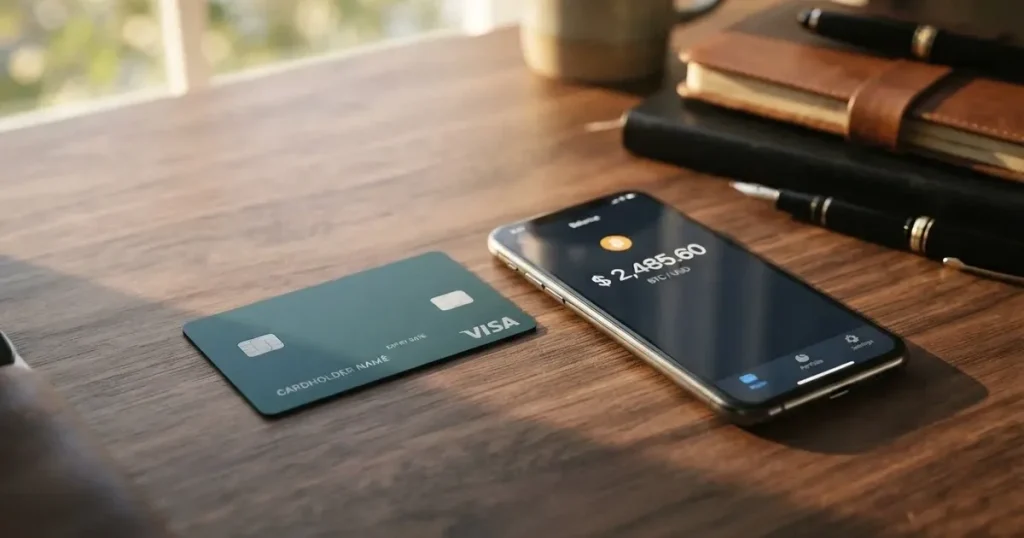
UnCard is a virtual payment card that draws from a crypto balance. Sign-up takes an email, the cards live in your phone’s wallet app, and there is no plastic and no ATM. That pitch appeals to anyone who wants a quick way to pay online or by phone from a Bitcoin, Ethereum, USDT or Monero balance, without going through a bank. The price for that simplicity is a product that holds client money only in transit, is run by an unnamed issuer, and has almost no public track record to lean on.
In this review I go through who can actually get an UnCard, what the application and identity steps look like, what it costs day to day, how the top-up works, where the card can be used, and what can go wrong. I close with a short list of alternatives and answers to the questions readers most often type into search.
The card’s terms, fees and limits described below are current as of October 28, 2026.
Verdict: 6.0 out of 10
UnCard lands at the middle of the pack for a reason. It is fast to obtain, light to carry (there is nothing to carry), and it converts several cryptocurrencies into a USD balance you can spend where Visa or Mastercard is taken. It does not advertise monthly fees and the application fee is modest. On the other hand, the operator does not publish a list of accepted countries, the issuing bank is named only as a “licensed financial institution,” and the public complaint footprint is one review and a handful of forum threads. If you want a quick virtual card for online payments and you are comfortable with a thin company wrapper and a Hong-Kong-law terms document, UnCard does the job. If you want a card with a clearly named issuer, a long track record, or a physical card and ATM access, look elsewhere.
Score breakdown
| Criterion | Mark | Reason |
|---|---|---|
| Who can get it | 7 / 10 | No published country list; terms only bar residents of jurisdictions where the service is unlawful and people under OFAC, UN or EU sanctions |
| Cost | 7 / 10 | One-time application fee that depends on the plan (an example in the docs shows 1 USD), no stated monthly fee, but the recharge fee is not disclosed and unofficial sources call the structure opaque |
| Top-up options | 6 / 10 | BTC, ETH, USDT, XMR are named, with “6+ cryptocurrencies accepted,” and the platform converts to a USD balance; the supported networks are not disclosed and the minimum top-up is 20 USD |
| Reliability and complaints | 4 / 10 | UnCard is not a bank and not the issuer — the issuer is named only as a “licensed financial institution”; one Trustpilot review; forum reports that DigitalOcean and Azure decline the card |
| Everyday use | 5 / 10 | Online Card and Wallet Card are virtual only; the Wallet Card works with Apple Pay and Google Pay; no physical card and no ATM |
| Total | 6.0 / 10 | — |
Who will they give you the card?
The short answer is: anyone who can sign up with an email and is not in a place where the service is illegal, and who is not on a major sanctions list. The longer answer needs more nuance, because the card does not tell you up front which countries are accepted and which are not.
The UnCard home page and terms do not publish a country list. Instead, the terms say the user “must not reside where the service is prohibited by law” and must not be a person subject to OFAC, UN or EU sanctions. That is a thin rule written in negatives, and it is the only published guidance on eligibility. If you live in a country where crypto cards are explicitly banned, the answer is that you cannot use the service. If you live in a country that regulates them but does not ban them, the picture is murkier: nothing on the site says UnCard holds the local licence that a regulator might require.
Two practical consequences follow. First, you will not know in advance whether your country is on or off the list. Second, if the operator later decides that your country is “prohibited by law” for any reason, your card can be closed. UnCard reserves the right to close cards for suspected fraud, and that power is broad enough to swallow a quiet exit from a market.
The age and document requirements are not stated. Some plans do not require identity verification at all, while others require full KYC before the card is issued or activated. The split is by plan, not by country, and the processing time and the documents asked for are not listed. If a plan demands KYC, expect the usual proof of identity and address, but do not expect a published checklist.
How to get it
Signing up is the part of the experience the product leads with. The home page says the only thing you need is an email, and adds, “We don’t need any bank account details.” That is a deliberate contrast to a bank-issued card, and it is the reason UnCard shows up on lists of cards for people who cannot or do not want a bank account.
The flow depends on which plan you pick. UnCard runs more than one plan, and they differ in three ways: the one-time application fee, the KYC requirement, and the spending limits. On the lighter end of the range there are no-ID plans — you sign up, pay the plan’s application fee, and the card is created. On the heavier end there are full-KYC plans, where identity verification happens before the card is issued or activated. The details of the heavier plans — what documents to send, how long the check takes, what causes a rejection — are not stated. You find out at the application stage.
Once the plan is chosen, you receive a virtual card. UnCard sells two products, both virtual. The Online Card is built for online payments and supports 3-D Secure (the extra confirmation step at checkout). The Wallet Card is also virtual, but it is designed to be added to Apple Pay or Google Pay so that you can pay in stores with your phone. Both work “wherever Visa is supported,” and the terms add that they are issued under Visa or Mastercard rules. Amounts on the card are in USD, which keeps the math simple at the till but also means a non-USD purchase goes through a conversion.
There is no physical card and no delivery step. The card details arrive in your UnCard account or in your phone’s wallet, and that is the entire delivery story. If you were hoping for a piece of plastic in the post, that is not this product.
One important caveat: the terms reserve the right to close the card for suspected fraud, and disputes can lead to card closure as well. Treat the sign-up as easy, but treat the relationship as conditional.
Fees: what it really costs
UnCard’s pricing has a few things going for it, and a few holes.
The application fee is one-time and varies by plan. An example in the developer documentation sets a creation_fee of 1 USD, but the real number depends on which plan you choose. There is no monthly fee stated for the cards. The recharge fee is the line that most users will want to know, and it is the one that is least well explained. The terms say a recharge fee applies and that it is shown to the user before they confirm. The amount is not stated in the public documents. An additional handling fee may apply for “excessive” declines, reversals and disputes — again, the trigger and the amount are not stated.
Unofficial coverage of the card (per cryptocards.so, 2026) describes the monthly fee, the issuance fee, FX and the top-up fee as “Free,” but the same source flags the fee structure as opaque. I would not lean on that picture. The terms are the contract, and the terms leave the variable numbers blank.
The currency on the card is USD. If you pay in another currency at a foreign merchant, a foreign-exchange margin will apply — Visa or Mastercard sets the wholesale rate, and the issuer adds a spread on top. The size of that spread is not published.
There is no physical card and no ATM access, so there are no cash-advance fees to plan for. The limits are the levers UnCard uses to control risk: a monthly limit per plan that the operator may change, and separate recharge limits that vary by plan. The developer docs include an example topup_limit of 10,000 USD, but the live numbers depend on the plan you have.
Costs at a glance
| Item | Amount |
|---|---|
| Application fee (one-time) | Plan-dependent; docs example 1 USD |
| Monthly fee | Not stated |
| Recharge fee | Applies; amount shown before confirmation, value not stated |
| FX / conversion margin | Not stated |
| ATM withdrawal | Not available (no physical card) |
| Daily spending limit | Not stated |
| Monthly spending limit | Plan-dependent; docs example 10,000 USD top-up cap |
| Handling fee | Possible for excessive declines, reversals or disputes; amount not stated |
| Card currency | USD |
Three everyday scenarios
To make those numbers less abstract, here is what a typical use case looks like.
A small online subscription in USD. The Online Card draws the USD price directly against your USD balance, and no FX margin applies. The only real question is whether the merchant triggers 3-D Secure, which is built in for the Online Card.
A purchase at a foreign website. The card is in USD, so the network converts the foreign currency to USD at the wholesale rate and the issuer adds a spread that is not published. This margin increases the total cost of the purchase by a small percentage, which adds up over time.
A coffee paid with the Wallet Card via Apple Pay at a domestic shop. The merchant charges in your home currency, the network converts to USD behind the scenes, and the issuer takes its cut. The Wallet Card’s convenience is the whole point; the cost is the same conversion margin you would see on the Online Card.
The pattern is simple. The fees you can plan for are the application fee and the recharge fee that is shown at confirmation. The fee you cannot plan for is the FX margin, because it is not published. If you spend mostly in USD, that gap does not matter much. If you spend mostly in other currencies, it will.
Top up: how to fund the card
The top-up flow is the heart of a crypto card, and UnCard’s flow is straightforward in shape and thin in detail.
You can top up with BTC, ETH, USDT or XMR — Monero — and the site adds that “6+ cryptocurrencies accepted,” so a longer list is supposed to be available inside the platform. Once the deposit arrives, the platform converts it into a USD balance that the card spends. That is the standard crypto-card pattern: deposit crypto, the platform sells or holds the position in a USD-denominated balance, and the card draws on that balance. Crypto deposits are described in the terms as “final and non-refundable,” which is a normal property of blockchain transfers and worth keeping in mind.
The information the company does not publish is the network. Bitcoin can travel on its main chain or wrapped through other networks. USDT exists on Ethereum (ERC-20), Tron (TRC-20), Solana, and several other chains. Sending USDT on a chain UnCard does not support, or to an address formatted for a different network, is the classic way to lose a deposit. The terms are quiet on which chains UnCard accepts, and the support pages do not fill the gap. Unofficial coverage (per cryptocards.so, 2026) lists SOL alongside the four named coins, but I would not send anything until UnCard confirms the network on screen for your specific plan. Unofficial sources are not a reliable confirmation of a network address.
The minimum top-up is 20 USD according to the terms, with a developer-docs example of 5 USD. The example is lower than the terms, so trust the higher number until the platform tells you otherwise. There is a recharge fee, and it is shown to you before you confirm; the percentage is not stated in the public documents. There are also per-plan caps on how much you can load, and the operator can change them.
When you close the account, the platform will return a balance of 10 USD or more to the platform wallet. Anything below 10 USD is not returned. The redemption minimum is 10 USD, with a 48-hour wait between redemptions, which is a quiet but real cash-out constraint.
A practical rule of thumb: send a small test top-up first, confirm the network and the fee, then scale up. This is not advice on how to avoid limits; it is just the cost of dealing with a product that does not publish the network list.
Paying with it every day
The Online Card is built for online checkout. The card is virtual, has a number, an expiry and a CVV, and supports 3-D Secure, which is the pop-up or one-time-code step many online shops use for fraud protection. Because it is virtual-only, it cannot be swiped or inserted at a physical terminal. If you live inside a browser, the Online Card is the natural fit.
The Wallet Card is also virtual, but it is designed to be tokenised into Apple Pay or Google Pay. Once added, it behaves like any other card in those wallets: you tap to pay at a contactless terminal or use it in apps that accept the wallet. Both wallets replace the real card number with a device-specific number stored in the phone’s secure hardware, and the card number itself is never shared with the merchant. UnCard can apply restrictions through the issuing partner, but the specific blocked merchant categories are not listed publicly. As a rule of thumb for crypto cards, gambling and high-risk merchant categories are commonly blocked, but you should not assume that for any individual merchant until the payment goes through.
There is no rewards or cashback programme in the public terms, and there is no native app — the product runs as a web platform with API documentation for integrations. If you like managing a card from a phone app, the absence of one is a real gap. The wallet apps (Apple Pay, Google Pay) cover the in-store half, but a transaction history, a freeze button, and a top-up screen all live in a browser rather than a dedicated app.
The dispute and refund process is the part of everyday use most people only think about when something goes wrong. The terms allow UnCard to close a card when there is a chargeback, push disputes into binding arbitration or the courts of Hong Kong, and grant refunds only “at our sole discretion” in exceptional cases. Unofficial coverage (per cryptocards.so, 2026) says the operator tells users that declined authorisations are refunded within five to seven days; that is not in the terms. If a payment is declined, a hold may sit on the funds for several days, which is standard across the card industry, but it is worth keeping in mind if you top up for a specific purchase and the payment fails.
Two practical tips. First, the Wallet Card will look “foreign” to a merchant who runs address-verification, because the issuer country and your billing country may not match — that is the way Visa and Mastercard work when an issuer and a cardholder sit in different places. Some merchants decline those payments as a matter of policy. Second, keep a small buffer of USD balance in the card so that a delayed top-up does not push a recurring payment into a decline.
What can go wrong
The risk picture for UnCard is unusual, and most of it comes from the structure of the product rather than from any single bug.
The first risk is the issuer. UnCard is a fintech platform and programme manager, not a bank, not an electronic money institution, and not the issuer of the card. The issuer is named only as a “licensed financial institution or electronic money institution.” That phrasing is wider than a name, and it leaves the cardholder guessing about who is actually on the other end of a chargeback. The card-issuing partner can be replaced; the programme manager can change; the licence on which the card is issued can be revoked. The most public recent example of a network pulling a programme was Visa’s November 2022 termination of its global agreements with FTX, after which the FTX US debit card was wound down. The lesson is that the network’s relationship with the issuer is the foundation the card sits on.
The second risk is the handling of client funds. The terms state that UnCard does not hold client funds in its own accounts. That is the right answer from a custodian-risk point of view — there is no UnCard balance that can be raided — but it also means the card sits one step further from a regulated safeguarding regime than an EMI-issued card. The funds are held by the issuer, and the issuer is not named.
The third risk is the public complaint footprint, which is thin but not empty. Trustpilot lists a single 5-star review dated 19 May 2026, with the reviewer noting fast issuance and BTC/XMR/USDT top-ups. Trustpilot also notes that the company has not invited reviews, which means the score reflects organic feedback. There are no recurring complaint themes from a single review, and there are no official incidents in the public record. Forum reports on Bitcointalk (undated) describe the operator offering free cards in exchange for Trustpilot reviews, which is not the same as a service failure but is a marketing-tactic flag. The same forum threads include user reports that DigitalOcean and Azure decline UnCard cards at checkout, which is consistent with how some merchants treat cards from less common issuers or programmes.
The fourth risk is the security stack. 3-D Secure is in place, and per-card and per-account spending limits exist. Two-factor authentication is not mentioned in the public terms, and there is no native app, so the typical “log in, approve a push” 2FA flow is not advertised. Support runs through Telegram and email at [email protected], with a “24/7” availability claim and a status page, and the support languages are not listed.
The fifth risk is the legal backdrop. The terms are governed by the laws of Hong Kong, and disputes go to binding arbitration or the Hong Kong courts. If you are an EU consumer, you normally keep the protections of your home country, but the practical question of whether you want to litigate a small balance in Hong Kong is a real one.
Pros and cons in one place
A flat list helps here, because the trade-offs are sharp.
- A working virtual card can be in your phone in minutes, with no bank account required.
- BTC, ETH, USDT and XMR are accepted, and the platform converts to a USD balance.
- Apple Pay and Google Pay are supported through the Wallet Card.
- 3-D Secure is built in for online checkout.
- No monthly fee is advertised, and the application fee is modest on at least one plan.
- Client funds are not held in UnCard’s own accounts.
- The issuer is unnamed in public documents.
- The supported networks for each cryptocurrency are not published.
- The recharge fee, FX margin and handling fees are not stated in the public terms.
- There is no physical card and no ATM access.
- There is no native app, no published 2FA, and no rewards programme.
- The complaint footprint is one Trustpilot review and forum reports of merchant declines.
- The terms are governed by Hong Kong law, with binding arbitration for disputes.
What to take instead
If UnCard’s gaps are deal-breakers, three other names come up in the same category. Treat this comparison as a starting list, not a final verdict.
| Card | Score | Eligibility | Card form | Funding | Notable |
|---|---|---|---|---|---|
| UnCard | 6.0 / 10 | No published country list; OFAC/UN/EU sanctions bar | Online Card and Wallet Card, both virtual; Visa/Mastercard rails; USD | BTC, ETH, USDT, XMR (6+ coins); networks not published; 20 USD minimum | No monthly fee stated; 3-D Secure; Apple Pay and Google Pay |
| Cardex | 5.6 / 10 | “200+ countries” claimed; no country list or exclusions; App Store listing is Naira-focused | Debit crypto card on VERVE, Visa, Mastercard and UnionPay; virtual and physical | USDT, USDC, BTC; networks not stated | “AI-Powered Conversion Rate” picks the spot rate at payment; no fee percentage published |
| CardFlow | 4.9 / 10 | Aimed at Nigeria; “Nigerians and global users”; no country list or exclusions | Virtual USD Mastercard created in about 3 minutes | BTC, USDT, ETH or Naira bank transfer; networks not stated | “Creating a virtual card is completely free” per the site FAQ; monthly fee not stated |
| HyperCard | 4.7 / 10 | No country list on official pages; App Store says the card works in “more than 176 countries” (acceptance) | Prepaid HyperCard; network not stated on the App Store page; balance in USD or EUR | Deposit USDT, BTC, ETH in the app; networks not stated | App Store page lists no fees; no fee schedule published on the pages I could read |
If you want a published list of supported countries, named issuer, physical card or ATM access, none of these four is likely to satisfy you on its own; that is a feature of the segment, not a judgement on any one of them. Within the segment, the trade-off is between UnCard’s no-monthly-fee virtual model, Cardex’s multi-network reach, CardFlow’s Naira-friendly flow, and HyperCard’s USD/EUR balance.
Who I would recommend it to
UnCard is a fit for a fairly narrow reader, and the easiest way to describe that reader is by contrast.
You are a good fit if you want a fast virtual card for online and mobile payments, you are comfortable with Bitcoin, Ethereum, USDT or Monero as funding, you mostly spend in USD or are willing to accept an unpublished FX margin, you do not need a physical card or cash from an ATM, and you are happy with a product that does not name its issuer and operates under Hong Kong law.
You are a poor fit if you need a card with a clearly named, regulated issuer; if you need a physical card, contactless at a terminal, or ATM access; if you need to know the FX margin in writing before you spend; if you are not in a position to send a small test top-up to confirm the network before scaling up; or if you are in a country where the legal status of crypto cards is unsettled or where sanctions could affect your access.
If you are somewhere in between, the deciding question is the network list. If UnCard published the chains it accepts for each coin, the uncertainty would shrink. As long as the network list is unpublished, the top-up step carries a small but real risk of a lost deposit, and that risk is the main reason I would not recommend the card to anyone new to crypto.
Frequently asked questions
What is UnCard card?
UnCard is a virtual payment card that draws on a USD balance funded by cryptocurrency. The operator markets it as a way to pay online or by phone from a Bitcoin, Ethereum, USDT or Monero balance without a bank account, and it offers two products, the Online Card for online checkout and the Wallet Card for Apple Pay and Google Pay.
How does UnCard card work?
You sign up with an email, pay a one-time application fee that depends on the plan, and receive a virtual card. You top up the card with crypto — the platform accepts BTC, ETH, USDT and XMR, and says “6+ cryptocurrencies accepted” — and the platform converts the deposit into a USD balance. The card then spends that balance where Visa or Mastercard is taken, with 3-D Secure on the Online Card.
Is UnCard a bank?
No. UnCard describes itself as a fintech platform and programme manager, not a bank, not an electronic money institution, and not the issuer. The card is issued by an unnamed “licensed financial institution or electronic money institution.” UnCard also says it does not hold client funds in its own accounts, which means your money sits with the issuer, not with UnCard.
Who owns UnCard?
The owner is not named in the public documents I could read. The terms say UnCard operates under U.S. law and that the terms are governed by the laws of Hong Kong, but the company behind the brand, its registration, and its principals are not listed on the public pages.
Is UnCard card available in my country?
UnCard does not publish a country list. The terms allow the service only for users who do not reside where it is “prohibited by law” and who are not subject to OFAC, UN or EU sanctions. In practice, the only way to know whether the service is available where you live is to sign up, choose a plan, and see whether the application is accepted. If the operator later decides that your country is “prohibited by law,” your card can be closed.
How do I apply for an UnCard card?
You create an account with an email, pick a plan, and pay the plan’s application fee. On lighter plans, no identity documents are required; on full-KYC plans, identity verification happens before the card is issued or activated. The processing time and the documents asked for are not stated. Once the plan is set, you receive a virtual card in your UnCard account, or in Apple Pay or Google Pay for the Wallet Card.
Does UnCard require KYC?
It depends on the plan. Some plans do not require identity verification, and others require full KYC before the card is issued or activated. The split is by plan, not by country, and the criteria for each tier are not published. The operator also reserves the right to close cards for suspected fraud, so even a no-KYC plan is not a permanent exemption.
How do I top up UnCard card?
You send BTC, ETH, USDT or XMR to the address the platform provides, and the platform credits a USD balance to your card. The minimum top-up is 20 USD per the terms, with a developer-docs example of 5 USD. The supported networks for each coin are not published, and the recharge fee is shown before you confirm. A small test top-up is the safest way to confirm the network before sending a larger amount.
Is UnCard card safe?
The card uses 3-D Secure for online checkout and per-card and per-account spending limits. Client funds are not held in UnCard’s own accounts. On the other hand, the issuer is unnamed, the public terms do not mention 2FA, there is no native app, and the public complaint footprint is thin: one Trustpilot review and forum reports of merchant declines at DigitalOcean and Azure. Whether that picture is “safe” depends on the size of the balance you keep on the card and your tolerance for an unnamed issuer.
Can I add UnCard to Apple Wallet or Google Pay?
Yes, the Wallet Card product is designed for that. Once you have a Wallet Card, you add it to Apple Pay or Google Pay the way you add any other card, and you can pay contactless at a terminal or in apps that accept the wallet. The Online Card is for online checkout and is not added to a mobile wallet.
Virtual cards put to the test – cryptocardtested
Content created by the «cryptocardtested» team