
A global-spending Visa with a guided setup and, so far, no published price list
 Available in US
The SpotPay Calypso card is a Visa payment card that spends from a crypto wallet balance: you add funds to the SpotPay wallet and then pay with the card like any other Visa. You get both a virtual and a physical card, they share one ATM PIN, and you can push the card into Apple Pay or Google Wallet. On the everyday-use side it does everything you would want. The problem is that almost none of the money details are public. Issuance is not stated, the conversion fee is not stated, the FX fee is not stated, ATM fees are not stated, and the daily and monthly limits are not stated. The card’s own pages say you can spend “worldwide” and that transfers have “clear fees”, but they never spell out what those are. So this is a card I would watch rather than move money to on the strength of the marketing alone — and I give it 6.5 out of 10.
Conditions current as of October 28, 2026.
The verdict: a good card hiding behind a thin price list
Who this suits: you already hold crypto, you want a Visa that works both in a phone wallet and in a physical slot, and you are comfortable topping up from your own wallet and reading the fine details in the app yourself. The everyday-use design is genuinely strong — virtual plus physical cards, one shared ATM PIN, Apple Pay and Google Wallet — and that is the reason it scores 9 out of 10 there.
Who it does not suit: if your first question is “what does this cost me per payment?” and the answer has to be on the website, you will not find it here. If you need a clear answer on country eligibility, a published list, or who the card issuer actually is, that is also missing. And if you cannot get a normal bank card where you live, this may be worth a look, but the card does not publish the restrictions that would tell you whether you are one of the people it can serve.
I want to be straight about what the verdict rests on. There is a good side and an unclear side, and they are roughly equal in weight. That is why the number sits in the middle rather than near either end.
| Criterion | Mark | Why |
|---|---|---|
| Who can get it | 7 / 10 | Site says spend “worldwide” with no exclusion list published; earlier data mentioned 40+ countries with separate US and international programmes and sanctioned countries closed, but that was not confirmed on the pages I read |
| Cost | 5 / 10 | Issuance and fees are not stated; the site only promises “clear fees” on transfers |
| Top-up options | 5 / 10 | The card spends from the SpotPay wallet balance, but the coins and networks you can fund it with are not named |
| Reliability and complaints | 7 / 10 | SpotPay, Inc. is a FinCEN-registered money services business and says it is “not a bank”; issuer not named, but no complaints surfaced and the App Store sits at 4.2 |
| Everyday use | 9 / 10 | Virtual and physical Visa, one ATM PIN shared by both, Apple Pay and Google Wallet |
| Total | 6.5 / 10 | A card that does the daily job well and hides the numbers that decide whether it is cheap |
Who will they give you the card
The public answer is: in principle, people who can get through a guided sign-up. The site says the card lets you spend “worldwide” and publishes no country list and no exclusions on the pages I could read. That is a broad, friendly promise, and it is also the only country information the card itself gives you.
There is other information out there, but it is not from the card and I could not confirm it against the official pages. Earlier background data described the card as covering 40+ countries, with separate US and international programmes and sanctioned countries closed off. Treat that as unofficial and check it yourself rather than banking on it. The honest summary is that “worldwide” is a claim without a list, and the practical question — can I, in my country, actually get one? — is left open by the official pages.
The reason this matters is not fussiness. Card eligibility in this category is usually decided by residence and sometimes by registration, and by sanctions screening, so the country you live in and the country you are a citizen of can point to different answers. If you are somewhere the card’s sponsor or its issuer cannot serve, “worldwide” on the homepage will not help you. Before you invest time, look for a stated eligibility or restricted-countries page in the app or on the site; if there is none, treat the possibility of a refusal as a real cost.
How to get it
Getting the card is described as a guided setup that takes minutes. That is the whole of the published process: you download the app, follow the guided setup, and the virtual card is there to use.
What is not stated is almost everything that would tell you whether you will clear it. The documents required are not stated. Whether you must prove your address is not stated. Whether you must confirm your age is not stated. What level of identity check sits behind the sign-up is not stated, and neither is how long card delivery takes if you order the physical one. What is stated is that the cards exist: a virtual and a physical Visa, usable “anywhere Visa is accepted”, both sharing a single ATM PIN, with a cardholder name that can appear on the card. The currency the card is denominated in is not stated.
So the sign-up is quick to start and light on published detail. That is a double-edged thing. If you are the kind of person who prefers to know the document list before you begin, you will not find it here. If you are comfortable being asked for things inside the app, a guided flow that asks as it goes is normal in this category. The card is aimed at app users who want a Visa in both virtual and physical form, and the setup reflects that: it is built around the phone.
Fees
This is where the card is hardest to advise on, because the number you would most want — what a payment costs — is exactly the number not published. The site says transfers have “clear fees”. Every specific charge below is not stated on the public pages I could read.

| Fee or limit | What the card publishes |
|---|---|
| Card issuance | Not stated |
| Monthly or maintenance fee | Not stated |
| Conversion (crypto to balance) | Not stated; the site refers only to “clear fees” on transfers |
| Foreign exchange fee | Not stated |
| ATM usage | Not stated; ATM use is implied only by the shared ATM PIN |
| Daily limits | Not stated |
| Monthly limits | Not stated |
| Tiers or paid plans | Not stated |
| Card currency | Not stated |
Let me put that table into the shape of a real day’s spending, because that is where the missing numbers bite. Suppose you are in a country whose currency is not the one your balance is in — that is the normal case for this kind of card, since you fund the wallet with crypto and then spend fiat. Three things happen in sequence and each one has an undisclosed number attached.
The first is the conversion. When you load the wallet or when a payment is settled, crypto is converted into spendable balance, and the conversion rate and any spread are not stated. The second is the foreign exchange step, if you pay in a currency different from the card’s own; that card currency is itself not stated, so the conversion chain is fully unknown. The third is the payment itself, which the card says works anywhere Visa is accepted, with Visa’s own network rules applying. Add an ATM withdrawal and its fee and allowance are unknown too. Multiply that by the ATM PIN that both your cards share and you have one number covering your virtual card and your physical card, with no published ceiling on it.
What this means for you in practice: treat the cost of this card as unknown until you see it in your own app. There is no honest way for me to tell you it is cheap or expensive, because the card does not say. The card is a prepaid-style product drawing on a stored balance rather than a bank debit card, which means the balance is what you loaded and the card cannot overdraw past it, but the exchange rate you get on that load, and again on the way out, is where the real cost lives. Read the app’s own fee screen before you commit meaningful sums, and if you cannot find a number there either, that absence is itself the answer.
Top up
Topping up works one way, at the level of detail the card publishes: the card spends from the SpotPay wallet balance, you add funds to that wallet, and the wallet can also receive payments. That is the mechanism — crypto in, balance out, card spends the balance.
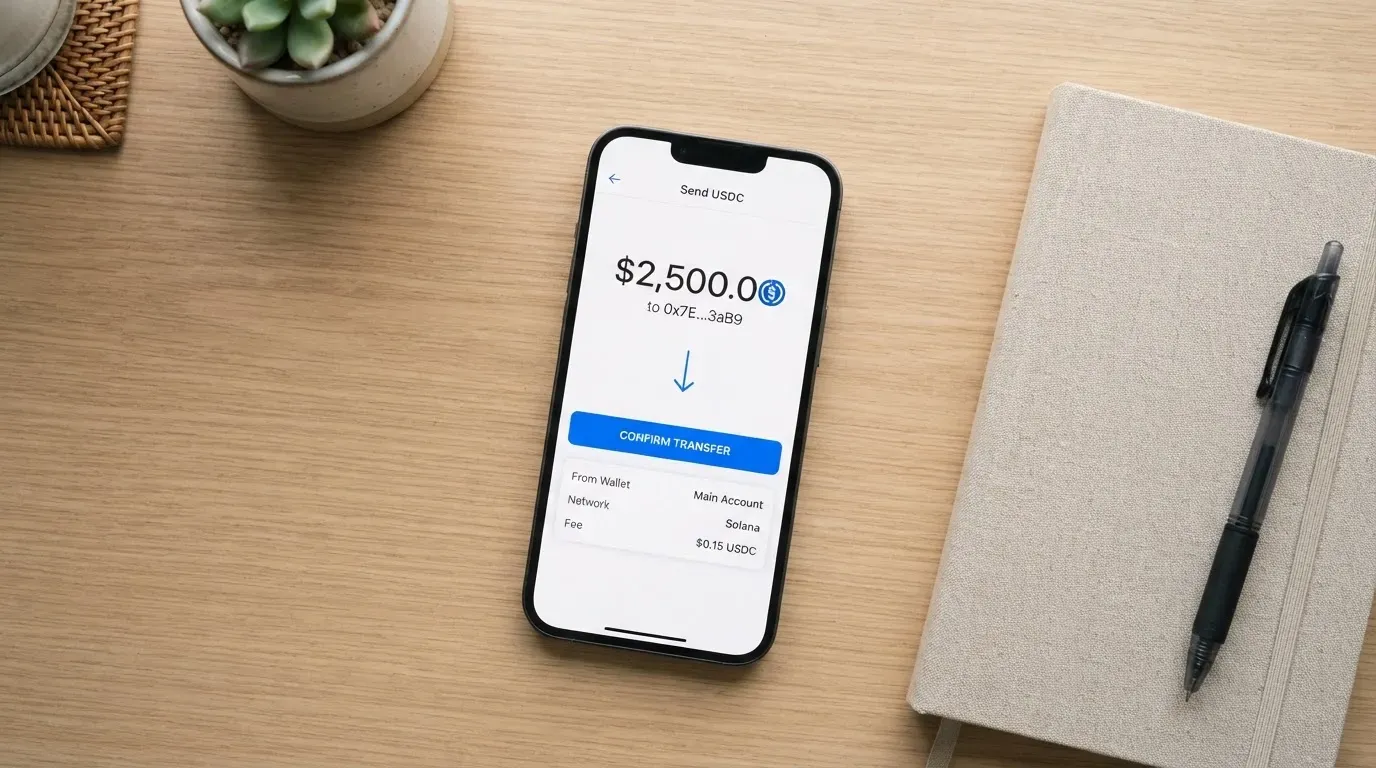
What is not stated is the part that decides whether a top-up works at all: which coins and which networks you can send. The card does not name them on the pages I read. Earlier background data mentioned the card being backed by collateral from a self-custodied wallet, but that was not confirmed on the official pages, so I am flagging it as unverified rather than repeating it as fact. Whether there are top-up-specific fees is not stated either, and neither is how to withdraw money back out.
This is the single biggest practical risk in funding this card, and it belongs to the category as much as to this card. Blockchain transfers are irreversible. If you send on a network the provider does not support, or to an address belonging to a different network, the funds can be lost or need manual recovery with no guarantee. That is why an unnamed network is not a cosmetic omission; it is the detail that can cost you the deposit itself. And there is a second, quieter cost: the on-chain network fee for your deposit is charged by the blockchain, not by the card, so it comes out of the amount you send regardless of what the card says about its own fees.
If you try to send a common stablecoin, know that the choice of network is yours to get right. USDT is issued on several networks including Ethereum, Tron, Solana, Polygon and Avalanche; USDC is natively supported on 38 networks as of 16 September 2026, but Circle stopped supporting USDC on Tron in February 2024, so “USDC over TRC20” is not a native option. Fees differ per network: Ethereum charges gas paid only in ETH, so a wallet holding USDT but no ETH cannot send, while Tron prices fees through bandwidth and energy and often burns TRX. My advice is narrow and practical: before your first transfer, confirm in the app exactly which network and coin it expects. Getting that right is worth more than any fee the card might charge.
Paying with it every day
Everyday use is this card’s strongest suit, and it is why the everyday-use mark is 9 out of 10. You get a virtual and a physical Visa that both work anywhere Visa is accepted, they share one ATM PIN between them, and you can add the card to Apple Pay or Google Wallet and pay by phone wherever Visa is accepted. The app is on iPhone via the App Store and on Android via Google Play. The App Store listing “SpotPay: Global Wallet” is at 4.2 out of 5 across 41 ratings, which I read on 2026-10-21, with an age rating of 4+, developer SpotPay, Inc., version 1.4.12; the Google Play rating I did not read.
The mobile-wallet support is the part that feels best in practice. When you add a card to Apple Pay, the card number is replaced by a device-specific account number stored in the phone’s Secure Element, never on Apple’s servers, and each payment carries a one-time dynamic code, so you are not handing a shop your real card number. That is a genuine day-to-day convenience and safety improvement over handing over plastic.
Two everyday-use details are simply absent. Which merchant categories are blocked is not stated — and this matters, because gambling, for instance, carries its own merchant code that issuers often block on these cards by policy, and the blocked list varies from issuer to issuer. And whether there are any rewards is not stated; the card says nothing about cashback.
You should also know how payments behave when they go wrong, because this is where a prepaid-style card can surprise you. A merchant can look up the card’s issuing institution and country and apply extra scrutiny if the issuer country differs from your billing address, which is why a card issued in one country can look “foreign” to a shop in another; some merchants decline prepaid or foreign cards outright for that reason. Address verification, which compares the numeric parts of your billing address against the issuer’s records, is mainly offered in the US, Canada and the UK and is often unavailable for foreign-issued cards, which can cause declines. Online payments may also raise a 3-D Secure identity check, where the issuer either approves silently or challenges you with a one-time code or a biometric. And a declined authorisation can leave a hold on your funds for several days, typically up to seven. None of that is this card’s fault and none of it is specific to it, but it is the texture of paying with this kind of card on an ordinary day.
What can go wrong
Nothing official has gone wrong that I could find. No incidents are published by the card, and two searches on 2026-10-21 turned up no user reports and no news coverage; the handful of App Store reviews that exist are positive. No Trustpilot or Reddit pages exist for it. That is genuinely reassuring, and it is also a small sample: a young product with few public complaints is not the same as a product with a long clean record.
The real exposures are structural, and they are worth naming plainly.
The first is the issuer. SpotPay is SpotPay, Inc., which describes itself as “a financial services platform, not a bank” and is registered as a Money Services Business with FinCEN in the US. The card issuer is not named. In this category that matters more than it sounds: the issuer is the institution licensed by Visa to hold the card programme, while the crypto brand is often just the front-end that markets it. When something goes wrong — a payment disputed, an account frozen, a programme wound down — the issuer is who is at the other end of it, and here you cannot see who that is.
The second is custody. The card cites industry-standard fund protection, secure authentication that locks the account to the owner, and real-time monitoring for unauthorised activity. But whether your crypto is held custodially by the provider or stays self-custodied in your own wallet until payment is not stated. That distinction decides who bears the risk of a hack or an insolvency. Custodial platforms have a real history of failure — Mt. Gox (about US$350 million reported stolen, 2011–2014), Coincheck (about US$400 million, 2018) and Ronin Network (US$625 million, 2022) — and a self-custody-linked card flips that risk to you, along with the risk of lost keys, phishing, and malware that swaps a copied address. Stablecoins are not a fixed value either: TerraUSD collapsed in May 2022 and USDC briefly lost its peg in March 2023.
The third is that programmes in this category do close. Visa and Mastercard do not themselves issue crypto cards to consumers; they license issuers and can suspend a programme. WaveCrest, a Visa issuer that supplied several crypto card brands, was suspended by Visa in Europe in 2018 and all its Visa programmes closed; in November 2022 Visa said it had “terminated our global agreements with FTX” and the FTX US debit card was wound down by its issuer. Closures typically follow a pattern: a notice period, then spending and loading stop, then users are asked to withdraw remaining balances. So keep only what you can afford to lose sitting in the wallet, and be ready to move it out.
What is not stated that would help you here: the support arrangement is not described on the pages I read, whether you can delete your account and what happens to a balance is not stated, and there is no news or announcement page to check for changes. If you cannot find a support route and a closure policy before you fund the card, that is a gap worth respecting.
What to take instead
I looked at three other cards that spend from a crypto balance, so you can see which trade-off each one makes. None is a free pass — each has its own gap — but between them they publish numbers this one does not.
| Card | Score | Card and cost | Fees |
|---|---|---|---|
| SpotPay Calypso | 6.5 / 10 | Virtual and physical Visa; issuance not stated | Conversion, FX and ATM fees not stated |
| International Visa Card | 6.7 / 10 | US-issued Platinum Visa, virtual, pays in USD; physical “coming soon”; $5 one-time issuance, no maintenance; plans Classic free, Pro $9.00/month, Max $19.00/month | Card use in USD free on all plans; foreign currency at “Visa exchange rate + 2% FX fee”; deposits of any kind free |
| UNi Card | 6.1 / 10 | Multicurrency card on Mastercard, spends from the account balance; no annual fee, issuance fee not stated | “No annual fee or foreign transaction fee”; converted at live OTC rates; “no hidden exchange fees” |
| Whop Cards | 5.2 / 10 | Visa, works anywhere Visa is accepted; “no extra fees” but no amounts listed | Conversion and FX amounts not stated; 5% cashback at select merchants, currently Uber |
The clearest contrast is with the International Visa Card. It publishes its issuance cost, its monthly plans and a specific foreign-exchange fee, and it names the countries it will not serve residents or registrants of — Belarus, mainland China, North Korea, Cuba, India, Iraq, Iran, Israel, Myanmar, Nepal, Nicaragua, Russia, Syria, Turkey, Ukraine, Venezuela and Vietnam — with FATF grey-list countries reviewed case by case, and it blocks purchases in North Korea, Cuba, Iran, Russia, Syria, Ukraine and Venezuela. Its rule is by residence or registration, not citizenship, which is the kind of clarity that lets you answer “can I?” before you apply. Its trade-offs: the physical card is “coming soon”, and you fund it by depositing USDC or USDT into a USD account (networks not stated) or via USD, EUR, SEPA, SWIFT and FedNow rails. It also states no cashback.
UNi Card takes the opposite approach on transparency: it states no annual fee, no foreign transaction fee and no hidden exchange fees, and converts at live over-the-counter rates, and offers spend-to-earn rewards up to 3%. What it does not publish is who can get one, how you fund it, or the issuance fee.
Whop Cards publishes the least on money and the most on geography. For consumers it covers 31 US states and for businesses 41, it names the unsupported consumer countries, and it spends from a Whop balance where a pending balance is usable as soon as a payment arrives and standard withdrawals use settled funds. It offers 5% cashback at select merchants, currently Uber. But it lists no fee or limit amounts at all, so for a cost-sensitive reader it is as opaque as SpotPay, with the added wrinkle of a US-state patchwork.
Where that leaves the comparison. If your priority is knowing exactly what a payment costs, the International Visa Card and UNi Card both beat SpotPay on published numbers. If your priority is having a physical card now, plus a virtual one and a shared PIN, SpotPay leads on that combination. My own lean, if you already have crypto and want a phone-first Visa with the most complete everyday setup, is still SpotPay — but not until you have read the fee and network details in the app yourself, because the website will not read them to you.
Who I would recommend it to
I would recommend the SpotPay Calypso card to someone who is comfortable treating their crypto balance as a prepaid account rather than a bank account, who wants both a virtual and a physical Visa on one wallet, and who will check the fee and network screens in the app before their first meaningful transfer. For that person the daily experience is the best in this comparison, and the missing numbers are a job they are willing to do themselves.
I would not recommend it as your first or only card. If you need to know your cost per payment before you commit, or you need a published list of eligible countries, or you want to see who the issuer is before you hand over funds, this card will frustrate you — not because it looks bad, but because it tells you so little on the record. In that case the International Visa Card is the more transparent option, or UNi Card if Mastercard and stated no-FX-fee matter more to you.
The one thing I would tell everyone, whoever they pick: fund the wallet with only what you can afford to lose while you are learning how it behaves, keep an eye on which network your transfers must use, and do not treat a crypto-backed payment card as though it carries bank deposit protection, because the card itself says it is not a bank.
Frequently asked questions
What is the SpotPay Calypso card?
The SpotPay Calypso card is a Visa payment card that draws on a crypto wallet balance rather than a bank account. You add funds to the SpotPay wallet and then spend them with the card as you would any Visa. The company presents it as a global wallet app paired with a physical card, and says the card works “anywhere Visa is accepted”.
How does the SpotPay Calypso card work?
You top up the SpotPay wallet, and the card spends from that stored balance. Because it behaves like a prepaid card rather than a debit card tied to a current account, it can only spend what you have loaded. The catch is that the coin-to-balance conversion rate and any fees are not published, so the real cost lives in details you must check in the app.
Is SpotPay Calypso a bank?
No. The operator is SpotPay, Inc., which describes itself as “a financial services platform, not a bank” and is registered as a Money Services Business with FinCEN in the US. The card issuer itself is not named. That is not automatically a red flag — many crypto cards work this way — but it means this is not a bank deposit.
Who owns SpotPay Calypso?
The card is run by SpotPay, Inc. Unofficial company information describes it as San Francisco based, founded in 2025, a Y Combinator W26 company, with founder and CEO Zsika Phillip-Baptiste; that comes from a third-party profile and is not confirmed by the card. Who issues the card is not stated at all.
Can I use the card in my country?
The site says you can spend “worldwide” but publishes no country list or exclusions. Unofficial earlier data mentions 40+ countries with separate US and international programmes and sanctioned countries excluded, unconfirmed on the pages I read. Some cards in this category refuse by residence or registration, so if your country matters, check in the app before funding.
How do I get the card?
The card describes a guided setup that takes minutes in its app. The documents needed, whether proof of address is required, and the age verification rules are not stated. The physical card’s delivery time is also not stated. You receive a virtual and a physical Visa card that share one ATM PIN between them.
Does the card require KYC?
Almost certainly some identity check, as any regulated service would, but the card does not publish what it asks for. The documents required, the proof of address rule, the age requirement, and the level of the check are all not stated. In the EU such checks cover name, address, date of birth, nationality, ID documents, sanctions screening and politically exposed person status.
How do I top up the SpotPay Calypso card?
You add funds to the SpotPay wallet, and the card spends that balance; the wallet can also receive payments. Which coins and which networks are accepted is not stated, which is the detail to verify before your first transfer, because a transfer on an unsupported network can be lost. On-chain network fees come from the blockchain, not from the card.
What are the fees?
The honest answer is that they are not published. Issuance, monthly fee, crypto conversion, foreign exchange, ATM fees, and daily and monthly limits are all not stated; the site only says transfers have “clear fees”. Check the fee screens in the app before you commit, and compare with alternatives that do publish amounts.
Is the card safe to use?
There is no published incident and no complaint I could find in two searches, and the App Store rating is 4.2 from 41 ratings — a positive but very small sample. The card cites industry-standard fund protection, owner-locked authentication and real-time monitoring, but it does not say whether your crypto is custodied or self-custodied. Treat it as a wallet, not a bank, and keep only what you can afford to lose in it.
App and neobank cards put to the test – cryptocardtested
Content created by the «cryptocardtested» team