
The Avalanche Card, tested against the facts: who can get it, what it really costs, and where it falls short
 Available in US
The Avalanche Card is a Visa payment card that spends directly from a crypto balance held on the Avalanche network. It is run by Rain Liquidity LLC, with Ava Labs as the public-facing partner, and it was first rolled out across Latin America and the Caribbean before opening up to many U.S. states. If you already keep USDC or AVAX in an Avalanche wallet and want to spend that balance at a Visa terminal without first off-ramping to a bank, the product is aimed squarely at you. If you are outside the supported regions, or you need an ATM, cashback, or a card from a named bank, the picture thins out quickly.
This review goes through what the card’s own pages say, what the small print on third-party sites reports, and where the two disagree, so you can decide whether it fits your situation before you start the sign-up.
The conditions described here are current as of October 28, 2026.
Verdict
The Avalanche Card earns 6.9 out of 10 overall. That score reflects a product that is free to issue and cheap to run on its headline terms, but is held back by an unnamed issuing bank, a support channel that is hard to evaluate, and several small but important gaps in the public documentation: ATM terms are not stated on the card’s own pages, reward programmes are mentioned only in unofficial sources, and the fees shown in third-party disclosures diverge from the public FAQ. For a U.S. or Latin American resident who already holds USDC on Avalanche and is comfortable with self-custody, it is a practical way to convert a crypto balance into everyday spending. For anyone else, the geography rules, the absence of a physical-bank-issued feel, and the thin reward structure make it a harder sell.
| Criterion | Score | Why it matters |
|---|---|---|
| Who can get it | 7 / 10 | Many U.S. states, Latin America, and the Caribbean are eligible; 18 countries and 16 U.S. states are excluded; third-party sites report around 172 countries available. |
| Cost | 8 / 10 | Virtual and physical issuance are $0, shipping is $0, there is no monthly fee, and the headline FX rate is 1%; unofficial disclosures mention 2% to 3% in some cases. |
| Top-up options | 6 / 10 | USDC, USDT, AVAX, and WAVAX as collateral on the Avalanche network; Ava Labs’ help page adds sAVAX; the FAQ mentions only USDC and AVAX. |
| Reliability and complaints | 6 / 10 | Powered by Rain Liquidity; the issuing bank is not named on the card site; no official incident reports found; the App Store rating sits at 3.1 out of 5 from 22 ratings, and third-party sources flag slow support. |
| Everyday use | 7 / 10 | Virtual and physical Visa, Apple Wallet and Google Pay supported; whether ATM withdrawals are part of the product is unclear across sources. |
The card suits Latin American and U.S. residents who already hold USDC on Avalanche and want a low-friction way to spend it. It is less suitable if you need ATM access, a named bank on the front of the agreement, a published cashback programme, or full coverage of European and Asian markets.
Who is the card for
The Avalanche Card is offered on a residence basis: you need to live in a supported country or U.S. state and be at least 18 years old. The card’s own pages describe the eligible footprint as “many U.S. states, Latin America, and the Caribbean,” with the list framed as expanding over time. Eighteen countries are explicitly excluded: Belarus, Cuba, India, Iran, Iraq, Israel, Mainland China, Nepal, Nicaragua, Nigeria, North Korea, Russia, Sri Lanka, Syria, Turkey, Ukraine, Venezuela, and Vietnam. Sixteen U.S. states are also excluded, namely AZ, DE, GA, ID, LA, MD, NV, NM, ND, OH, OR, RI, SD, VT, WA, and WI.
A third-party site, CryptoCardHub, puts the supported footprint at around 172 countries, with the same 18 restricted countries, including China, India, Russia, Turkey, and Vietnam. That count is unofficial and not confirmed by the card. If you live in one of the excluded U.S. states or countries, the sign-up will stop at the residency step regardless of your citizenship. If you live somewhere the card calls supported, you can continue to identity verification.
Because the rule is residence-based, your citizenship matters less than where you actually live, though sanctions screening still applies. A dual citizen or a citizen of a restricted country living in a supported jurisdiction will normally be able to proceed, as long as the ID document you present matches the country you live in. The reverse is also possible to fail: someone living in Miami with a passport from a restricted country may run into a sanctions flag during KYC even though Florida is supported. The card site does not state the rule in so many words, but the application flow treats address and ID as a pair.
How to get it
Sign-up is a single KYC process with no tier system, meaning everyone goes through the same checks regardless of how much they plan to spend. You will be asked for your legal name, email, date of birth, SSN or national ID number, a government-issued photo ID, a selfie, and a valid phone number. Expired IDs and P.O. boxes are not accepted. The card site does not separately ask for a proof of address, and the small print does not mention one. Approval is usually seconds but can take up to 72 hours.
Once approved, the app issues a virtual card immediately. You can request a physical Visa as well, and the account can hold up to three virtual cards and one physical card, with one of each active at a time. The currency the card settles in is not stated on the public pages, which is unusual for a Visa product; it is most likely USD given the U.S.-centric KYC, but the card does not say so. Shipping for the physical card is free, and most users report receiving the card in 14 to 30-plus business days, depending on location. A replacement fee is not stated. The eligible shipping list mirrors the eligible residency list, so the card is delivered only to the countries where you can apply in the first place.
A third-party source reports both a virtual and physical Visa, which matches the card site, and likewise could not confirm the card currency from any source it read.
What it really costs
The headline cost story is straightforward and friendly. The Avalanche Card charges $0 to issue a virtual card, $0 to issue a physical card, $0 for shipping, and $0 per month to keep the account open. The card site also states: “No gas fees or conversion fees are charged by Avalanche Card.” The only fee the official pages show is a 1% foreign exchange fee when you spend in a currency other than the card’s base.
| Fee or limit | Amount |
|---|---|
| Virtual card issuance | $0 |
| Physical card issuance | $0 |
| Shipping | $0 |
| Monthly account fee | $0 |
| Conversion fee (official) | $0 (network gas may apply) |
| FX fee (official) | 1% |
| ATM withdrawals | Not stated on the card site |
| Daily and monthly limits | Not stated on the card site |
| Replacement card fee | Not stated |
That clean surface is the main reason the cost score sits at 8 out of 10. The catch is what the public site does not say, and where third-party disclosures disagree. CryptoCardHub reports that the FX fee is 2% under the U.S. disclosure and up to 3% under the international agreement, contradicting the 1% number on the public FAQ. DefiLlama describes the global fee as up to 3%. The same source mentions a late-payment fee of up to 2% of the outstanding balance and a $10 statement-copy fee in the U.S. Both of those are unofficial and depend on which document you read. If you live in the U.S. and plan to spend mostly in dollars, the practical fee is 0% on conversion and 0% on FX, so the headline 1% is a worst case for cross-border spending.
ATM access is the most unsettled point. The card site says nothing about cash withdrawals. CryptoCardHub says ATM withdrawals and cash advances are not part of the current product. A separate comparison site, cryptocards.so, lists ATM as unlimited with $0 fee. DefiLlama says the ATM terms are not disclosed. The Avalanche Card app is unlikely to give you cash from an ATM, but if it does, the fee is genuinely unknown and may have changed by the time you read this. Treat any answer here as unofficial.
To translate the official cost line into what you actually feel at the till, three everyday situations illustrate the gap between the published fees and the lived experience:
- Coffee in your home currency, paid with a USDC balance: no FX fee (you are spending in the card’s base currency), no conversion fee from Avalanche Card, only the network gas you already paid when you sent USDC to the card. If you funded the card with USDC that you already held on Avalanche, the marginal cost of the coffee is the gas it took to top up.
- Dinner in a country that uses euros, paid from a USDC balance: the official line is a 1% FX fee. Third-party sources suggest the actual fee could be 2% or 3% depending on which agreement governs your account. The only way to be certain is to check the fee disclosure you received at sign-up, not the public FAQ.
- Online subscription paid from an AVAX balance: AVAX is accepted as collateral, and the card site lets you spend up to 50% of value in AVAX or wAVAX under unofficial U.S. terms, with up to 100% in USDC or USDT. The conversion from AVAX to spendable balance is handled in-app; whether Avalanche Card charges for that conversion is unclear from the public pages.
The practical takeaway is that the card is free to issue, free to hold, and cheap to spend in dollars, but the international and non-USD figures vary enough between sources that you should not rely on the 1% headline if you are planning cross-border spending.
Top up
The Avalanche Card is funded entirely in crypto. The card’s homepage lists USDC, USDT, AVAX, and WAVAX as supported collateral, all on the Avalanche network. The FAQ mentions only USDC and AVAX, which is inconsistent with the homepage, and Ava Labs’ help page adds sAVAX, the liquid-staking version of AVAX, to the list. Rain’s launch article also lists sAVAX. So the working list, combining the official and partner pages, is USDC, USDT, AVAX, WAVAX, and sAVAX, all native to or wrapped on Avalanche.
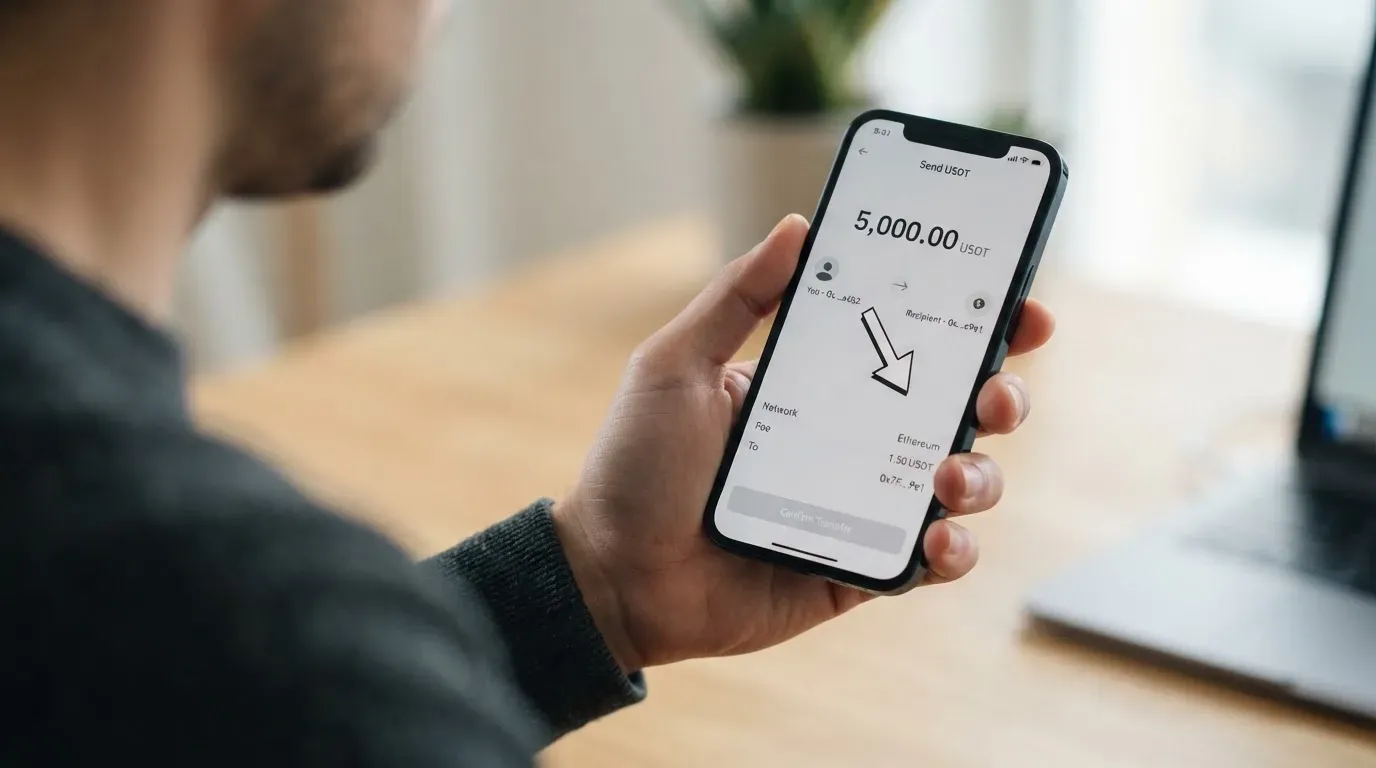
There is no minimum top-up stated on the public pages. There is no top-up fee charged by Avalanche Card, though you will pay Avalanche network gas when you send the tokens, which is the only cost of moving value onto the card. Funding and withdrawal happen inside the app: you add funds, you withdraw funds, and you can close any card at any time. The withdrawal fee is not stated.
A few practical points that the official pages do not spell out:
- The card spends the Avalanche-native versions of these tokens. If you hold USDC on Ethereum, Polygon, or Solana, you will need to bridge it to Avalanche before you can top up, and bridging is a separate transaction with its own gas.
- Sending a token to the card on the wrong network is a common way to lose funds. Crypto transfers are irreversible, and the card provider may not be able to recover a deposit sent to an address that does not match the supported network. The Avalanche Card app will show the deposit address, and it is worth double-checking that the network in your sending wallet matches before you confirm.
- Funding from a bank account is not part of the product. There is no fiat on-ramp through the card itself. To put dollars on the card, you acquire USDC elsewhere, send it to the Avalanche network, and top up from there.
Paying with it every day
Once the card is funded, daily use is meant to feel like a normal Visa. The virtual card can be added to Apple Wallet or Google Pay, and the physical card is a regular contactless Visa. Online payments work anywhere Visa is accepted, subject to the merchant category codes the issuer chooses to block, which Avalanche Card does not publish.
There is no cashback programme on the official pages. Third-party sources describe “Avax Points” rather than cashback, with an earn rate shown only inside the app, and a redemption value of one cent per point for travel or 0.7 cent for statement credit. That structure is unofficial and not confirmed by the card site, so any expectation of rewards should be treated as tentative. The card site makes no mention of points, tiers, or sign-up bonuses.
The mobile app is published as “Avalanche Card – Pay Anywhere” by Rain Liquidity LLC. On the Apple App Store it sits at 3.1 out of 5 from 22 ratings, which is a small sample but the only direct signal from real users in the official store. Google Play was not read for this review. A third-party user report describes slow or generic support on withdrawal and access problems, which matches the lack of published response times on the card’s support page.
A few everyday situations worth knowing before you start spending:
- Adding the card to Apple Pay or Google Pay takes a minute and is the fastest way to use the virtual card at a contactless terminal. The card number is replaced by a device-specific token, so a leaked card number from a merchant breach does not automatically expose the underlying Visa.
- Online checkouts that ask for a billing address and run Address Verification Service can decline foreign-issued Visa BINs more often than domestic ones, especially in the United States, Canada, and the United Kingdom. If the merchant’s AVS check fails because the card was issued outside your country, the payment can be declined even with sufficient balance.
- 3-D Secure will sometimes pop up as an extra step at checkout. The Avalanche Card does not state whether it enrols cards in Visa Secure by default, but Visa’s general policy is to require it for many online transactions, and you should expect a code or biometric prompt occasionally.
- A declined transaction can leave a hold on the balance for several days, even though the payment never actually settled. This is standard card-network behaviour rather than something specific to Avalanche Card, but it is worth knowing if you are spending close to your balance.
What can go wrong
The honest list of risks for this card is short, and that is partly because the public documentation is thin rather than because the product is unusually safe. The most important things to keep in mind:
- The issuing bank is not named on the card site. Rain Liquidity’s general site footer says its debit cards are issued by Cross River Bank, a U.S. institution that is a member of the FDIC, with Rain Products, Inc. as the programme manager, but that line is on Rain’s broader marketing pages and is not explicitly tied to the Avalanche Card. The Avalanche Card site itself says cards are “issued by partners licensed in their respective jurisdictions” without naming one. If the partnership changes, or if Rain’s relationship with its bank changes, the card could be wound down. The history of crypto cards includes several such shutdowns, including the FTX US debit card in 2022.
- The product is self-custody. Rain Liquidity is not a custodian, and you keep your own keys. That removes the counterparty risk of holding your balance with a centralised exchange, but it also means a lost seed phrase or a clipboard-hijack that swaps a copied address is on you, with no support path to recover funds. Neither Avalanche, the card, nor any cryptocurrency held in your wallet is FDIC insured.
- Support is the largest known weak point. The card’s support pages list contact options but do not publish channels, languages, or hours. Ava Labs does not support the card; Rain handles issues. Third-party user reports describe slow or generic responses on withdrawal and access problems. If something goes wrong, the path back to a human is not obvious from the public pages.
- The fee story is less settled than the headline suggests. Third-party sources disagree on FX, ATM, and late-payment fees. If you are spending in non-USD currencies, or if you plan to rely on ATM access, check the disclosure you received at sign-up, not the public FAQ.
- Rewards are unofficial. The “Avax Points” programme is described only on third-party sites, and the card site mentions no cashback. If a reward is the reason you are considering this card, do not factor it into your decision until you can see it inside the app on your own account.
- The product is not anonymous. The card requires full KYC, with a government ID, a selfie, and an SSN or national ID number. The same documents are screened against sanctions lists. There is no path to use the card without identity verification, and there is no way around residency rules.
What to take instead
The Avalanche Card is not the only crypto card on the market, and depending on where you live, what you want to spend, and how much you want to earn back, a different card may suit you better. Three alternatives, scored against their own research, give a sense of the trade-offs.
| Card | Score | Region | Annual cost | Rewards | Best for |
|---|---|---|---|---|---|
| Avalanche | 6.9 / 10 | Many U.S. states, Latin America, Caribbean | $0 | Unofficial Avax Points | Existing USDC on Avalanche, U.S. and LatAm residents |
| MetaMask Card | 7.1 / 10 | 45 listed countries, others on waitlist | Virtual $0, Metal $199/year | 1% Virtual, up to 3% Metal (capped) | Spending directly from a self-custody wallet, Linea, Base, Solana |
| KAST | 6.1 / 10 | Residence-based, list not published | $0 to $10,000/year | 1.5% to 3% USD cashback by tier | High spenders who want a multi-currency Visa with cashback |
| TokenPocket | 5.8 / 10 | European and Asia-Pacific lists; Americas planned | NFT creation fee; “no additional fees” | 1% deposit fee refunded via rewards | Users already inside the TokenPocket wallet on Arbitrum |
MetaMask Card is the closest competitor for someone who already keeps crypto in a self-custody wallet. It spends directly from the connected wallet on Linea, Base, Monad, or Solana, with cashback paid in mUSD into a Money Account. The headline cashback is 1% on Virtual and up to 3% on Metal, with the Metal 3% capped at the first $10,000 of spend. The issuer is Monovate, with Crypto Life as card provider. Sign-up is open in 45 listed countries, including Argentina, Brazil, Mexico, Germany, France, and Spain, with U.S. and U.K. sign-ups temporarily closed per the FAQ. The annual cost is $0 for Virtual and $199 for the Metal card.
KAST is the option for someone who wants a Visa with real cashback and is willing to pay for it. Annual membership runs $0 for Standard, $1,000 for Premium, and $10,000 for Private, billed upfront. Cashback ranges from 1.5% on Standard to 3% on Private, paid in USD, with KAST Points on top for the higher tiers. Up to 10 cards per user, including Visa Platinum, Visa Infinite metal, and a gold-plated Visa Infinite. Stablecoin top-ups are 0% and card spend in USD is 0%, with FX fees from 0.5% to 1.75% depending on where you live and where you spend. The catch is the residence list is not published, and KYC can fail if your ID is from a restricted region even if you live in a supported country.
TokenPocket Card targets the existing TokenPocket wallet community. It runs on Arbitrum, with balances in EUR24 and USD24, and supports a list of European and Asia-Pacific countries. The Americas were planned for Q2 2025. Apart from a small NFT creation fee, the card does not charge additional fees, and a 1% deposit fee is meant to be refunded through rewards or reduced transaction fees. The product is less mature than MetaMask Card or KAST and sits at 5.8 out of 10 in its own research.
The short version: if you live in a supported U.S. state or Latin American country and already hold USDC on Avalanche, the Avalanche Card is a reasonable fit. If you live in Europe or Asia and want a self-custody card with cashback, MetaMask Card is the stronger option. If you are willing to pay an annual fee for higher cashback and a tiered Visa, KAST is the alternative. TokenPocket is the fallback if you are already in its wallet ecosystem.
Who I would recommend it to
The Avalanche Card is worth a look if you are a U.S. resident outside the 16 excluded states, a resident of a Latin American or Caribbean country on the supported list, or a long-term Avalanche user who already holds USDC on the network. In any of those cases, the card offers a free way to turn that stablecoin balance into everyday Visa spending without first off-ramping to a bank, which is a real convenience.
The card is not the right choice if you live in a country the card does not serve, if you need ATM access as a documented feature, if cashback is a meaningful part of why you choose a card, or if you want a product whose issuing bank is named in the marketing. It is also not the right choice if you are not comfortable holding your own seed phrase, since this is a self-custody product and there is no central recovery path.
The final call comes down to geography and existing balance. If both line up, the card does what it says at a price that is hard to beat. If either does not, the alternatives will serve you better.
Frequently asked questions
What is the Avalanche Card?
The Avalanche Card is a Visa payment card that spends directly from a crypto balance held on the Avalanche network. It is run by Rain Liquidity LLC with Ava Labs as the public partner, and it is currently offered across many U.S. states, Latin America, and the Caribbean, with the list framed as expanding.
How does the Avalanche Card work?
You fund the card with Avalanche-native USDC, USDT, AVAX, WAVAX, or sAVAX, the app holds a balance against that collateral, and the Visa number spends that balance at any merchant that takes Visa. Conversion to the merchant’s currency happens at the point of sale, with a 1% FX fee per the public FAQ.
Is Avalanche a bank?
No. Avalanche is a blockchain network, and the Avalanche Card is a payment product, not a bank account. The card is operated by Rain Liquidity, a financial technology company, with cards issued by licensed partners whose names are not on the public card site.
Who owns Avalanche?
Avalanche is an open-source blockchain. Ava Labs is the company most associated with it publicly, and it is the partner named alongside Rain on the card’s marketing. The card itself is operated by Rain Liquidity LLC.
Is the Avalanche Card available in my country?
The card is open in many U.S. states, Latin American countries, and Caribbean countries, with 18 countries excluded, including India, Russia, Turkey, Vietnam, and Mainland China, and 16 U.S. states excluded. A third-party site reports about 172 countries available, but the card’s own list is the source of truth at sign-up.
Does the Avalanche Card require KYC?
Yes. Sign-up requires a legal name, email, date of birth, SSN or national ID number, a government-issued photo ID, a selfie, and a valid phone number. Expired IDs and P.O. boxes are not accepted, and approval usually takes seconds, with up to 72 hours in some cases.
How do I top up the Avalanche Card?
You send Avalanche-native USDC, USDT, AVAX, WAVAX, or sAVAX to the deposit address shown in the app. There is no top-up fee from the card, though you will pay Avalanche network gas on the transfer. You cannot top up from a bank account through the card itself.
How do I add the Avalanche Card to Apple Wallet or Google Pay?
Open the app, generate a virtual card, and tap the option to add it to Apple Wallet or Google Pay. The card number is replaced by a device-specific token, and the card can be used at contactless terminals immediately after.
Is the Avalanche Card safe?
The card uses self-custody, so you keep your own seed phrase and the card provider is not a custodian of your balance. That removes counterparty risk from the card operator but means a lost seed phrase is on you, and neither the card nor any cryptocurrency is FDIC insured. The product is regulated through licensed partners, but the issuing bank is not named on the public card site.
Is the Avalanche Card worth it?
The card is worth it if you live in a supported region, already hold USDC or other supported tokens on Avalanche, and want a free way to spend that balance at Visa merchants. It is less worth it if you need ATM access, named-bank clarity, published cashback, or coverage outside the supported regions, in which case MetaMask Card or KAST will likely serve you better.
Wallet cards put to the test – cryptocardtested
Content created by the «cryptocardtested» team