
What the Decaf card actually does, and who it is built for
 Available in US
The Decaf card is a Visa that pulls from a USDC balance on a non-custodial wallet. If you keep your own keys, are paid in dollars and have struggled to get a normal bank card, it does the one job it sets out to do. If you want cashback, a tiered card or a clear regulatory pedigree, it does not. This review walks through who can actually get one, what it costs day to day, how the top-up flow works in practice, and where the gaps are.
Conditions are current as of October 28, 2026.
Verdict
Decaf earns 6.2 out of 10. That is a middling score that mostly reflects what the card does not say about itself rather than what it does wrong. The product is small, the issuer and licences are not named, and a Trustpilot page with a single one-star review alleging fake support is not a comfort. The strong points are the things that fit a specific situation: a non-custodial wallet, USDC on Solana and Stellar, a Visa you can spend anywhere, and an FX rate taken straight from Visa with no Decaf mark-up.
| Criterion | Mark | Reason |
|---|---|---|
| Who can get it | 8 / 10 | Open in most countries, but a long restricted list (19 countries, 12 US states) and an unclear citizenship rule leave a thick grey zone. |
| Cost | 7 / 10 | No monthly or annual fee; the FX rate is Visa’s with no Decaf margin; the catch is a $5 virtual or $10–$90 physical activation fee, with $90 outside the US. |
| Top-up options | 5 / 10 | USDC is the path shown on the page; the app lives on Solana and Stellar, but the specific coins and networks that fund the card itself are not listed. |
| Reliability and complaints | 4 / 10 | The company is named (Decaf, Inc., Delaware) but the card issuer and the licences that back it are not; one Trustpilot review (1 star) alleges a fake-support scam and that is the only third-party signal. |
| Everyday use | 6 / 10 | Virtual and physical Visa, ATM up to $250 three times a day, no Decaf ATM fee; mobile wallets (Apple Pay, Google Pay) and reward cashback are not mentioned. |
| Total | 6.2 / 10 |
It suits you if you are a freelancer paid in dollars who keeps your own keys and you want a card that just spends from a USDC balance without you trusting a custodian with the funds. It does not suit you if you want a clear picture of the licensed issuer behind the card, a cashback scheme, a tiered metal card, or a card that works in Russia, Belarus, India, China, Turkey, Ukraine, Vietnam, Nigeria and a dozen other places, or in twelve US states.
Who can get a Decaf card
The headline rule from Decaf is that you can sign up in most countries, but there is a long restricted list. The card is not issued in 19 countries: Belarus, China, North Korea (DPRK), India, Iran, Iraq, Israel, Myanmar, Nepal, Russia, Syria, Turkey, Cuba, Ukraine, Venezuela, Vietnam, Nicaragua, Puerto Rico and Nigeria. It is also not issued in 12 US states: Arizona, Delaware, Georgia, Idaho, Louisiana, Maryland, Montana, Ohio, Oregon, Rhode Island, Washington and Wisconsin.
Two things are worth pausing on. First, both Russia and Belarus are on the restricted list. The page does not say whether the rule is applied to citizenship, to country of residence, or to both, so it is worth checking with support before you put time into a sign-up if you hold a passport from one of those countries. Second, the list mixes well-known sanction regimes (Iran, Syria, North Korea, Cuba) with countries that are not under broad US sanctions but are excluded anyway, such as India, Turkey, Vietnam and Nigeria. If you are reading this from one of them, the answer is no.
For everyone else the on-ramp is the same: sign up, verify your identity once, then choose a virtual or physical card. Decaf does not publish a list of accepted identity documents, does not state the minimum age, and does not break its checks into tiered KYC levels. In practice the basic steps in this category of product are a government-issued photo ID and a proof of address, but you should not treat that as a promise until you start the flow yourself.
How to get the card
The sign-up flow described on the site is short: “Sign up and verify your identity once.” Once you are through that step you are in the app, where you can issue a virtual Decaf Visa or order the physical one with tracked delivery. The card currency is not stated on the page, but the headline promise is “Earn in dollars” and the sample balance is shown in USDC, so the card is best thought of as a US-dollar Visa.
There is no published schedule for how long the physical card takes to arrive and no replacement-cost figure if it is lost or stolen. Activation is what actually costs money: $5 for a virtual card worldwide, $10 for a physical card delivered to a US address, and $90 for a physical card shipped anywhere else. That $90 is the figure that most changes whether the card is “cheap” — for a freelancer in Latin America or Southeast Asia it is a meaningful chunk, so it is worth weighing against the alternatives further down.
Fees: what a Decaf payment actually costs
The price model is unusually simple for a crypto card. There is no annual fee and no monthly fee, and the only one-off charge is the activation fee above. After that, the headline fees on a Decaf payment are:
| Fee or limit | Amount |
|---|---|
| Virtual card activation | $5 (worldwide) |
| Physical card activation (US) | $10 |
| Physical card activation (rest of world) | $90 |
| Annual or monthly fee | None |
| FX mark-up | None — “the FX is the one Visa offers” |
| Decaf ATM fee | None |
| ATM withdrawal limit | $250 per transaction, up to 3 per day |
| Crypto conversion fee | Not stated |
| Spending limits | Set by you in the card screen |
A few everyday payments are worth running through so the table is not just numbers.
Buying a $40 lunch in a card currency other than USDC/USD. If you paid in USDC and the merchant is in Europe, Visa’s FX rate applies to the conversion. Decaf adds nothing on top. The amount you see in the app at the time of the tap may differ slightly from the amount the merchant finally charges, because FX rates move between authorisation and settlement; that is true of every Visa and is not a Decaf-specific quirk.
Withdrawing $200 from an ATM with the physical card. The Decaf-side fee is zero. Your bank (the ATM operator) may still charge its own withdrawal surcharge, and your card issuer may add an ATM fee of its own; those two charges are not under Decaf’s control. The card-side ceiling is $250 per transaction, three times a day, so a single $200 withdrawal is well inside the cap.
A $1,000 online subscription paid from a USDC balance. If your balance is already in USDC there is no crypto conversion in the moment, and the FX question only arises if the merchant is in a non-USD currency. Spending limits are not fixed by Decaf; you set them in the limits section of the card screen, which is the right place to keep the card from running further than you want on a subscription you forget about.
The two gaps to watch are the crypto conversion fee (not stated) and the “free allowance” on ATM withdrawals (also not stated). If the card converts USDC into the settlement currency at the moment of payment, there is a fee there that the page does not disclose; if the ATM network has a per-transaction or daily cap, that is also not described. Treat both as questions for support before you build a habit around the card.
Top up: how to fund the card
The funding flow is the part of Decaf that takes the most explaining, because the card and the app sit on different rails. You do not “send crypto to the card.” You fund a Decaf balance, and the card draws from that balance.
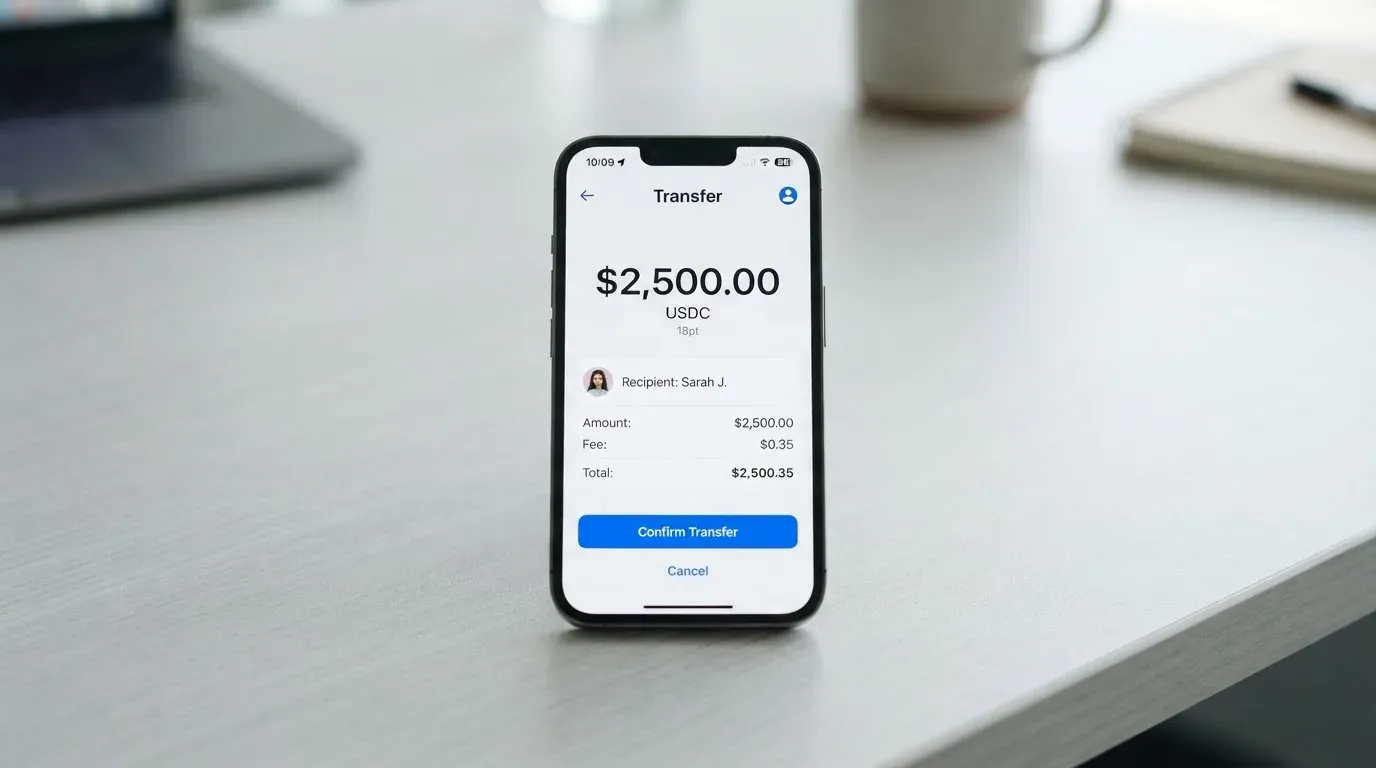
The public page shows two ways in. First, a Decaf payment link or account details that you can pay by card, bank transfer or USDC. Second, a USDC transfer into your Decaf balance, which then shows up as a card balance in the app. The app itself runs on Solana and Stellar, which is useful to know because USDC is natively available on both and that is consistent with what the page shows.
What the page does not say is the part that catches people out. The specific coins that top up the card, the networks you can use, the deposit fee, the minimum top-up, and who pays the network gas fee are all not stated. If you are sending USDC from a non-custodial wallet, the safest assumption is that you need USDC on either Solana or Stellar (the two chains the app is built on) and that the network fee is paid by the sender. If you are sending from a centralised exchange, double-check the withdrawal network on the exchange side; sending USDC on the wrong network to a USDC address is the classic way to lose a top-up.
In the other direction, Decaf describes two off-ramps. Bank withdrawals go to accounts in “85+ markets”, and cash pickup is available through MoneyGram in “180+ countries”. That second option is worth noting if you are in a market where a bank transfer is slow or unavailable, because it turns the card into something closer to a remittance tool. The reverse flow — moving the card balance back into crypto on-chain, or what happens to the balance when the account is closed — is not described.
Paying with it every day
Once the balance is loaded, spending works the way you would expect a Visa to work: tap to pay, insert, swipe, or pay online. The card comes in a virtual form for online and mobile use and a physical form for in-store purchases and ATMs. Apple Pay and Google Pay are not mentioned on the public pages, so if mobile-wallet support is a deal-breaker for you, that is a question to put to support before you commit.
The iPhone and iPad app is on the App Store with a 4.4 out of 5 rating from 113 ratings (read on the date shown below the table). The Google Play page was not read for this review, and the App Store listing lists English as the only supported language, so the interface is in English. The app’s description emphasises that you keep your own private keys, which is the “non-custodial” side of the product: the funds sit in your wallet until the moment of payment, and Decaf does not hold them as a custodian.
Merchant category restrictions, rewards, and the dispute process for chargebacks or fraudulent transactions are all not stated. In a card that runs on USDC with no cashback, the lack of a published rewards scheme is not a surprise, but the absence of any description of how disputes are handled is something to ask about before you use the card for anything more than a coffee.
What can go wrong
There are three layers of risk on a card like this: the card-issuer risk, the platform risk, and the operational risk you can see in reviews and support quality.
The card-issuer layer is the one that is least visible. Decaf, Inc. is a “financial technology company registered in Delaware, USA”, and the company states plainly that it is “not a bank, exchange, or asset custodian.” The card issuer is not named in the public pages, and no licences are listed. The page also says payment services are delivered through licensed partners in each jurisdiction, but it does not name those partners. That is the most important fact to be comfortable with before you load a real balance: who actually issues the Visa, under which regulator, and which deposit-guarantee or e-money safeguarding rules apply if that issuer has problems. In a category where the card-issuing bank is the legal counterparty, an unnamed issuer is a real gap.
The platform layer. The app is non-custodial, so the funds do not sit on Decaf’s balance sheet. That removes the custodian-failure risk seen in the past with centralised exchanges and card programmes, but it shifts full responsibility for key management onto you. Loss of the seed phrase, a phishing attempt, or a clipboard-hijacker that swaps an address are all on you. The page also mentions user-set spending limits as a safety feature, but in-app freeze and 2FA are not described in the materials reviewed.
The operational layer is what you can observe. The third-party Trustpilot page for Decaf shows a TrustScore of 3.2 out of 5 from a single 1-star review dated 23 September 2026, posted to an unclaimed profile. The review is titled “Scammers 2” and alleges a fake support experience; it is one user report, not a pattern, and the company has not claimed the profile. A Reddit search did not surface card-specific threads. The Help Center is on Intercom, with collections for Business Accounts, the Decaf wallet, DecafPay and Guidelines, and no other support channels or hours are listed. With a single user complaint and no published incident response, this is the weakest part of the picture, and it is the part most likely to be settled one way or the other by your own test transaction before you commit a large balance.
A related risk worth flagging is the regulatory one. The card is not issued in a number of large markets, and the restricted list is long enough that anyone reading from outside the most common jurisdictions should check it carefully. Crypto regulation in the EU is now in force under MiCA, and US money-transmission rules apply to businesses that exchange or administer convertible virtual currency, so a card that is not anchored to a named licensed issuer sits in a less settled part of the regulatory map.
What to take instead
If the Decaf card does not quite fit, three alternatives cover the same ground with different trade-offs.
TokenPocket (TP Card), scored 5.8 / 10. A Visa or Mastercard debit card issued by Fiat24 on Arbitrum, with balances in EUR24 and USD24. The card is virtual only. Costs: the NFT creation fee is partly covered by TokenPocket, with the user paying a “small portion” that is not stated, and “apart from these, TP Card does not charge any additional fees”. The one disclosed fee is a 1% deposit fee on crypto top-ups, which the documentation says is later refunded through rewards or reduced transaction fees. Availability is regional: a Visa debit for several European countries and a Mastercard debit for Australia, Canada, Hong Kong, Japan, Taiwan, New Zealand, Singapore, South Korea, the UK and others, with the Americas listed as planned for Q2 2025. No cashback is stated. TP Card suits a user in the listed regions who is happy on Arbitrum and accepts the 1%-deposit-fee-with-refund model.
MetaMask Card, scored 7.1 / 10. A Mastercard that spends directly from a connected wallet, with networks Linea, Base, Monad and Solana, and a token list that includes mUSD, wETH, EURe, GBPe, USDC and USDT. Sign-ups are open in 45 listed countries and territories, with other regions on a waitlist; US and UK sign-ups were temporarily closed at the time of writing. The Virtual card is free, with no annual or maintenance fee; the Metal card is $199 a year. The page says there is “a minimal fee for each transaction” with the actual amount not stated on the pages read, “no additional MetaMask fees”, and no foreign transaction fee, using the Mastercard rate. Rewards: 1% cashback in mUSD on the Virtual card, with the Metal card at a headline 3% that drops to 1% after the first $10,000 spent, plus a Blackbird-dining $FLY multiplier of 5X for Virtual and 7X for Metal. The card is issued by Monovate, with the card programme from Crypto Life. MetaMask Card is the strongest of the three on cost transparency, reward and a named issuer, and the weakest on availability.
KAST, scored 6.1 / 10. A Visa with three tiers — Standard (free annual), Premium ($1,000 a year) and Private ($10,000 a year) — and up to 10 cards per account, in Visa Platinum, Visa Infinite metal and Visa Infinite gold-plated designs. Costs: an extra virtual card is $2, a Standard physical card is free with a $40 delivery fee, and there is a $1 a month inactivity fee after 12 months. Fees: 0% on stablecoin top-ups, 0% on card spend in USD, 0% on Apple and Google Pay, 0% on declined-balance transactions above a $0.50 fee, and a non-USD FX fee of 0.5% to 1.75% depending on the residence country, the transaction country and the card programme. Rewards: 1.5% USD cashback on the first $2,000 a month for Standard, 2% on the first $10,000 a month for Premium, 3% on the first $40,000 a month for Private, with KAST Points adding 1% on Premium and 2% on Private. Availability is residence-based and shown only inside KYC, with a specific rule that an ID from a restricted region can still block sign-up even if you live in a supported country. KAST suits a heavier spender who wants cashback and a tiered metal card and is willing to pay the annual fee for it.
Compared with all three, the Decaf card is the most aligned to a self-custody USDC user who is happy on Solana or Stellar, and the least competitive on rewards, tiering and the clarity of its issuer. MetaMask Card is the closest in spirit (a non-custodial or wallet-connected card with a named issuer) and the one to look at if Decaf’s restrictions exclude you.
Who I would recommend the Decaf card to
The short version: Decaf is a niche product, and the niche is real. If you are a freelancer or remote worker paid in USDC, if you keep your own keys, and if your country is not on the restricted list, Decaf does the one thing it claims to do — turn a USDC balance into a Visa you can spend — without taking custody of your funds and without adding its own FX mark-up on top of Visa’s. The activation fee is the main friction, especially the $90 physical-card fee outside the US, and the lack of a named card issuer is a real gap if you want to know who stands behind the card.
If you live in one of the 19 restricted countries or 12 restricted US states, look at MetaMask Card (if your country is in its 45-market list) or KAST (if you are outside both and willing to use a stablecoin on a supported network). If you are in Europe or in an Asia-Pacific market covered by TokenPocket and you are happy on Arbitrum, TP Card is the cheapest of the alternatives once the deposit fee is refunded.
For everyone else, the order I would test in is: load a small USDC balance, set a tight spending limit, run one online payment and one ATM withdrawal, and only then decide whether the activation fee is worth paying again. With a single user complaint on Trustpilot and no published incident history, the card has not yet been stress-tested in public, and a small first transaction is the cheapest way to find out whether the support experience matches the app.
Frequently asked questions
What is the Decaf card?
The Decaf card is a Visa (virtual or physical) that spends from a USDC balance in a non-custodial wallet app built by Decaf, Inc., a financial technology company registered in Delaware, USA.
How does the Decaf card work?
You sign up, verify your identity once, and load a USDC balance by paying a Decaf payment link or by sending USDC into your in-app balance. The card then draws from that balance like a prepaid Visa, with the FX rate Visa provides and no Decaf mark-up.
Is Decaf a bank?
No. Decaf states it is “not a bank, exchange, or asset custodian”. It describes itself as a financial technology company that delivers payment services through licensed partners in each jurisdiction, but it does not name those partners on the public pages.
Who owns Decaf?
Decaf is operated by Decaf, Inc., a company registered in Delaware, USA. The card issuer and any other corporate owners are not named on the public pages reviewed.
Is the Decaf card available in my country?
The card is not issued in 19 countries, including Russia, Belarus, China, India, Iran, Turkey, Ukraine, Vietnam and Nigeria, and in 12 US states. Whether the rule is applied to citizenship, to residence, or to both is not stated, so it is worth confirming with support if you hold a passport from one of the restricted countries.
How do I apply for a Decaf card?
Sign up on the Decaf app, complete the one-time identity verification, then issue a virtual card for $5 or order the physical one with tracked delivery for $10 (US) or $90 (rest of world).
Does the Decaf card require KYC?
Yes, you verify your identity once during sign-up. The exact documents, the minimum age and any tiered KYC levels are not stated on the public pages.
How do I top up a Decaf card?
Top up by paying a Decaf payment link or by sending USDC into your Decaf balance; the app runs on Solana and Stellar. The specific coins, networks, deposit fee, minimum top-up and who pays the gas fee are not stated.
Is the Decaf card free?
There is no annual or monthly fee and no Decaf FX mark-up, but there is a one-off activation fee of $5 for a virtual card or $10/$90 for a physical card, and the ATM operator may charge its own fee on withdrawals.
Is the Decaf card safe?
The app is non-custodial, so you keep your private keys. Decaf is not a bank and does not hold your funds, and you can set your own spending limits in the app. The card issuer and the licences that back the programme are not named, which is the part of the safety picture most worth confirming before loading a large balance.
Wallet cards put to the test – cryptocardtested
Content created by the «cryptocardtested» team