
MothCard card review
 Available in US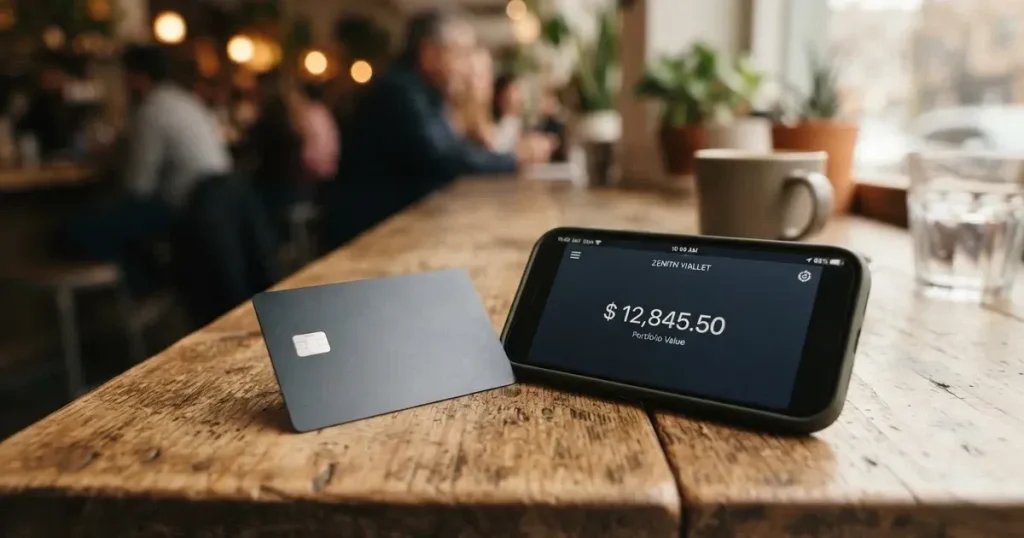
MothCard is a virtual payment card that draws on a crypto balance, built for online payments and settled in US dollars. It is a small, quiet product: the company behind it is a Hong Kong entity called Hong Kong Yunmo Technology Co., Limited, the public website gives away very few numbers, and the App Store listing shows just one rating. That alone tells you a lot about what kind of card this is. It is not a household name with thousands of Trustpilot reviews, and the lack of a Trustpilot or Reddit footprint, as of the review date, is itself worth noting. If you are looking for a card with clear, published fees, a named bank issuer and a long public track record, MothCard is not that card. If you want a simple virtual Visa or Mastercard funded in USDT that you can use online and add to Apple Pay or Google Pay, MothCard aims at exactly that, and you should still keep your eyes open.
The conditions described here are current as of October 28, 2026.
Verdict
I went through MothCard’s site, its App Store listing, the Terms of Service, and the company’s public filings, and my overall score for the card lands at 5.4 out of 10. The number reflects a product that does the basic job but discloses almost nothing in advance. You can find out the issuance fee, the monthly fee, the conversion fee and your spending limits only by downloading the app and looking at them in-app, and even then some of the answers are phrased as “see the App for the exact amounts” rather than as published tables. That is unusual for a card product in 2026, when most competitors at least put a fee schedule on their homepage.
MothCard suits you if you hold USDT, want a virtual card you can plug into Apple Pay or Google Pay, and you are comfortable opening the app to read the numbers. It does not suit you if you want a physical card you can hand to a cashier, if you need an ATM, or if you like to know what you will pay before you sign up.
How I scored it
| Criterion | Mark | Why |
|---|---|---|
| Who can get it | 6 / 10 | “Accepted worldwide” per the site, but with country and region restrictions; the issuing region depends on the card you pick and is shown only in-app; the company is registered in Hong Kong |
| Cost | 5 / 10 | Issuance and maintenance are paid, but the amounts are shown only in the app and not published; transaction fees are not disclosed on the public pages |
| Top-up options | 5 / 10 | Wallet top-up in USDT is named in the App Store listing; other coins and networks are visible in the app but not published on the site |
| Reliability and complaints | 5 / 10 | The company is Hong Kong Yunmo Technology Co., Limited; the issuing bank and licences are not named; App Store rating is 5.0 from a single rating; no public complaints were found |
| Everyday use | 6 / 10 | Virtual card, Apple Pay and Google Pay support; ATM use is not described and the card is positioned for online payments |
| Total | 5.4 / 10 | A functional virtual card for crypto users, but disclosure and track record are thin |
The audience I had in mind throughout is anyone, anywhere, who has trouble getting an ordinary bank card, which is broadly the use case the brand positions for: online payments with a virtual card funded in USDT.
Will they give you the card
MothCard is operated by Hong Kong Yunmo Technology Co., Limited, based in Tsim Sha Tsui, Hong Kong, and the Terms of Service start from that jurisdiction. The marketing on the site says the card is “accepted worldwide,” but it adds that “some countries or regions may have restrictions.” There is no public country list, and no published sanctions or residency exclusion table. When you actually pick a card inside the app, the issuing region that applies to that specific product is shown there. In other words, “worldwide” is the headline, and the real answer is product-specific and only visible once you have installed the app and chosen a card.
What this means for you in practice is that eligibility is not a simple yes/no you can check before you sign up. You have to download the app, register an account, choose a card and try to verify your identity to find out whether your country and your chosen card line up. If you live somewhere that is heavily restricted for crypto cards, in the sanctioned-country sense, this is exactly the sort of card where you should expect the KYC step, described below, to refuse you rather than the marketing page to spell it out for you in advance.
The card is virtual. There is no mention of a plastic card to be mailed out, and the App Store description positions it as a “crypto virtual card for global payments.” That matters if you were hoping for a card you could hand over in a shop; you will be paying online, in apps, or by phone wallet.
How to get it
The sign-up flow is the standard four-step pattern for a card programme: sign in, choose your card, verify your identity, top up the wallet and then move funds onto the card. The app is available on iOS (iOS 15.6 and up), on Google Play, and there is also a direct Android APK for people who would rather not use the Play Store. The site language menu offers 12 languages, and the App Store listing itself lists English, Indonesian, Portuguese, Russian, Simplified Chinese, Spanish and Traditional Chinese, so language is unlikely to be the barrier.
Identity verification is a one-time check, carried out for anti-money-laundering and sanctions purposes. The site says you need “just one valid personal ID” and the exact list of accepted documents for your country is shown in the app. A face scan is part of the flow in some cases, which is the standard liveness check used to tie the document to the person holding the phone. Proof of address is not stated, and the age requirement is not stated either, although the App Store age rating is 18+, which is the usual floor for a regulated card product. The KYC levels, meaning whether you can stay at a basic tier or are pushed into enhanced due diligence, are not stated on the public pages.
The card you end up with is virtual and “issued on Visa or Mastercard,” with settlement in US dollars. You do not pick a currency; the card is denominated in USD and the wallet and card balances are shown separately in the app. Once issued, the full card number and CVV become viewable in the app after a fresh identity confirmation and are then hidden again, which is a sensible guard against shoulder-surfing and screen-capture leakage.
A note on disclosure: because the fees, limits and exact identity documents are not published, you should treat the sign-up as something you are willing to walk away from partway through. If you get to the identity step and the documents you have are not on the in-app list for your country, you have not lost anything; if you get past KYC and only then see that the monthly fee is more than you wanted to pay, the card has already been issued and the maintenance clock has started.
What it really costs
This is the section of the review where MothCard is weakest. The site says plainly that “there are fees for issuing and maintaining a card,” but it does not publish the amounts. The site text, the FAQ and the App Store description all push you to the app itself: the issuance fee, the monthly fee, the per-transaction fee, the FX margin, the ATM fee, the spending limits — all of it lives behind a download and an account.
The conversion model is also unstated in the sense of a published rate. When you spend, the wallet is drawn down in USDT and the merchant is paid in USD through the Visa or Mastercard rails, so a conversion is happening, but the margin taken on it is shown only in the in-app confirmation page alongside the service fee and any minimum. That is the opposite of the modern crypto card norm in 2026, where most issuers at least list a percentage on their homepage and a fixed-fee schedule on a “fees” page.
ATM use is not stated. The card is described for online payments and the only way to use it physically is through Apple Pay or Google Pay, so I would not expect cash withdrawals to work and would be cautious about treating any ATM as supported. If you need cash, this is the wrong card for that job.
Spending limits apply per transaction, per day and per month, and again the exact figures are not published. The official wording is “Refer to the App for the exact amounts.” That is fine for daily limits, which move with the customer’s risk profile, but it is unusual for a basic product-level limit to be hidden.
Fees at a glance
| Fee or limit | What the public pages say |
|---|---|
| Card issuance | Paid; amount shown in the app only |
| Monthly maintenance | Paid; amount shown in the app only |
| Conversion / FX | Margin taken on USDT-to-USD conversion; percentage not published |
| ATM | Not stated; card is described for online payments |
| Per-transaction limit | Applies; exact amount in the app |
| Daily limit | Applies; exact amount in the app |
| Monthly limit | Applies; exact amount in the app |
| Settlement currency | USD |
| Wallet balance and card balance | Shown separately in the app |
A few everyday payments, walked through
To make that less abstract, here is how three common payments would play out. I am not making up numbers, because the public pages do not give any; I am describing which fees would apply in each case based on the rules MothCard does publish.
Buying a subscription from a European SaaS. The card is denominated in USD, the merchant prices in euros, so a foreign-exchange conversion happens. The percentage the issuer takes on that conversion is shown on the in-app confirmation page before you tap to confirm, but not on the website. There is no ATM component and no per-transaction service fee in the standard description. The amount is counted against your per-transaction limit and your monthly limit.
Buying a $40 game on a US storefront. This is the cleanest case: USD to USD, no FX, no cross-border. The only fee you might see is the per-transaction service fee, if any, which would be visible on the in-app confirmation page.
Topping up €100 in stablecoin to fund an Apple Pay purchase at a local shop. You first incur the on-chain network fee for the USDT transfer to MothCard’s wallet address; that fee is charged by the blockchain, not by MothCard, and varies by network. Then, when the funds are moved from wallet to card, the conversion from USDT to USD happens at a rate shown in the app, and any deposit minimum or deposit fee would be disclosed at that step. The actual tap at the shop is a USD payment with no further FX.
In all three cases the rule of thumb is the same: the network fee is the blockchain’s, the issuer’s margin is in the app, and the merchant sees a USD transaction.
Top up
Topping up MothCard is a two-step process: you first load the in-app wallet, then you move the funds from the wallet onto the card. The wallet is the on-chain side; the card is the payment side. Separating the two is the standard crypto-card pattern, and it has the practical effect that you can hold USDT in the wallet without ever spending it, which is useful if you treat MothCard as a payment rail rather than a primary wallet.
The top-up is funded in USDT, per the App Store listing. Other coins and other networks are supported in the app, but the full list is not published on the site. The app shows the network you should use at the moment of deposit, which is the important number, because sending USDT on the wrong network, for example TRC-20 when the app asked for ERC-20, is one of the easiest ways to lose money in crypto: a transfer to an address on the wrong network can be lost or need manual support recovery with no guarantee of return.
The deposit fee and the minimum deposit are not stated on the public pages. The service fee for sending money and any minimum amount is shown on the in-app confirmation page, in line with the rest of the cost disclosure. If the app is going to charge you a flat 1 USDT deposit fee, you will see it on that screen, not on the website.
A point on networks worth saying plainly, because the app does not spell it out for you. USDT exists on several blockchains. Tether lists USDT on networks including Ethereum, Tron, Solana, Polygon and Avalanche. ERC-20 USDT, on Ethereum, requires you to hold a small amount of ETH in the same wallet to pay gas; a wallet holding only USDT cannot send. Tron’s network uses bandwidth and energy as internal resources, and the standard pattern is that simple transfers burn a small amount of TRX; if you do not have TRX in your sending wallet, Tron will not move the USDT. So before you send, make sure you have the native token for the network in question, and confirm the receiving address matches that network’s format. If the address the app shows you begins with “T” it is a Tron address; if it begins with “0x” it is an Ethereum-style address; mixing them up is a common and irreversible mistake.
Withdrawing is not explicitly covered. The FAQ advises moving the remaining balance off a card before cancelling it, and moving the funds out of both the card and the wallet before deleting the account, but the fees for moving money out of MothCard, in either direction, are not published.
Paying with it every day
The card is virtual, and the supported mobile wallets are Apple Pay and Google Pay. Which specific wallets are supported per card is shown in the app, which is the right level of disclosure, because a card programme can be on the network and still be excluded from one wallet or the other in a given country. Adding the card to Apple Wallet or Google Wallet is the usual flow: open the wallet app, choose to add a card, scan or type the details, and confirm with the one-time code the issuer sends.
The card is settled in US dollars. If you are used to a card denominated in your local currency, the mental model is slightly different here: every non-USD payment has a conversion step, and that step is where the issuer takes its margin. Wallet and card balances are shown separately, which is helpful because you can see at a glance how much of your balance is sitting in the wallet, ready to be loaded, and how much is on the card, available to spend.
Blocked merchant categories are not stated on the public pages. For a card that explicitly does not have a physical form, the practical restrictions will mostly be on the merchant side rather than the card side, and those are easier to discover in practice than to predict in advance. Some merchants decline prepaid or foreign-issued cards based on the BIN, the first six or eight digits of the card number, which identify the issuing institution and country, and a Hong Kong-issued Visa may look “foreign” to a shop that does not normally see cards from that part of the world. A small charge can also trigger a 3-D Secure challenge, the extra identity step at checkout, which is more common on first-time or out-of-pattern transactions.
Rewards and cashback are not mentioned in the FAQ or the App Store listing. If you are choosing between cards on the basis of a percentage back, MothCard does not publish one, and I would not expect a rewards programme to appear quietly later without a product update.
The mobile app is the centre of the experience, and it lists payments, fees and merchant refunds in a history view. App Store rating, at the time of the review, was 5.0 from a single rating, which is a number that is technically perfect but statistically meaningless. The Google Play rating was not obtained. Disputes, in the chargeback sense, are not described in the public material; the app exposes the transaction history, and that is what you would work from if you needed to query a charge.
What can go wrong
There are no official incidents involving MothCard in the public record. That is good news on the surface, but it is also the news you would expect for a very small, new product, and the absence of complaints is not the same as the presence of a long clean track record.
The company is Hong Kong Yunmo Technology Co., Limited, registered in Tsim Sha Tsui. The issuing bank, or the licensed e-money institution that actually puts the Visa or Mastercard programme on the rails, is not named on the public pages, and no financial-services licences are listed. For a card product, that is a meaningful gap: the entity that actually issues the card, holds the customer-funds safeguarding account and is supervised by a financial regulator, is the part of the stack most likely to give you a route to complain to if something goes wrong, and it is the part MothCard does not name. A programme manager is not the same as an issuer. A bank or e-money institution is the issuer; a brand that markets a card built on top of that licence is a programme manager, and if the underlying programme is closed, the brand usually closes with it. Examples from the category include Visa’s termination of its global agreements with FTX in November 2022, with the FTX US debit card wound down by its issuer, and Visa’s 2018 suspension of WaveCrest in Europe, which closed every WaveCrest-issued Visa programme overnight. Programmes do end, and they usually give a notice period, then stop loading, then stop spending, and ask users to withdraw their balance. The pattern is worth knowing even if MothCard itself has not been through it.
Security-wise, the basics are in place. The card can be frozen and unfrozen in the app, the full card number and CVV are viewable only after a fresh identity confirmation and are then hidden again, sign-in is by email, Apple or Google, and Face ID or fingerprint can be enabled. The custody model, meaning who holds the private keys for the wallet side of the product, is not stated, so the practical question of whether the USDT sits in a MothCard-controlled wallet or in a user-controlled wallet linked to the card is something the app would have to answer rather than the public site. The wider category point still applies: with a custodial wallet the provider holds the credentials and you must trust the provider completely, and the history of custodial failures, from Mt. Gox in 2011-2014 to Coincheck in 2018 to Ronin in 2022, is a reminder that the trust is real. Crypto transfers are typically irreversible, and a stolen private key has no built-in recovery because the network cannot freeze or return the funds.
Support is through an in-app “Contact Support” button, a Telegram bot and the email address [email protected]. Hours are not stated. The site offers 12 languages, which is a generous surface area for a small product, and the App Store listing covers English, Indonesian, Portuguese, Russian, Simplified Chinese, Spanish and Traditional Chinese, which between them should cover most of the audience likely to be looking at the product.
A few category-level risks worth being aware of even if MothCard itself does its job:
- Stablecoins are not necessarily stable, despite the name. Tether’s USDT and Circle’s USDC are US-dollar-pegged, and the two together made up about 90% of stablecoin market capitalisation per the BIS in July 2025, but USDC briefly lost its peg in March 2023 during the US banking crisis and TerraUSD collapsed in May 2022. A depeg during the time your USDT sits in the MothCard wallet is a real risk to the value you load.
- Sanctions apply even to stablecoins. Tether says it has disabled tokens in wallets on the OFAC sanctions list and has frozen funds tied to illicit activity, so stablecoins are not censorship-proof and the issuer can and does intervene.
- App Store version history shows a first release 1.0.0 on 3 February in a year that the listing does not make obvious, with a more recent 2.1.0. A young product means a thin public track record, and it means the app, the fee schedule and the supported-card list can change between versions without much notice.
What to take instead
MothCard’s gap is the thin public disclosure. If you are choosing a card on the basis of how much of the picture is laid out before you sign up, three alternatives are worth looking at, all of them with their own trade-offs.
Cardex
Cardex is a debit crypto card that, per its public materials, reaches more than 200 countries, although the App Store listing is positioned around the Nigerian Naira (paying in Naira). The card is on the Verve, Visa, Mastercard and UnionPay networks, and comes in both virtual and physical form. Cardex does not publish a fee schedule either, but the cost model is more transparent in spirit: real-time crypto-to-fiat conversion at the moment of payment, with an “AI-Powered Conversion Rate” that scans global exchange rates and picks the best one when you spend. The percentage is not stated on the public pages, so the same “look in the app” criticism applies, but the model itself is more clearly described. Funding is in USDT, USDC and BTC, with networks not stated. The score is 5.6 out of 10, slightly above MothCard, mainly on the strength of the multi-network support.
CardFlow
CardFlow is positioned as “Nigeria’s smartest fintech card platform,” aimed at Nigerians and global users. It is a virtual USD Mastercard, created in minutes per its public description, and creating a virtual card is free. The monthly fee, the per-transaction fee and other costs are not stated. Funding is in Bitcoin, USDT, ETH or Naira bank transfer, with networks not stated. The score is 4.9 out of 10, just below MothCard. The trade-off is the opposite of MothCard’s: a free card creation is welcome, but the narrower audience means less useful documentation for a non-Nigerian reader.
HyperCard
HyperCard is a prepaid card with the balance in USD or EUR, and the App Store says the card works in “more than 176 countries,” which is an acceptance figure rather than an eligibility one. The card network is not stated on the App Store page and the public pages do not list a fee schedule. Funding is in USDT, BTC or ETH, converted to USD or EUR on the card at deposit, with the networks not stated. The score is 4.7 out of 10, a touch below MothCard. The audience note is similar to Cardex’s: a clearer funding model in the marketing, paired with the same missing fee detail.
If you weigh disclosure most heavily, none of these three is a knockout, and MothCard’s weakness is shared across the segment. If you weigh country coverage, Cardex and HyperCard both publish broader reach. If you weigh a no-fee card creation, CardFlow is the only one that names one.
Who I would recommend it to
MothCard is a reasonable fit for a narrow reader. I would recommend it if you already hold USDT, you want a virtual card that works online and through Apple Pay or Google Pay, and you are happy to download the app and read the fee schedule in-app before you commit. I would not recommend it as a first card, as a primary payment card, or as a card for anyone who needs to know the costs before they sign up. The 5.4 out of 10 reflects a product that does the basic job, but with a disclosure and a track record that do not yet match the more established names in the segment. If you do go ahead, read the fee page inside the app before you top up, send a small test deposit first to confirm the network and the address, and keep the balance low until you have lived with the card for a few weeks.
Frequently asked questions
What is MothCard card?
MothCard is a virtual payment card issued on Visa or Mastercard, denominated in US dollars, that draws on a crypto wallet funded in USDT. It is built by Hong Kong Yunmo Technology Co., Limited and is positioned for online payments, including through Apple Pay and Google Pay.
How does MothCard card work?
You sign in, choose a card, verify your identity once, top up the in-app wallet with USDT on the network the app shows you, then move the funds from the wallet onto the card. At payment time, the USDT is converted to USD and the merchant is paid in USD through the Visa or Mastercard rails.
Is MothCard a bank?
No. MothCard is a programme run by Hong Kong Yunmo Technology Co., Limited. The issuing bank or e-money institution behind the card programme is not named on the public pages and no financial-services licences are listed. A programme manager is not the same as an issuer.
Who owns MothCard?
MothCard is operated by Hong Kong Yunmo Technology Co., Limited, registered in Tsim Sha Tsui, Hong Kong. The shareholders, ultimate parent and any group structure behind the company are not stated in the public material.
How to get MothCard card?
Download the iOS or Android app, create an account, choose a card, complete the one-time identity check, top up the wallet in USDT, then move funds onto the card. The full card number and CVV become visible in the app after a fresh identity confirmation and are then hidden again.
Does MothCard card require KYC?
Yes. There is a one-time identity check carried out for anti-money-laundering and sanctions purposes. You need one valid personal ID, the accepted list is shown in the app per country, and a face scan may be required. Proof of address is not stated and the minimum age is not stated, although the App Store age rating is 18+.
How to top up MothCard card?
Open the app, generate a deposit address for your wallet, send USDT on the network the app shows you, then move the balance from wallet to card. Send a small test first, confirm the address and the network, and make sure your sending wallet holds the native token needed to pay the network fee, for example ETH for ERC-20 or TRX for Tron.
How to add MothCard card to Apple Wallet?
Open Apple Wallet, choose to add a card, scan or type the card details shown in the MothCard app, and confirm with the one-time code the issuer sends. Which wallets a given card supports is shown in the MothCard app.
Is MothCard card safe?
The basics are in place: card freeze and unfreeze in the app, hidden card details after a fresh identity check, optional Face ID or fingerprint sign-in, and 2FA. What is not stated is the custody model for the wallet side, the identity of the issuing bank, and any financial-services licences. The wider category risk is custodial, in that the history of custodial crypto platforms includes major losses, and stablecoins can depeg, so the safety case rests partly on the platform and partly on the choice of coin.
Is MothCard card worth it?
For a USDT holder who wants a simple virtual card for online spending and mobile wallets, MothCard does the job and the score reflects that. For a reader who values published fees, a named issuing bank and a long public track record, the 5.4 out of 10 is a fair reflection of the gap. The honest answer is “try the app, read the in-app fees, send a small test deposit, and decide.”
Virtual cards put to the test – cryptocardtested
Content created by the «cryptocardtested» team