
Goblin card review: a privacy-first crypto card, with strings attached
 Available in US
The Goblin card is a payment product that sits in an unusual corner of the crypto card market. It pairs a physical Mastercard with a virtual Visa, both funded from a crypto balance, and it markets itself to people who don’t want to hand over ID to spend digital assets. That positioning is real, but it comes with costs and trade-offs that anyone considering it should understand before paying the $350 entry price.
I’ve gone through the card’s published pages, weighed its fees against what you actually get, and compared it to a handful of alternatives that play in the same space. This review walks you through what I found, what I couldn’t confirm, and whether I’d recommend it.
Conditions on the card’s pages are current as of October 28, 2026.
Verdict: 5.5 out of 10
The Goblin card earns a 5.5 out of 10. It’s not a bad product in isolation, but the price of entry is steep relative to the features, and the public information about who runs the company is thin. For the right person, a privacy-focused user who values paying cash for plastic plus a virtual card without handing over documents, the Goblin card delivers what it promises. For most people, the costs outweigh the benefits.
Here’s how I arrived at the score:
| Criterion | Mark | Why |
|---|---|---|
| Who can get it | 8/10 | Worldwide availability, 18+, with country restrictions noted but not publicly listed; Physical needs no KYC. |
| Cost | 1/10 | $350 for the Physical + Virtual bundle, 3.5–4% deposit fees, 1.5% FX markup on the Virtual, 2% cash withdrawal fee. |
| Top-up options | 6/10 | BTC, ETH, SOL, XMR, USDT via web portal or Telegram bot; USDC not supported, USDT network not specified. |
| Reliability and complaints | 5/10 | Operated by Goblin Solutions LLC, issuer and jurisdiction not stated; no public complaints or reviews found. |
| Everyday use | 9/10 | Physical Mastercard and virtual Visa, Apple Pay and Google Pay on Virtual, $500/day ATM limit. |
The card suits privacy-focused users who want a physical plus virtual card without going through identity verification, and who are comfortable paying a premium for that combination. It does not suit people who want low fees, a transparent regulatory setup, or USDC support. The $350 bundle price alone will be a dealbreaker for many, and the deposit fees mean that loading the card erodes your balance before you spend a cent.
Who will give you the card
The Goblin card is positioned as a no-KYC product. The Physical Mastercard needs no ID, passport, or driver’s licence. The Virtual Visa’s KYC requirements aren’t stated on the pages I could read, which I’ll come back to.
Country eligibility is the first thing most people want to know, and here the public information is limited. The card’s pages mention “country and merchant restrictions apply” without listing which countries are restricted. An earlier check noted worldwide availability, an age minimum of 18, and roughly 50 restricted countries, but the current pages don’t spell this out. If you’re in a country where crypto cards are tightly regulated or sanctioned, you may find your application declined, but you won’t know for certain until you try.
The company behind the card is Goblin Solutions LLC. The registration country and the card’s issuer aren’t stated on the public pages. For a payment product, that’s a gap. A licensed issuer in a recognised jurisdiction provides a layer of consumer protection; here, that layer is invisible. If something goes wrong with your funds, the legal recourse isn’t clear.
The product is sold as a single bundle: a Physical Mastercard and a Virtual Visa together. There are no tiers, no premium and standard options, no “pay more for higher limits” structure. You get the pair, and that’s it.
How to get it
The signup process is different from a typical fintech card. There’s no app to download, no account dashboard to create, and no identity verification step for the Physical card. Instead, the flow runs through a web portal and a Telegram bot.
The steps, as I understand them: you pay the $350 fee for the Physical + Virtual bundle, deposit crypto to fund the cards (more on which coins and networks in the top-up section), and then contact support to register the cards once they arrive. The web portal is recommended for funding; the Telegram bot is an alternative.
The Physical card ships worldwide, with delivery seven days (up to fourteen maximum). Tracked international shipping is included. If you need a replacement because the card was lost or damaged, the fee is $100. The cards are valid for three years, and renewal costs another $100.
Because KYC isn’t required for the Physical card, the onboarding friction is low. But the same absence of KYC means there’s no identity-verified account to recover if you lose access to the support channel. Your access to the card is only as durable as your Telegram login and your support chat history.
Fees: what it really costs
The Goblin card is not cheap. The headline cost is $350 for the Physical and Virtual pair, described as a limited-time offer. There’s no monthly subscription, and no monthly fee, which is one of the few bright spots. But the other fees add up quickly.
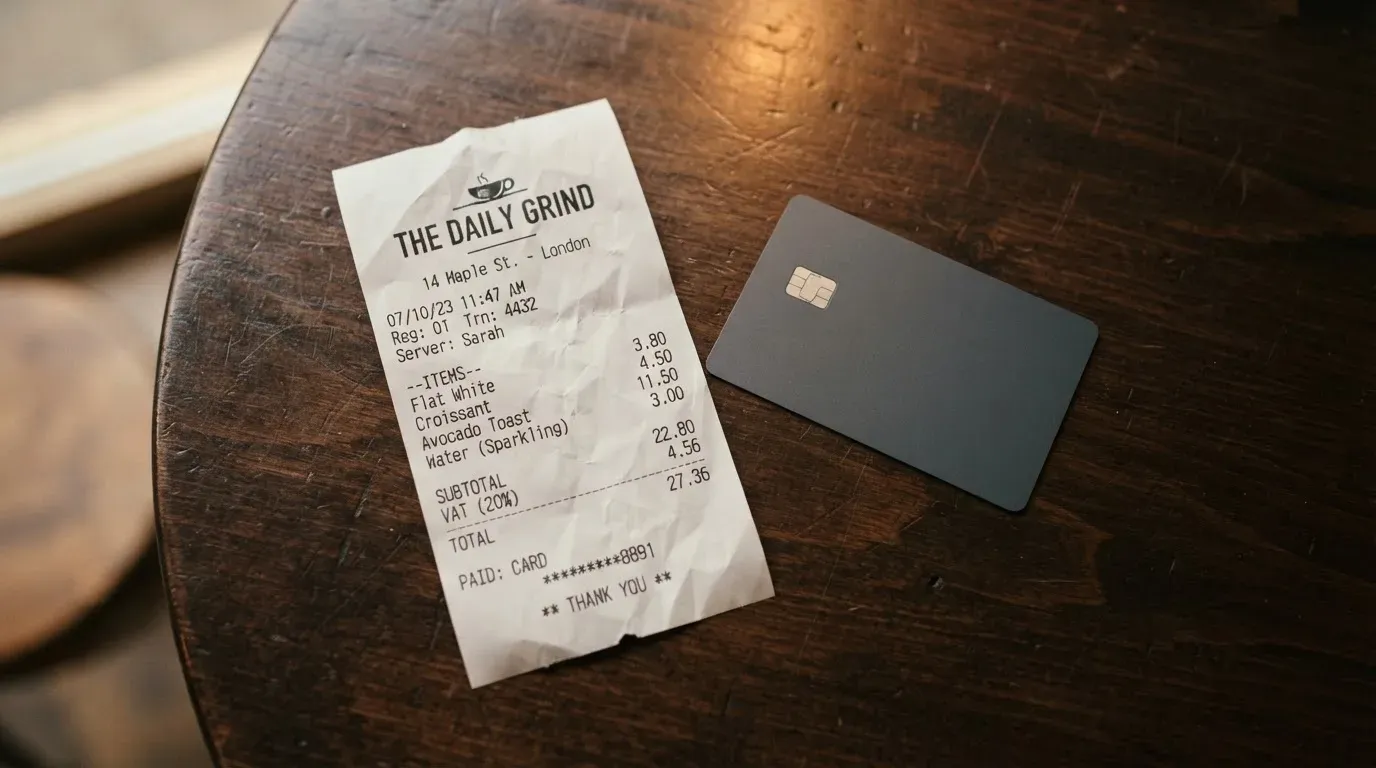
Here’s the full cost picture:
| Fee or limit | Amount |
|---|---|
| Issuance (Physical + Virtual) | $350 USD |
| Monthly fee | None |
| Validity | 3 years |
| Renewal | $100 |
| Replacement (lost/damaged) | $100 |
| Deposit fee (BTC, ETH, SOL, USDT) | 3.5% |
| Deposit fee (XMR) | 4% |
| FX fee (Physical) | 0% |
| FX fee (Virtual) | ~1.5% (includes 1% markup vs. reference rate) |
| Cash withdrawal fee | 2% |
| ATM operator fee | Variable (third-party) |
| ATM daily limit (Physical) | $500 USD |
| Minimum deposit | $100 USD |
To put these fees in context, let’s walk through a few everyday scenarios.
Buying coffee with the Virtual card. You deposited $100 in ETH, paying 3.5% in deposit fees, so your Virtual card balance is $96.50. You buy a $5 coffee in a currency other than USD. The Virtual card’s FX fee is about 1.5%, so you lose roughly $0.08 on the conversion. The coffee costs you $5.08 of your loaded balance, and you started with only $96.50 of that $100 deposit.
Paying for a $50 online purchase with the Virtual card. The FX fee doesn’t apply if the merchant charges in USD. But the deposit fee already came out of your funding, so the $50 purchase cost you about $51.75 of your original crypto deposit (the $50 purchase plus your share of the 3.5% deposit fee on the portion spent).
Withdrawing $200 cash from an ATM with the Physical card. The 2% cash withdrawal fee is $4. The ATM operator may charge its own fee on top, say $3. So your $200 costs you $207 from your card balance. And the Physical card’s daily ATM limit is $500, so you can’t withdraw more than that in a single day.
The Physical card’s 0% FX is notable, but it only applies because the Physical balance is held in Mexican pesos (MXN). If you spend in MXN, there’s no conversion. Spend in any other currency, and Mastercard’s standard cross-border rate applies, which the card pages don’t fully detail. The Virtual card’s USD balance means you’ll hit the ~1.5% FX fee on any non-USD purchase.
The deposit fees are the most consistent cost. Every time you load the card, you lose 3.5% to 4% of your crypto before it becomes spendable balance. For a card that positions itself as a spending tool, that’s a significant drag.
Top up: how to fund the card
Topping up the Goblin card starts with a crypto transfer, and the coin selection is limited but functional. Accepted coins are BTC, ETH, SOL, XMR, and USDT. USDC, despite being one of the most widely used stablecoins, is not listed.
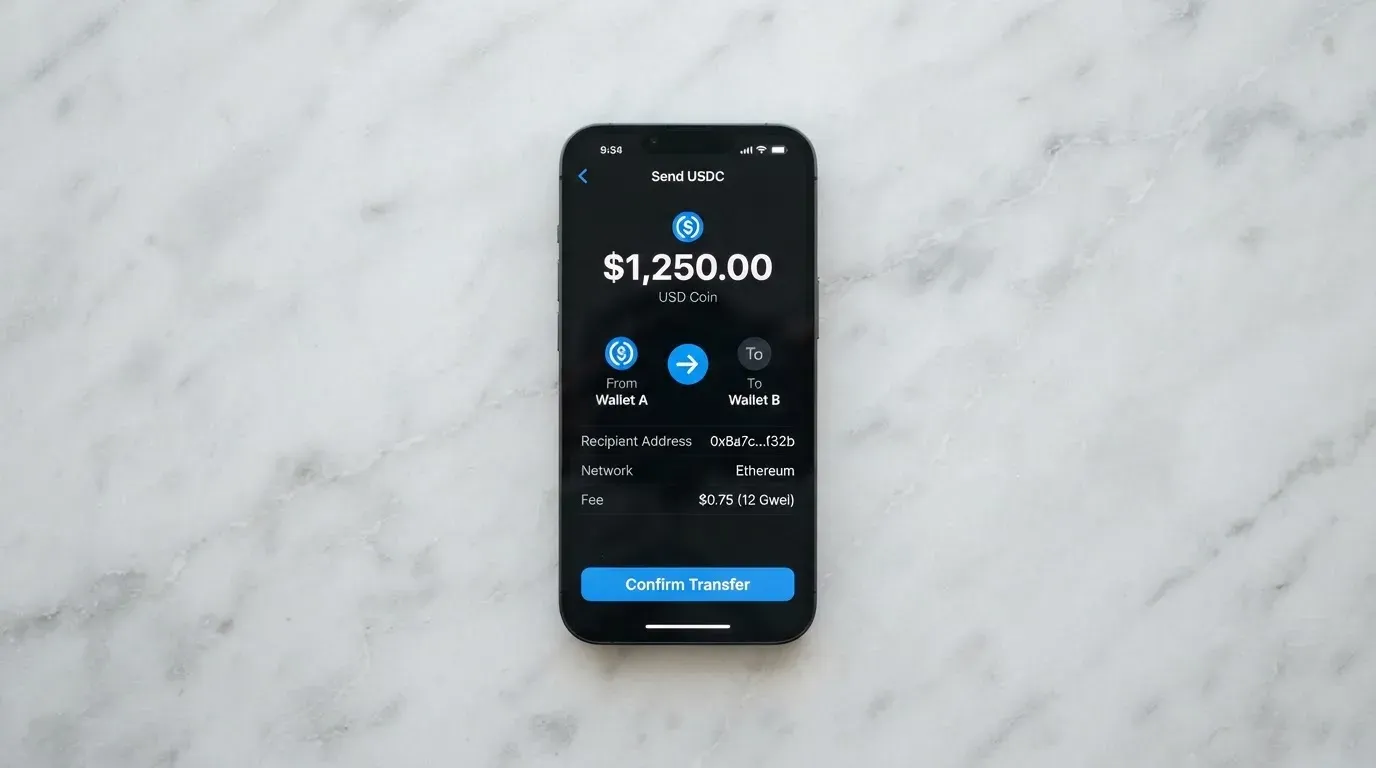
The transfer can go through the web portal (recommended) or the Telegram bot. Once the crypto arrives, it’s converted to the card’s balance currency: MXN for the Physical, USD for the Virtual. The exchange rate applied at conversion isn’t detailed on the public pages, so you may be getting a rate that includes an additional spread on top of the stated deposit fee.
The minimum deposit is $100 USD, which means you can’t load small amounts to test the card. If you deposit less, it’s unclear whether the system rejects it or the funds sit in limbo.
The USDT network isn’t stated. This is a meaningful omission. USDT exists on Ethereum (ERC-20), Tron (TRC-20), Solana, and other chains, and sending USDT on the wrong network is a common way to lose funds permanently. The card’s pages should specify which network to use; the absence of that information means you’ll need to confirm via support before sending.
Who pays the network fee (the gas or bandwidth cost of the blockchain transfer) isn’t stated either. In some setups, the user pays; in others, the provider covers it. The Goblin card’s pages don’t say.
XMR (Monero) carries a higher deposit fee (4% vs. 3.5%), which is the card’s way of pricing in Monero’s lower liquidity and higher processing cost. If privacy is your primary concern, Monero is the most privacy-preserving option here, but you pay for that.
Withdrawal (cashing out your card balance back to crypto or bank) isn’t stated. The card supports cash withdrawals at ATMs, but moving the balance back to crypto or a bank account isn’t described. This suggests the card is spend-only: once your money is on the card, you spend it or you lose access to it, unless support makes an exception.
Paying with it every day
The everyday-use experience is where the Goblin card performs best. The Physical Mastercard works in person and online, at any merchant that accepts Mastercard. The Virtual Visa works online and, through Apple Pay and Google Pay, in person at any contactless terminal.
Mobile wallet support is a significant plus. Apple Pay and Google Pay are available on the Virtual card. This means you can add the virtual card to your phone and tap to pay at stores, even though the Virtual card itself has no physical form. Tokenisation through Apple Pay and Google Pay also means your card number isn’t shared with merchants, which is a security benefit. The Physical card’s mobile wallet support isn’t stated.
The Virtual card’s spending limits are generous for online use: up to $200,000 per transaction and per day online, and $20,000 per tap-to-pay transaction and per day. The Physical card’s limits are more modest: $2,500 per transaction, $5,000 daily spending, and $500 daily ATM withdrawals. The limits reset 24 hours after each transaction.
Blocked merchant categories aren’t specified. The card pages mention “merchant restrictions apply” without listing which MCCs (merchant category codes) are blocked. Gambling, adult content, and other high-risk categories may or may not work; you’d have to test or ask support.
There’s no app. Management happens through the web portal and Telegram bot. This is a deliberate choice for a no-KYC product (apps in the Apple and Google stores require corporate identity verification), but it means you won’t get push notifications, biometric login, or the polish of a native mobile experience.
There’s no cashback or rewards programme mentioned. Every dollar you spend is a dollar (or peso) you lose; the card doesn’t return any portion.
Refunds and disputes have a clear policy, which is good. Before you successfully use the card, you can get a refund for any reason. Before shipping, you get a full refund. After shipping but before use, you get a refund minus the shipping fee. After successful use, the card is no longer refundable. If the card doesn’t arrive, you can get a free reship or an eligible refund. Publicly sharing your card’s BIN (the first six or eight digits of the card number) leads to indefinite suspension without refund, which is a strict policy against exposing card details. Chargebacks aren’t stated, which means the standard chargeback process may or may not apply.
What can go wrong
The biggest risk on the Goblin card is the gap between what you pay and what you can verify. The company, Goblin Solutions LLC, has no stated registration country and no stated card issuer. The regulatory framework that protects cardholders at licensed institutions, consumer fund segregation, dispute resolution, regulatory oversight, isn’t visible here.
Security measures aren’t stated. The card’s pages don’t describe two-factor authentication, encryption, or fraud monitoring. For a product that handles your money, this is a gap.
Support runs through SimpleX and Telegram (@banklessinlatam), plus the Telegram bot. English only. Hours are 8am to 10pm Central Standard Time. If you have an issue outside those hours, or if the support channels go offline, you’re on your own. Telegram-based support also depends on the platform remaining accessible in your country and on the support team maintaining the account.
No public complaints or reviews were found on Trustpilot or Reddit (checked 2026-10-21). This could mean the card has a clean record, or it could mean the card is too new or too small to have attracted public attention. Either way, you don’t have the social proof that comes with hundreds of user reports.
If the programme shuts down, Visa and Mastercard have shown they will terminate issuer agreements. The FTX US debit card was wound down after Visa terminated its global agreements in November 2022. WaveCrest, a Visa card issuer for several crypto programmes, was suspended in 2018. If Goblin’s issuer loses its network access, cardholders may face a sudden loss of spending and loading capability. The transition period, if any, is unknown.
The no-KYC design means there’s no identity-verified account to recover. If you lose access to your Telegram account and your support chat history, there’s no “forgot password” flow that involves verifying your ID. Your access is only as durable as your ability to reach support through the available channels.
What to take instead
If the Goblin card’s high upfront cost or limited transparency gives you pause, there are alternatives. None are perfect, and each has its own trade-offs. I’ve pulled a few that play in the no-KYC or low-KYC crypto card space.
Cardex (5.6/10) is positioned for 200+ countries, with no country list published. It supports debit crypto cards on VERVE, Visa, Mastercard, and UnionPay, and offers virtual and physical cards. The App Store listing is Naira-focused (spending in Nigerian Naira). Its conversion model is marketed as an “AI-Powered Conversion Rate” that scans global exchange rates at the moment of payment, but no fee percentage is stated. Funding is via USDT, USDC, and BTC, though the networks aren’t specified. USDC support is a plus compared to Goblin.
CardFlow (4.9/10) targets Nigeria (“Nigeria’s smartest fintech card platform”) but also “Nigerians and global users.” It offers a virtual USD Mastercard, created in about 3 minutes. Creation is free, but monthly fees aren’t stated. Funding accepts Bitcoin, USDT, ETH, or Naira bank transfer, with networks not specified. The focus on Nigeria may mean support and currency features are best suited to that market.
HyperCard (4.7/10) is a prepaid card with a balance in USD or EUR. The official pages don’t list country eligibility, though the App Store says the card works in “more than 176 countries” (acceptance, not eligibility). The network isn’t stated on the App Store page. Funding is via crypto (USDT, BTC, ETH) in the app, converted to USD or EUR on the card. Networks for the deposit aren’t stated.
All three alternatives share some of Goblin’s gaps: limited published fee structures, no stated USDC networks (where USDC is supported), and thin public information about the companies behind them. Cardex and HyperCard are closer to Goblin in positioning (multi-country, crypto-funded), while CardFlow is narrower (Nigeria-focused but with global reach claims).
Who I would recommend it to
I would recommend the Goblin card to a specific person: someone who places a high premium on not sharing identity documents, who is comfortable with a $350 upfront cost, who primarily wants a Physical Mastercard and a Virtual Visa in a single bundle, and who understands the trade-offs in regulatory transparency and support durability.
If that description fits you, the card delivers on its core promise. You get two cards, no KYC for the Physical, and a spending tool funded from crypto. The Apple Pay and Google Pay support on the Virtual card adds everyday utility.
I would not recommend the Goblin card to anyone who is fee-sensitive, who needs USDC support, who wants a fully regulated issuer with visible consumer protections, or who plans to make large or frequent transactions (the deposit fees will compound). For most people, the $350 entry price alone makes this a niche product.
If you’re in a country where the card’s availability is unconfirmed, reach out to support before paying. If you need a card that lets you cash out your balance back to crypto or bank, this isn’t it. And if you value a published, verifiable regulatory setup, keep looking.
Frequently asked questions
What is the Goblin card?
The Goblin card is a payment product that pairs a physical Mastercard with a virtual Visa, both funded from a crypto balance. It’s sold by Goblin Solutions LLC and marketed to privacy-focused users who want a card without identity verification.
How does the Goblin card work?
You pay $350 for the Physical and Virtual bundle, deposit crypto (BTC, ETH, SOL, XMR, or USDT) through a web portal or Telegram bot, and the crypto is converted to MXN (Physical) or USD (Virtual) on the card. You then spend the balance at any merchant that accepts Mastercard or Visa.
Is Goblin a bank?
No. Goblin is a payment product operated by Goblin Solutions LLC. The registration country and the card’s issuer aren’t stated on the public pages, so it isn’t presented as a bank or licensed e-money institution.
Who owns Goblin?
The card is operated by Goblin Solutions LLC. The ownership structure, registration country, and card issuer aren’t stated on the pages I could read.
Is the Goblin card available in my country?
The card’s pages mention “country and merchant restrictions apply” without listing specific countries. An earlier check noted worldwide availability with roughly 50 restricted countries, but the current pages don’t confirm a list. Contact support to verify eligibility for your country before paying.
Does the Goblin card require KYC?
The Physical card needs no ID, passport, or driver’s licence. The Virtual card’s KYC requirements aren’t stated. Age 18+ applies.
How do I top up the Goblin card?
You deposit BTC, ETH, SOL, XMR, or USDT through the web portal (recommended) or Telegram bot. The crypto is converted to MXN (Physical) or USD (Virtual). The minimum deposit is $100 USD. The USDT network isn’t specified, so confirm with support before sending.
How do I add the Goblin card to Apple Wallet?
Apple Pay and Google Pay are available on the Virtual card. The Physical card’s mobile wallet support isn’t stated. Add the Virtual card through the standard Apple Wallet or Google Wallet flow using the card details from the web portal.
Is the Goblin card safe?
Security measures aren’t stated on the public pages. There are no published complaints or reviews on Trustpilot or Reddit (checked 2026-10-21), but the absence of reviews is not the same as a clean track record. The company behind the card, Goblin Solutions LLC, has no stated registration country or issuer.
How do I withdraw money from the Goblin card?
You can withdraw cash at ATMs with the Physical card (2% fee, $500 daily limit). The Virtual card has no stated cash withdrawal limit but carries the same 2% fee. Withdrawing your balance back to crypto or a bank account isn’t described on the public pages. The card is primarily spend-only.
Virtual cards put to the test – cryptocardtested
Content created by the «cryptocardtested» team