
KOSH Global card review: a cheap stablecoin Visa, with country limits and a young track record
 Available in US
KOSH Global is a Visa payment card that spends from a crypto balance. You fund it with USDT or USDC, the funds settle into a USD balance inside KOSH, and the card pays merchants in dollars or converts on the fly. The pitch is simple: a low-fee Visa you can load with stablecoins, without a bank account, in a thin app. The reality is more nuanced. The card is cheap, it works in Apple Pay and Google Pay, and the everyday fees are modest. But the list of supported countries is not published, the issuing bank is not named, no licenses are cited, and the product itself only launched in June 2026, so there is almost no public track record yet.
If you are choosing a payment card today and your main constraint is a bank account you cannot open, or a domestic card you do not want to use, this review walks through what KOSH Global actually offers, who it suits, and where it falls short. I have gone through the card’s help centre, its marketing pages, the terms, and the third-party listings, and I tell you what is confirmed, what is unofficial, and what the card’s own pages simply do not say.
The conditions described here are current as of October 28, 2026.
Verdict
KOSH Global scores 6.5 out of 10. It is a competent, low-fee stablecoin Visa with a clean app, but it carries real country-of-residence uncertainty, an unnamed issuer, no published licenses, and almost no independent feedback to lean on. It works well if you are already comfortable with stablecoins, want a cheap virtual card, and live somewhere the card is actually available. It is the wrong choice if you need a bank-grade backer, a published list of supported countries, or an established dispute history.
| Criterion | Mark | Why it scores this way |
|---|---|---|
| Who can get it | 5 / 10 | Availability depends on country of residence, no country list published, sanctioned jurisdictions are excluded |
| Cost | 7 / 10 | Virtual card $8 a year, physical $80, no monthly fee, USD payments free, ATM $1 + 1% |
| Top-up options | 6 / 10 | USDT and USDC to a KOSH wallet, no minimum or maximum, but networks are not specified |
| Reliability and complaints | 6 / 10 | Piers Technology Inc runs it, the issuer is unnamed, no licenses cited, no independent reviews found |
| Everyday use | 9 / 10 | Virtual and physical Visa, Apple Pay and Google Pay, ATM up to $250 per transaction |
| Total | 6.5 / 10 | A useful tool for the right reader, held back by transparency gaps |
The card is best suited to people who already hold stablecoins, want a cheap virtual Visa to spend them with, and can tolerate the fact that this is a young product with thin public history. If you need a card you can describe confidently to a relative, or you need a stated list of supported countries before you sign up, this is not the product for that.
Who will they give you the card
KOSH Global is not a global card in any strict sense. Availability depends on your country of residence, and KOSH has not published a list. The card option only appears inside the app’s Cards section if KOSH considers your region supported, and the marketing page describes the card as “available in select jurisdictions.” For day-to-day use, the card works at any merchant that accepts Visa, which the marketing page puts at “180+ countries.”
The terms bar users located in or transacting with jurisdictions under “comprehensive sanctions or embargoes,” without naming them. In practice that means the usual short list of comprehensively sanctioned countries applies; the card does not tell you which ones beyond that blanket rule.
A useful detail: if you try to sign up from an unsupported region, the app does not lock you out entirely. It lets you join an early-access list via in-app chat. There is also a loophole of sorts, though I would not rely on it: KOSH says a physical card “can be shipped to some regions where the card isn’t supported,” with India given as an example. That can sound attractive if you are in a country where the card is not formally available, but it is also exactly the kind of arrangement that issuers and sanctions screening can pull the rug on, so treat it as a possibility, not a guarantee.
Two things to check before you go further: whether your country of residence is treated as supported when you create an account, and whether shipping a physical card to your address is even an option once you are in. Both of these are answered inside the app, not on the website.
How to get it
Getting a KOSH Global card is a four-step process that the help centre describes plainly.
You start by creating a KOSH account. The next step is KYC: a government-issued ID plus a selfie or liveness check. KOSH uses Sumsub, a well-known verification provider, for this. The marketing page also mentions a recent bank statement, and the help article on KYC does not require proof of address. You must be at least 18, per the terms. For a personal card there is a single KYC level, and approval is usually 5–10 minutes, so this is closer to “sign up and try” than “send documents and wait.”
One thing to be aware of: if you verified your KOSH in 2025 or earlier, you have to resubmit it. The card section will not work until you do.
Once KYC is done, you order a virtual card in the Cards section. The virtual card is what most people will use day to day, including for online shopping and for adding to Apple Pay or Google Pay. You can also order a physical card at this point, which is a metal Visa “shipped worldwide” per the marketing page. Express shipping takes up to 10 business days, with tracking, and costs $80. KOSH does not publish a list of physical shipping destinations or a replacement cost, so if you lose the card, you will need to ask support what happens.
For businesses there is a separate KYB path. That is not what this review covers, but it is worth knowing the personal flow is the only flow here.
What it really costs: KOSH Global fees
This is where KOSH Global is at its strongest. The card is cheap, the structure is simple, and most of what you pay goes to the network or the ATM operator rather than to KOSH.
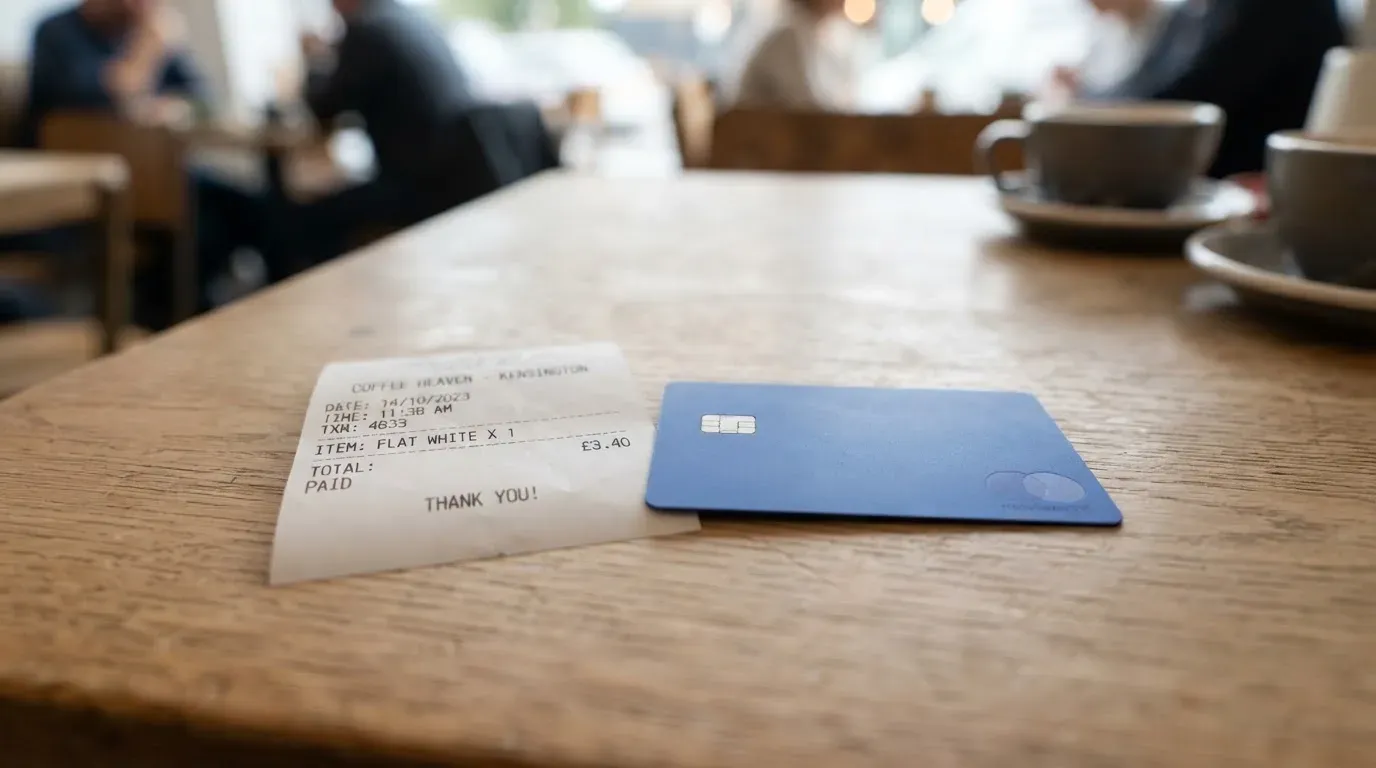
Here is the full picture, then I walk through what it means for three everyday situations.
| Fee or limit | Amount |
|---|---|
| Virtual card issuance | $8 per year |
| Physical card issuance | $80 per year |
| Express shipping (physical) | $80 |
| Monthly fee | None |
| Card authorization | Free |
| USD transactions | 0% |
| FX fee (help-centre fee article) | 0.5% |
| FX fee (marketing page) | 1.5% |
| USDC/USDT deposit or settlement | Free |
| ATM withdrawal | $1 + 1% + applicable FX |
| ATM balance inquiry | $1 |
| ATM declined transaction | $1 |
| ATM operator fee | Charged by the ATM owner, not KOSH |
| ATM free allowance | None |
| ATM per-transaction limit | $250 |
| ATM daily transaction limit | 3 |
| Spend limits | User-set in the app |
| Top-up | No strict minimum or maximum |
| Dispute request | $30 per case |
The help centre fee article and the marketing page disagree on FX. The help article says 0.5% is added on foreign-currency transactions; the marketing page says 1.5%. The lower figure is used in the running example below, but you should assume the worse case is possible until KOSH reconciles the two.
Second, the card is denominated in USD. Any purchase in another currency is treated as a foreign-currency transaction, and the FX fee applies on top of Visa’s wholesale rate. There is a help article “Should I pay in USD or the local currency?” with standard advice to pay in the local currency, because the merchant’s “pay in your home currency” markup is almost always worse.
Buying a coffee in dollars
You tap the card or insert it, the merchant charges in USD, and KOSH takes 0%. There is no FX fee because there is no currency conversion. The only cost is what the merchant charges for the coffee itself.
Buying a train ticket in euros while travelling
You tap, the merchant charges in euros, Visa converts to USD at the wholesale rate, KOSH adds 0.5% (or 1.5%, depending on which page is current). On a €40 ticket, that is 20 cents at the help-centre rate or 60 cents at the marketing-page rate. Either way it is small for an occasional purchase, but it adds up over a holiday.
Withdrawing cash from an ATM abroad
You can only do this with a physical card, not the virtual one. KOSH takes $1 plus 1% of the amount, plus the FX fee on top. On a $200 withdrawal that is $1 + $2 + $1 (at 0.5%) = $4, or $5 if the FX rate is 1.5%. The ATM operator can also charge its own fee, which you see on screen before you confirm. There is no free allowance: every ATM use costs at least $1 even before percentages.
Top up: how to fund the KOSH Global card
The card is loaded from your KOSH wallet, and the wallet is funded with USDT or USDC. The flow is straightforward: you send stablecoins to the deposit address inside the app, the transaction confirms on-chain, and your card balance updates 5–10 minutes later. Deposits are free at the KOSH end, and there is no published minimum or maximum.
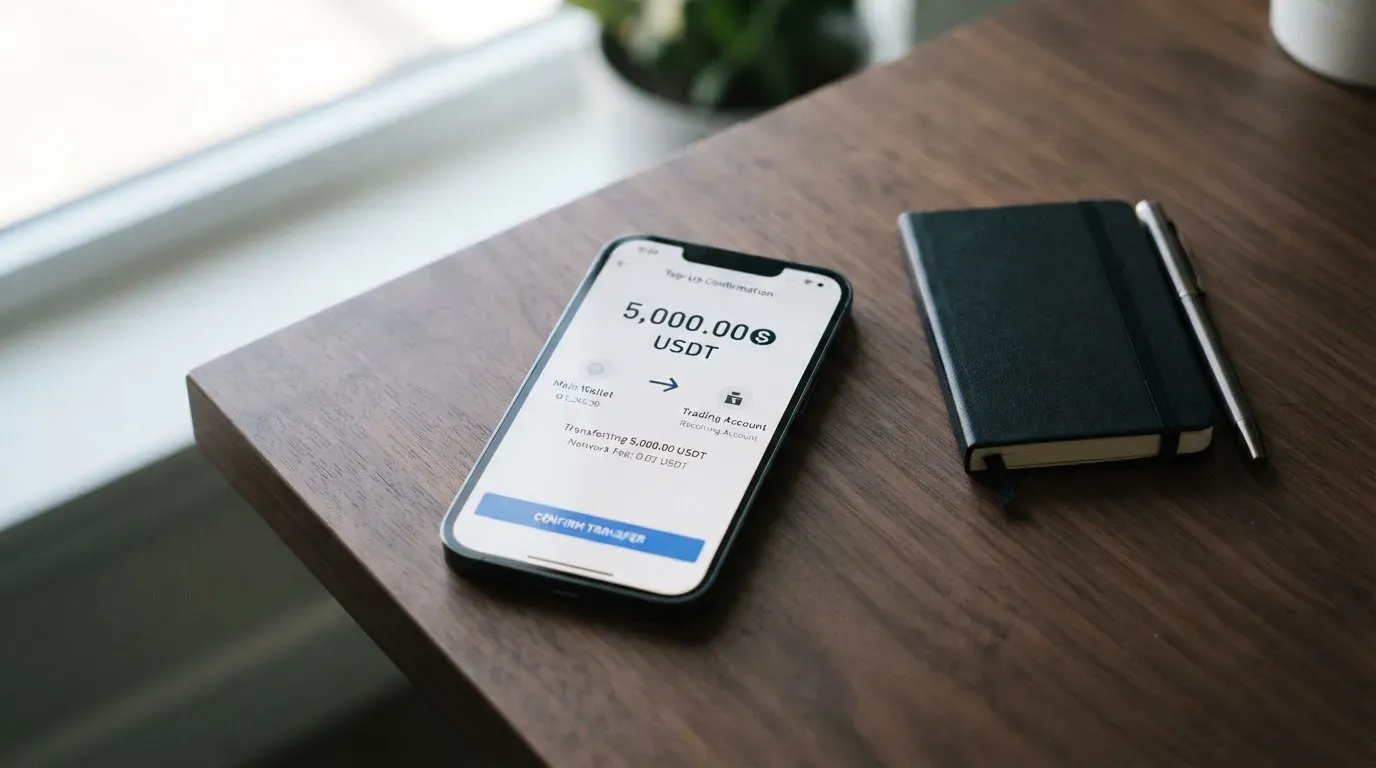
Three things the help articles do not say, and that you should not assume:
- The deposit article does not name which networks are supported. KOSH accepts USDT and USDC, but the help article does not tell you whether that means Ethereum, Tron, Solana, Base, Polygon, or something else. Circle, the issuer of USDC, currently lists USDC as native on 38 networks, and Tether’s USDT runs on a smaller but still long list. Sending a stablecoin on a network KOSH does not support, or to an address of a different network, is one of the most common ways people lose crypto. Until KOSH states a network, treat the in-app deposit screen as the source of truth and send a small test first.
- The article does not say who pays the on-chain network fee. Stablecoin transfers cost gas, and the wallet that initiates the transfer pays it. In practice you usually pay it yourself, but you should not assume KOSH covers it.
- There is also a fiat top-up path. You can fund a virtual USD account by ACH or wire, and the funds settle as stablecoins into your KOSH balance. The help article does not list fees for this path, so if you intend to top up by bank transfer rather than crypto, ask support what the cost looks like before you send anything.
You can also move money in the other direction: the card balance can be sent back to the KOSH wallet in the same stablecoin you used to top up. Only your own deposited funds can be withdrawn this way, so welcome bonuses, referral rewards, and cashback cannot be cashed out through this path. The withdrawal fee is not stated, and what happens to the balance if you close the account is also not stated. Account closure is available either in the dashboard or via support.
Paying with it every day
For a card of this kind, the everyday experience is the part that matters most, and KOSH Global is genuinely easy to live with.
The card is a Visa, available as both virtual and physical, and denominated in USD. The virtual card works for online purchases and for tokenised mobile wallets. Apple Pay is supported where Apple Pay itself is available in your country, and the marketing page says Google Pay is supported in two taps. The help centre covers Apple Pay in detail and Google Pay in passing; the practical effect is the same: add the card to the wallet, top up the balance, tap to pay.
There are some everyday-use details worth knowing.
ATM use is for the physical card only. The help centre states clearly that “virtual cards can’t be used at ATMs.” If you regularly need cash, the physical card is a practical requirement, not an optional extra. The $250 per transaction and 3 transactions per day limits are tight if you are withdrawing large amounts, but they are typical for a card in this category.
For spending limits, the app lets you set your own. KOSH does not publish a fixed monthly cap. This is a feature, not a bug: if you want the card to only work for groceries, you can lock it to that. The app also lets you lock the card to specific merchants or merchant categories, which is a useful safety tool.
On rewards, the marketing page says 10% reward points on eligible purchases, 5% cashback on hotel bookings, and $5 per referral, and notes that the rates “may vary and are subject to program terms.” The help-centre fee article lists 10% reward points as “coming soon.” That mismatch is worth taking seriously: do not sign up expecting the marketing rates until the help centre confirms them. As with the FX fee, the marketing page and the help centre disagree, and the help centre is the more conservative source.
If you have a problem with a purchase, the procedure is: contact the merchant first, then send evidence to KOSH via in-app chat or email, and KOSH files through its card partner via the Visa network. There is a $30 fee per dispute request, and investigations typically take 30–90 days.
The app is available on iOS and Android. I have not checked the store ratings.
What can go wrong
This is the section to read carefully. KOSH Global is a real product, but the things you would want to know before trusting it with your money are the things KOSH does not publish.
KOSH is run by Piers Technology Inc, which describes itself as “a financial technology company, not a bank or a money services business.” Services are delivered “via licensed partners,” and the card issuer is “the regulated financial institution selected for the Card Program,” but the issuer is not named. No licenses are cited on the public pages. A third-party listing says the product was previously known as CopperX, and that signups routed through a partner platform ahead of a planned relaunch under the KOSH brand; that is an unofficial detail and is not confirmed by KOSH. The product itself reportedly launched on 12 June 2026.
Searching for independent feedback, I could not find a Trustpilot page for KOSH Money, and the comparison sites I checked carry no reviews. An unrelated company, koshigroup.com, appears in search results, but it is not the same entity. The absence of complaints is not the same as a clean track record, and at this age of product there has not been enough time for problems to show up in public. Treat the lack of negative press as “too new to have any,” not “vouched for.”
On the technical side, the card is custodial: your balance is held by KOSH, and the card is collateralized by that KOSH USD balance. This is the standard model for cards in this category, and it is convenient, but it means you are exposed to KOSH as a counterparty. The safety features are the usual ones for this type of product: in-app freeze and unfreeze, user-set spending limits, category and merchant locks, plus help articles for lost or stolen cards and for suspicious activity. Two-factor authentication is not stated, and there is no public information on how customer funds are safeguarded (whether they are held in segregated accounts, for example).
Support runs through the help centre at support.koshmoney.com, in-app chat, and a support email. Languages and hours of operation are not stated.
Three things are worth flagging as risks to weigh yourself:
- Unnamed issuer and no published licenses. When the card-issuing bank is not named, you cannot look it up, you cannot check its regulator, and you have no way to tell whether your funds are protected by deposit insurance or by e-money safeguarding rules. That is not a deal-breaker, but it is a transparency gap a more established product would not have.
- Network ambiguity on top-up. Until KOSH states which chains it accepts for USDT and USDC, every deposit is a small act of faith. Send a test amount first, and never send from an exchange that picks the network for you, because exchange-side network selection is a common source of lost deposits.
- Programmatic risk. Visa does not issue crypto cards itself; it licenses the issuer, and it has ended programs before when things went wrong. If the KOSH programme were ever suspended, the standard pattern is a notice period, then a stop on new loads, then a stop on spending, then a request to withdraw remaining balances. That has happened to other crypto cards in the past, and it can happen again. The product is too new for this to have shown up in KOSH’s history, but the structural risk is real.
A few things KOSH does not say that are worth knowing:
- Whether the card blocks any merchant categories by default (gambling, for example). The app lets you set locks, but the defaults are not published.
- How customer balances are safeguarded.
- Whether 2FA is available, and if so, whether it is enforced.
- What languages and hours support operates in.
What to take instead
KOSH Global is one of several crypto-funded Visa and Mastercard products competing in the same space. None of them are identical, and the right one for you depends on what you cannot do today and which trade-off you are willing to accept.
International Visa Card
The International Visa Card is a U.S.-issued Platinum Visa that pays in USD. A virtual card is available now for a $5 one-time issuance fee, with no maintenance fee; a physical card is listed as “coming soon.” There are three plans: a free Classic plan, Pro at $9 per month, and Max at $19 per month. USD card use is free on all plans; foreign-currency transactions are charged at the Visa exchange rate plus 2% FX. Deposits of any kind are free. Funding accepts USDC or USDT into a USD account (free, at a 1:1 rate, per an earlier check; the fee page confirms no deposit fees of any kind), and also USD, EUR, SEPA, SWIFT and FedNow deposits. Supported countries and blocked countries are stated explicitly, with a long list that includes Belarus, mainland China, North Korea, Cuba, India, Iraq, Iran, Israel, Myanmar, Nepal, Nicaragua, Russia, Syria, Turkey, Ukraine, Venezuela and Vietnam as unavailable for residents or legal registrants, plus FATF grey-list countries reviewed case by case. Purchases are blocked in North Korea, Cuba, Iran, Russia, Syria, Ukraine and Venezuela. The rule is by residence or registration, not by citizenship. There is no cashback stated. The product scores 6.7 out of 10. Compared with KOSH Global, you get a published list of supported and unsupported countries, named networks for the crypto deposit (where stated), and a published fee structure; you pay a higher FX fee and, on the paid plans, a monthly fee.
UNi Card
UNi Card is a multicurrency Mastercard that spends from a UNi.Global account balance. The annual fee is described as “no annual fee,” and the card has “no annual fee or foreign transaction fee,” with assets converted at “live OTC rates” and “no hidden exchange fees.” It is the cleanest fee structure of the three products in this comparison. Spend-to-Earn rewards go up to 3% with the UNi Card. Country availability, funding methods, issuance fees, and the physical-versus-virtual split are not officially stated, so this is the product to query with support if you are considering it. It scores 6.1 out of 10. Compared with KOSH Global, the fee story is simpler and the rewards are explicit; the trade-off is that basic facts to confirm before signing up are not publicly available.
Whop Cards
Whop Cards is a Visa product that spends from a Whop balance, with pending balance usable as soon as a payment arrives and standard withdrawals using settled funds. The card works anywhere Visa is accepted online and in stores; virtual/physical type and card currency are not stated, and cards can be issued to team members. The product page says “no extra fees,” with no issuance or monthly amounts listed, and no conversion or FX fee amounts. Consumers are supported in 31 U.S. states and businesses in 41 U.S. states; unsupported consumer countries include Belarus, mainland China, Cuba, Hong Kong, India, Iran, Iraq, Israel, Myanmar, Nepal, Nicaragua, North Korea, Russia, Syria, Turkey, Ukraine, Venezuela and Vietnam. Whether the basis is citizenship or residence is not stated. Rewards are 5% cashback at select merchants, currently Uber, with more planned; payout currency and conditions are not stated. The starting data for the card is that it is backed by stablecoin collateral from a linked wallet, with coins and networks not stated. It scores 5.2 out of 10. Compared with KOSH Global, the published country coverage is more explicit at the state level; the trade-off is that pricing, fees, networks and reward conditions are not publicly available.
In short, the International Visa Card wins on transparency and is the better fit if you need to know in advance whether your country is supported. UNi Card wins on fee clarity and is worth a look if you do not want to think about FX at all. Whop Cards is more niche, aimed at U.S. consumers and businesses working with the Whop ecosystem, with a generous cashback at a small list of merchants. KOSH Global’s case is its low annual fee on the virtual card, the absence of a monthly fee, and the fact that it sits in the same stablecoin-funded Visa category with no minimum top-up.
Who I would recommend it to
I would recommend KOSH Global to a fairly specific reader. If you already hold USDT or USDC, you want a cheap virtual Visa to spend them with, you live in a country where the card actually appears in the app, and you can tolerate a young product with an unnamed issuer and no published licenses, then the cost structure is hard to beat: $8 a year for a virtual card, no monthly fee, USD payments free, and a small FX fee. Add the card to Apple Pay or Google Pay, lock it to the merchant categories you actually use, and it is a useful everyday tool.
I would not recommend it if you need a clearly named issuer you can verify with a regulator, if you need to know in advance from a published list whether your country is supported, or if you want a product with a long enough history that any teething problems have already been worked out. For those readers, the International Visa Card is the more transparent option, and UNi Card is the more fee-predictable one.
Two practical pieces of advice. First, on the FX fee: assume 1.5% until KOSH reconciles its help centre with its marketing page. The difference is small per purchase, but it adds up. Second, on the first top-up: send a small test amount before sending anything you cannot afford to lose, because the help article does not name which networks are supported for USDT and USDC, and a wrong network choice is a permanent loss.
Frequently asked questions
What is KOSH Global card?
The KOSH Global card is a Visa payment card that spends from a crypto balance. You fund it with USDT or USDC inside the KOSH app, the funds settle into a USD balance, and the card pays merchants in dollars or converts on the fly. Both virtual and physical cards are available, and both work with Apple Pay and Google Pay.
How does KOSH Global card work?
You create a KOSH account, pass a KYC check with an ID and a selfie, and order a card in the Cards section. You send USDT or USDC to your KOSH wallet address, the balance updates 5–10 minutes after the on-chain confirmation, and the card draws from that balance when you pay. ATM use is limited to the physical card.
Is KOSH Global a bank?
No. KOSH’s parent, Piers Technology Inc, describes itself as “a financial technology company, not a bank or a money services business.” Card services are delivered through licensed partners, and the card issuer is described as “the regulated financial institution selected for the Card Program,” though the issuer is not named on the public pages.
Who owns KOSH Global?
KOSH Global is operated by Piers Technology Inc. A third-party listing also says the product was previously known as CopperX and that signups routed through a partner platform ahead of a relaunch under the KOSH brand. That detail is unofficial and is not confirmed by KOSH.
Is KOSH Global card available in my country?
The card’s availability depends on your country of residence, and KOSH has not published a country list. The card option appears in the Cards section only if the card is available in your region. If it does not appear, you can join an early-access list via in-app chat. The marketing page describes the card as “available in select jurisdictions,” and the terms bar users in comprehensively sanctioned or embargoed countries.
How do I get a KOSH Global card?
Create a KOSH account, complete the KYC check, and order a card in the Cards section. The virtual card is available immediately for $8 a year, and you can also order a physical card for $80 a year, with express shipping taking up to 10 business days at an $80 fee. The whole flow is designed to take minutes, with KYC approval usually 5–10 minutes.
Does KOSH Global card require KYC?
Yes. The KYC check uses Sumsub and requires a government-issued ID plus a selfie or liveness check. The marketing page also mentions a recent bank statement. KYC done in 2025 or earlier has to be resubmitted, and the help article on rejection reasons is in a separate document I have not read.
How do I top up my KOSH Global card?
Send USDT or USDC to the deposit address inside the KOSH app. Deposits are free at the KOSH end, there is no strict minimum or maximum, and the balance updates 5–10 minutes after the on-chain confirmation. The help article does not name which networks are supported, so send a small test amount first, and never send from an exchange that picks the network on your behalf. There is also a fiat path via ACH or wire to a virtual USD account, with fees not stated.
How do I add KOSH Global card to Apple Wallet?
Open the KOSH app, go to the Cards section, and follow the Apple Pay setup flow. Apple Pay works where Apple Pay itself is available in your country. The marketing page says Google Pay is supported in two taps. Both work with the virtual card, so you do not need to wait for a physical card to start using mobile payments.
Is KOSH Global card safe to use?
It is a custodial product, which means your balance is held by KOSH and the card is collateralized by that balance. The app offers freeze, unfreeze, user-set spending limits and category or merchant locks. Two-factor authentication and customer-fund safeguarding are not stated. The card is a young product launched in June 2026, the issuing bank is not named, and no licenses are cited, so the safety story is a mix of standard product features and notable transparency gaps. Treat it accordingly.
App and neobank cards put to the test – cryptocardtested
Content created by the «cryptocardtested» team