
A free virtual Visa card for Latin America, with quiet fees and open questions
 Available in US
The OSMO card is a virtual Visa International debit card that spends from a US dollar balance inside the OSMO app, and it converts to local currency when you pay somewhere that charges you in pesos, quetzales or colones. There is no monthly fee, the virtual card itself is free, and you can add it to Apple Pay as soon as the account exists. That is the good half of the picture. The other half is that almost everything else about how this card behaves in daily life is either kept short in the public pages or left unsaid: whether Google Pay works, what an ATM costs, what the card’s own spending limits are, and what happens to a stablecoin deposit that never arrives. I went through the card’s own pages and help centre, read what the company publishes and what it does not, and put it next to three comparable options. My score is 6.4 out of 10.
The conditions described here are current as of October 28, 2026.
Verdict: 6.4 out of 10, and the shape of what you get
Six point four out of ten is not a bad score for a card that charges nothing to hold. It reflects a service that does one thing cleanly and cheaply — turning a dollar balance into a Visa number you can tap — while leaving a reader with more unanswered questions than a comfortable number of marks should imply. If you live in one of the listed Latin American countries, hold dollars or Bitcoin, and want a card number in your own name that costs nothing to keep, the value is obvious. If you need a physical card, a dependable ATM network, Google Pay, a published fee schedule for foreign currency, or a rewards programme, this is not the card for you, and I would not pretend otherwise.
| Criterion | Mark | Why |
|---|---|---|
| Who can get it | 4 / 10 | Latin America region: Costa Rica, Guatemala, El Salvador, Panamá, Honduras, República Dominicana, Argentina and several more countries |
| Cost | 8 / 10 | “$0 de cuota mensual”, virtual card free; cash withdrawal 1%, bank withdrawal 1%; card FX not disclosed |
| Top-up options | 7 / 10 | Bitcoin or USDT (networks Bitcoin, Lightning, Polygon), card, bank transfer, cash |
| Reliability and complaints | 8 / 10 | Cards from Rain and SOINSA, accounts at Bridge Ventures, Bitcoin custody at Osmo El Salvador under CNAD, BCR, SSF supervision; App Store 4.8 out of 5 from about 1.8 thousand ratings; Trustpilot 3.2 from 1 review |
| Everyday use | 5 / 10 | Virtual Visa, Apple Pay immediately; Google Pay and ATM not disclosed, cash through “agencias afiliadas” |
| Total | 6.4 / 10 | A free, well-priced card for a specific region, with a thin public record on everyday details |
The audience note that sits behind that total is worth repeating in plain words: this is a card for Latin American residents who want dollars and Bitcoin held in one app. That is a real and specific need. The zero monthly fee and free virtual card are why the cost mark is the highest on the sheet. The availability mark is the lowest because the country list, while long, is a list of one region rather than the world, and the app itself says availability depends on where you live.
Will they give you the card
Yes, if you are in Latin America. The starting data lists Costa Rica, Guatemala, El Salvador, Panamá, Honduras, República Dominicana, Argentina, Colombia, Chile, Ecuador, México, Uruguay, Paraguay, Puerto Rico, Perú and Bolivia. The App Store listing adds a caveat that matters: “Product availability depends on where you live”. So the country list is the guide, not a promise — it describes where the app is meant to be used.
That is the whole of the eligibility information the card publishes. There is no statement about minimum age beyond the general rule that prepaid and debit cards go to adults, no statement about income or employment, and no statement about whether a non-resident can apply. If you are reading this outside the region, the honest answer is that you should assume the card is not for you rather than looking for a workaround.
One thing worth understanding before you start: the card number you hold is not issued by the crypto company. OSMO is the app you use; the card itself comes from a partner. That structure is normal in this category and explains most of what the company can and cannot tell you — see the background section later, where I come back to how these programmes are put together.
How to get it
You download the app, sign up with an email address or a phone number. Identity verification happens inside the app under “verificación de identidad”. After that the virtual Visa International debit card appears in your account and is free.
Here is the first honest gap. The card’s public pages do not say which documents you need or whether proof of address is required. There is no published list of accepted IDs, no stated review time, and no statement about what happens if verification fails. The help centre does have a section called “Verificación (KYC)” with six articles in it, so the material exists — it just is not summarised anywhere you can check before signing up. Plan on the possibility of being asked for documents after you start rather than before, and keep an ID document to hand.
That is all the sign-up section can honestly say. There is no phone call, no branch visit, no physical card to wait for — this is a virtual card, so nothing is posted to you, and the card’s own pages do not mention a physical version at all. The number of verification levels or tiers is not stated either: the card appears to work as a single virtual card, with a separate product called “OSMO Private” existing on its own terms.
Fees and what a payment actually costs you
There is no monthly fee, and the virtual card is free to issue. That is stated plainly: “$0 de cuota mensual”. The catch is that the prices that decide what a payment costs you are mostly not on the schedule.

| Fee or limit | What the card says |
|---|---|
| Issuance | Free — virtual card free |
| Monthly fee | “$0 de cuota mensual” |
| Conversion | Automatic conversion to local currency when you hold no such currency |
| Card FX fee | Not stated |
| Cash withdrawal | 1% |
| Bank withdrawal | 1% |
| Receiving USD | No cost |
| Sending Bitcoin | 3% |
| ATM | Not stated; cash through “agencias afiliadas” |
| Daily and monthly limits | Not stated; you can set your own spending limits, and limits vary by country |
Let me take three everyday payments and walk through which of those lines actually touches them.
Coffee, paid in dollars, card held in dollars. You spend straight from the USD balance. No conversion line, no foreign currency line. This is the cheapest case and the one the product is built around.
The same coffee, paid in local currency. The card converts your dollars automatically, because you hold no quetzal, colón or peso. The card publishes the mechanism but not the price of that conversion. Whatever margin sits inside the rate is the part of this payment you cannot see from the outside. Anyone comparing cards on cost has to compare this number, and the card does not publish one.
A cash withdrawal. The schedule says 1% for cash at an affiliated agency, taken immediately. Separately, the card’s own pages do not say what an ATM costs, and the everyday-use mark in my table reflects exactly that: I can tell you cash is available through “agencias afiliadas” at 1%, and I cannot tell you whether there is an ATM network at all or what it charges.
There is also a point about limits that quietly transfers risk to you. The card does not publish daily or monthly card limits. You can set your own spending limits in the app, and the help centre notes that limits vary by country in a section called “Límites de transacciones”. So the ceiling on your card is partly in your hands — which is useful — but the baseline it sits on is not something you can read in advance.
The full fee schedule lives on the card’s Tarifas page. That is the page to check before you rely on the card for a payment, because it is the only place the numbers are meant to be authoritative.
Top up: what the balance has to hold
You can fund the account in several ways, which is where the top-up mark of 7 out of 10 comes from. The list is Bitcoin or USDT — on the Bitcoin, Lightning and Polygon networks — plus card or bank transfer, and cash top-up. Spending comes out of the USD balance.
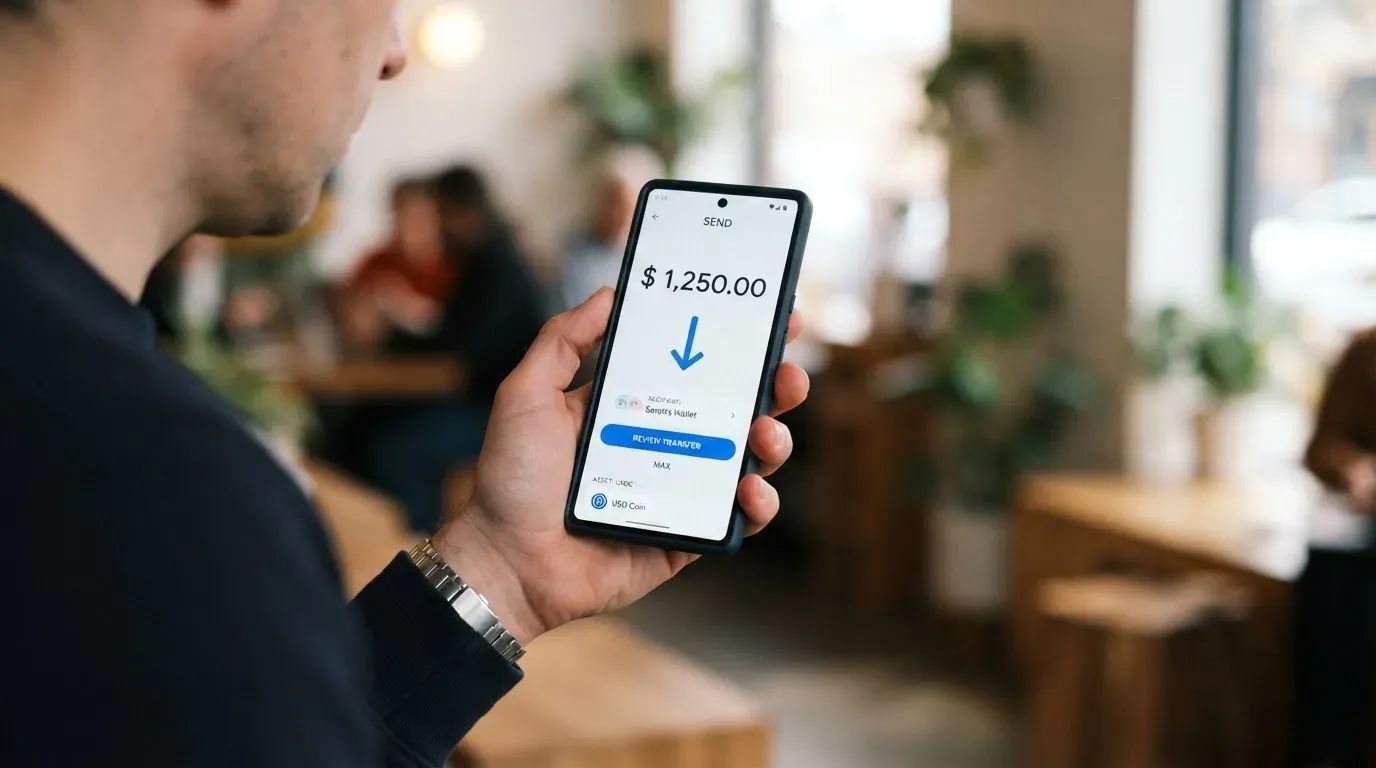
Receiving USD costs nothing, and the minimum Bitcoin purchase starts from $1, so small amounts are possible. The card top-up fee itself is not stated. If you are comparing methods, the practical point is this: receiving USD is free, a transfer from your own card or bank has its own familiar costs, and buying Bitcoin adds a network fee that the blockchain charges you, not the card company.
Getting money back out follows the same shape. Cash at an affiliated agency is 1%, taken immediately. A bank withdrawal is 1%, arriving in one to two business days, and works through SINPE, the Costa Rican payment rail. Crypto can go to any wallet.
Two cautions belong here. The first is network mismatch. If you send USDT on a network the card does not support, or to an address belonging to a different network, the transfer can be lost or need manual recovery with no guarantee — blockchain transfers are irreversible by design. The card names Bitcoin, Lightning and Polygon for its USDT deposits, so send on one of those. The second: there is a user report on Trustpilot from July 2026 of a USDC deposit via Polygon that was not credited, with support repeating that it was “investigating”. One report is one report, not a pattern. But if you are about to move a large sum, moving a small test amount first is the cheapest insurance available.
Paying with it every day
The virtual card can be added to Apple Pay right away. That is the strongest everyday-use fact the card publishes, and it is worth more than it sounds: a tokenised number stored in your phone’s Secure Element, replaced at each payment with a one-time dynamic code, and never held on Apple’s servers.
Google Pay is not stated. Blocked merchant categories are not stated either, which matters more than it first appears: gambling has its own merchant category code, and many issuers block specific categories as policy rather than by law, with a different list per issuer. You cannot check in advance whether this card declines somewhere.
On the app itself: the App Store rating is 4.8 out of 5 from about 1.8 thousand ratings, which is a strong result for a regional financial app. The Google Play listing exists but I did not read its rating. Support is reachable through a contact page and a Spanish-language help centre; opening hours are not stated.
Two things a payment card user asks that the card does not answer: whether there are any rewards on spending — not stated, no cashback, no points — and what happens when a payment goes wrong. Disputes are not stated. That second gap is the one I would weigh most heavily. If a charge is wrong, a duplicate is billed, or goods never arrive, there is no published process on the card’s pages telling you who to argue with or what evidence to send. Card networks do have mechanisms for this, and the general shape of a dispute is explained further down, but for OSMO specifically the answer is silence.
What can go wrong
A deposit that does not land. The Trustpilot report described above. The single one-star review, dated 14–17 July 2026, is about an uncredited deposit; Trustpilot shows 3.2 out of 5 from 1 review as I read it on 21 October 2026. Read the second part carefully: one review is not a rating. The App Store tells a very different story at 4.8 out of 5 from about 1.8 thousand ratings. The honest reading is that one user had a bad three days and that nobody else has publicly written about one.
Being outside the region. Not a malfunction, but the most likely reason for a straightforward “no”. The country list is Latin America, and availability depends on where you live.
A conversion cost you never see. Because the card FX fee is not stated, a conversion-heavy month is the scenario where this card’s price is least predictable to you.
Losing the card details. The app lets you freeze and unfreeze the card and refresh the digital details, which is the right control to have on a virtual card with no physical counterpart. If your phone is lost, that freeze is your first move.
The programme disappearing. This is a category risk, not an OSMO-specific one, and it is worth taking seriously because the OSMO structure is the same structure that has failed before: a brand on the front, a licensed issuer behind it. Visa terminated its global agreements with FTX on 13 November 2022 and the FTX US debit card was wound down by its issuer; WaveCrest, a Visa issuer that supplied crypto card brands, was suspended by Visa in Europe in 2018, closing all its Visa programmes. Closures follow a pattern — a notice period, then spending and loading stop, then a request to withdraw remaining balances.
A counterparty you cannot see through. The card gives you the structural details, which is better than most: cards issued by Rain under Signify Holdings for Visa and by SOINSA for Mastercard; dollar accounts at Bridge Ventures LLC; Bitcoin custody at Osmo El Salvador S.A., regulated by CNAD, BCR and SSF. The parent is HODL Group, and the card describes itself as “no un banco”. Bitcoin is described as held 1:1, 80% cold and 20% hot, with fiat backed 1:1 by bank accounts. That is a real answer to “is OSMO a bank” — it is not one, and it does not claim to be, which is more reassuring than a claim you would have to check.
No official incidents came up in my checks. Official news beyond what the card publishes is not something I found.
What to take instead
Three comparable cards, each with something OSMO either does not offer or does not publish. Scores are mine on the same scale, and each is worth reading against the point where it is stronger than OSMO rather than just cheaper.
International Visa Card — 6.7 out of 10. Its strength is breadth of where you can hold it and clarity on fees. The account and card are not available to residents or legal registrants of Belarus, mainland China, North Korea, Cuba, India, Iraq, Iran, Israel, Myanmar, Nepal, Nicaragua, Russia, Syria, Turkey, Ukraine, Venezuela or Vietnam, and FATF grey-list countries are reviewed case by case with compliance approval. Purchases are blocked in North Korea, Cuba, Iran, Russia, Syria, Ukraine and Venezuela. Note the basis is residence or registration — citizenship is not mentioned. It is a US-issued Platinum Visa card, virtual, paying in USD, with the physical card listed as “Coming soon”. Virtual issuance is $5 one-time with no maintenance fee; plans run Classic free, Pro $9.00/month and Max $19.00/month. Card use in USD is free on all plans; foreign currency costs the Visa exchange rate plus a 2% FX fee — a number you can actually plan around, which is the thing OSMO does not give you. Deposits of any kind are free, and you can fund with USDC or USDT at 1:1, plus USD, EUR, SEPA, SWIFT and FedNow; networks are not stated. No cashback is stated.
UNi Card — 6.1 out of 10. Its strength is the fee philosophy: “No annual fee or foreign transaction fee”, assets converted at “live OTC (Over-the-Counter) rates” with “No hidden exchange fees”, and “Spend-to-Earn rewards” up to 3% with the card. A multicurrency UNi Card on the Mastercard network, spending from the UNi.Global account balance. Physical versus virtual is not stated, the issuance fee is not stated, funding routes are not stated, and who can get it is not stated — which is why it cannot be compared head-to-head with OSMO on availability.
Whop Cards — 5.2 out of 10. Its strength is the cashback and the reach inside the US. Consumer availability covers 31 US states — Alabama, Alaska, Arkansas, California, Colorado, Connecticut, Florida, Hawaii, Illinois, Indiana, Iowa, Kansas, Kentucky, Maine, Massachusetts, Michigan, Minnesota, Montana, Nebraska, New Hampshire, New Jersey, New York, North Carolina, Oklahoma, Pennsylvania, South Carolina, Texas, Utah, Virginia, West Virginia and Wyoming — and 41 states for businesses. Unsupported consumer countries include Belarus, China (Mainland), Cuba, Hong Kong, India, Iran, Iraq, Israel, Myanmar, Nepal, Nicaragua, North Korea, Russia, Syria, Turkey, Ukraine, Venezuela and Vietnam; unsupported corporate countries include Russia and Belarus. The basis, citizenship or residence, is not stated. The card is Visa, working anywhere Visa is accepted online and in stores; virtual or physical and card currency are not stated, and cards can also be issued to team members. The page says “No extra fees” without listing issuance or monthly amounts, and conversion and FX amounts are not stated. It spends from a Whop balance — a pending balance is usable as soon as a payment arrives, while standard withdrawals use settled funds — backed by stablecoin collateral from a linked wallet, with coins and networks not stated. Cashback is 5% at select merchants, currently Uber, with more planned; payout currency and conditions are not stated.
| OSMO | International Visa | UNi | Whop | |
|---|---|---|---|---|
| My score | 6.4 / 10 | 6.7 / 10 | 6.1 / 10 | 5.2 / 10 |
| Region focus | Latin America | Widely excluded-country list | Not stated | 31 US states |
| Monthly cost | $0 | Free–$19.00 by plan | No annual fee | No extra fees stated |
| FX cost | Not stated | Rate + 2% | Live OTC rates, no FX fee | Not stated |
| Rewards | Not stated | No cashback stated | Up to 3% | 5% at select merchants |
| Physical card | Not mentioned | Coming soon | Not stated | Not stated |
Who I would recommend it to
I would recommend OSMO to someone living in Costa Rica, Guatemala, El Salvador, Panamá, Honduras, República Dominicana, Argentina or one of the other listed countries, who wants a dollar balance and Bitcoin in the same app, who pays mostly online or in dollars, who taps with Apple Pay, and who is comfortable keeping an eye on the Tarifas page themselves because nobody else will do it for them. For that person, a free virtual Visa card with a free monthly account is genuinely good value, and the alternative is often paying a monthly fee for the same thing.
I would recommend it with hesitation, or not at all, if you need cash regularly, if you are a Google Pay user, if you want to know exactly what a foreign currency payment costs, if you dispute charges for a living, or if you are anywhere else on the map. The gaps are not disqualifying, but they are the kind you discover at a till rather than in advance.
If you want the wider context — what “no un banco” actually means for your money, why a conversion line item hides the real price, and how KYC decides whether you are approved at all — it is in the next section.
Frequently asked questions
What is the OSMO card?
OSMO is a virtual Visa International debit card that spends from a US dollar balance inside the OSMO app. It costs nothing to hold and nothing to issue, and it converts automatically to local currency when you pay in a currency you do not hold. It is a card from a Latin American crypto app, not a bank account, and the company describes itself as “no un banco”.
How does the OSMO card work?
You sign up in the app, verify your identity there, and a virtual card appears in your account that you can add to Apple Pay right away. The card draws on a stored USD balance, much like a prepaid card rather than a bank-linked debit card. Because the balance is pre-loaded, the card cannot overdraw it.
Who owns OSMO?
The parent is HODL Group. Behind the app sit separate companies: dollar accounts with Bridge Ventures LLC, Visa cards issued by Rain under Signify Holdings, Mastercard cards by SOINSA, and Bitcoin custody at Osmo El Salvador S.A., regulated by CNAD, BCR and SSF. The crypto brand manages the programme; it does not issue the card itself.
Is the OSMO card available in my country?
Only in the Latin American countries on the list, which includes Costa Rica, Guatemala, El Salvador, Panamá, Honduras, República Dominicana, Argentina, Colombia, Chile, Ecuador, México, Uruguay, Paraguay, Puerto Rico, Perú and Bolivia. The App Store listing states that product availability depends on where you live, so treat the list as guidance rather than a guarantee.
Does the OSMO card require KYC?
Yes — identity verification takes place in the app under “verificación de identidad”, with sign-up by email or phone. What the public pages do not state is which documents are needed or whether proof of address is required, so have an ID document ready even though the help centre has a KYC section.
What does the OSMO card cost to use?
There is no monthly fee and the virtual card is free, with receiving USD at no cost and a Bitcoin purchase from $1. Against that, cash withdrawal is 1%, bank withdrawal 1% and sending Bitcoin 3% — and the card’s own foreign currency fee is not stated, which is the number to look for on the Tarifas page.
How do I top up the OSMO card?
With Bitcoin or USDT on the Bitcoin, Lightning or Polygon networks, by card or bank transfer, or with a cash top-up — and you spend from the USD balance. Send only on a network the card supports, because blockchain transfers are irreversible and a mismatched address can mean support recovery with no guarantee.
Can I add the OSMO card to Apple Wallet?
Yes, and immediately. The card states the virtual card can be added to Apple Pay right away, and Apple Pay replaces the card number with a device-specific number kept in the phone’s secure hardware. Google Pay is not stated, so if your phone is Android-first, check before you rely on it.
Is the OSMO card safe?
The card publishes real structural safeguards: freeze and unfreeze in the app, refreshed digital details, encryption, fiat backed 1:1 by bank accounts, and Bitcoin held 1:1 with 80% cold and 20% hot. It also has a strong App Store rating at 4.8 from about 1.8 thousand ratings, though no official incidents came up in my checks — so treat it as an ordinary custodial provider, not a risk-free one.
Is the OSMO card worth it?
If you are in the region, pay mostly online or in dollars, and want a dollar balance and Bitcoin in one app, a free card with a free monthly fee is hard to argue with. It is worth less if you need cash, a published foreign currency rate, a rewards programme, or a stated dispute process — none of which the card’s public pages currently provide.
App and neobank cards put to the test – cryptocardtested
Content created by the «cryptocardtested» team