
RivoCard, a virtual crypto card for people who can't get a bank one
 Available in US
I went through RivoCard’s public pages, fees, terms, support channels and user reports to put together this review, because the marketing copy and the small print don’t always line up. The card is aimed squarely at people who can’t, or don’t want to, get a regular bank-issued card, and it leans hard on flexibility: a wide list of supported coins, three KYC tiers, and a virtual card that lands in your dashboard in under a minute. The flip side is a 5% top-up fee, some real complaints about cards stuck in “Pending” and silence from support, and a company that doesn’t tell you who actually issues the card.
Conditions are current as of October 28, 2026.
Verdict
RivoCard scores 5.4 out of 10. The number reflects a service that does a few things well and a few things badly. Access is the strongest part: it claims to be open in 150+ countries, accepts adults from 18, and lets you skip the heaviest KYC for small balances. The choice of top-up coins is also unusually wide, with BTC, USDT, ETH, XMR, LTC, USDC, DASH and SOL listed, and the site advertises 50+ assets in total. On the other hand, the 5% top-up fee (with a contradictory 10% in the terms) is a serious drag on the scorecard. Reliability and everyday use are where it stumbles: Trustpilot reviews over the last year describe cards stuck “Pending” for weeks, slow or missing support replies, and a company reply that exposed one reviewer’s email. Apple Pay and Google Pay are not mentioned on official pages, so the card is essentially online-and-online-only, and the physical-card option some readers expect simply isn’t there.
In plain terms, RivoCard suits you if you want a virtual card you can top up from a long list of coins, you don’t mind paying 5% to do it, and your spending is mostly online. It does not suit you if you want a physical card for the ATM or a tap-to-pay wallet, if you need to know the name of the licensed institution that actually issues the card, or if you expect prompt help when something goes wrong.
| Criterion | Mark | Why |
|---|---|---|
| Who can get it | 9 / 10 | Global, 150+ countries, 18+; no published list, sanctions circumvention prohibited |
| Cost | 2 / 10 | Card creation and monthly fees are free, but top-up is 5% on the fees page and 10% in the terms; online purchases themselves 0% |
| Top-up options | 9 / 10 | BTC, USDT (TRC20/ERC20), ETH (ERC20), XMR, LTC, USDC, DASH, SOL (SPL); site claims 50+ assets |
| Reliability and complaints | 4 / 10 | Issuer and registration not named; cards stuck “Pending” and slow support reported on Trustpilot (3.9/5 across 12 reviews in the last year) |
| Everyday use | 3 / 10 | Virtual only, Visa or Mastercard, issued in about 30-60 seconds; Apple Pay and Google Pay not stated; ATM fee not confirmed officially |
| Total | 5.4 / 10 | Wide coin support and open access weighed down by the top-up fee, the lack of a physical card and a thin support track record |
If you fall into the “yes” camp, the rest of the review walks through what you actually face at each step.
Who RivoCard will issue a card to
The headline claim is broad: global, 150+ countries, 18+, with no published list of where it operates or where it doesn’t. The terms add a hard floor — you must be at least 18 — and a hard ceiling, which is that you must not be using the service to get around sanctions programs run by OFAC, the EU or the UN. In other words, the country list is “most places, with the usual sanctions carve-outs”, but RivoCard doesn’t enumerate the carve-outs for you.
RivoCard itself describes its KYC as “optional identity verification tiers” and frames it as “Flexible” against competitors it calls “Extensive Documenting”. Practically, that means the platform offers three tiers — Basic, Full and Enhanced — and the limits scale with how much you choose to prove about yourself. The site doesn’t list the documents each tier asks for, and it doesn’t say what proof of address is acceptable, so you find that out by signing up and trying to lift a limit. The company also doesn’t publish its processing times or the reasons it might reject an application.
For someone who’s been refused a bank card, that’s the appeal: a 30-second sign-up, a Basic KYC tier that doesn’t ask for much, and a virtual card you can use right away. The trade-off is that a tier with low friction comes with a low ceiling, and lifting that ceiling means producing documents and waiting for review.
How to get a RivoCard
The path is short on purpose. You sign up on the site, fund the wallet, and a virtual card is issued in under 60 seconds. There is no application form to fill in, no waiting for a physical card in the post, and no appointment with a bank.
The cards themselves are virtual prepaid cards, on either Visa or Mastercard, and the site lists several flavours: merchant-locked cards for a single seller, single-use cards for one payment, and reloadable cards for repeated use. The “BIN” — the first digits of the card number that identify who issued it — is listed for the US, the UK, Hong Kong and the EU, and you can hold balances in USD, EUR, GBP and JPY. Which currency your card uses depends on which BIN your account lands on, and RivoCard doesn’t publish a table for that.
The whole experience is a web dashboard; RivoCard doesn’t appear to ship a mobile app you can install, and the site doesn’t list one. The dashboard is where you mint cards, fund the wallet, freeze the card and submit dispute reports.
What RivoCard really costs (fees and limits)
This is the section where the marketing and the small print start disagreeing, and where I’d encourage you to read carefully before you put any money in.

On the fees page, the basics look good: card creation is free, there’s no monthly or annual subscription, replacement is free, and closing the account is free. The catch is the top-up fee, which is 5% of the amount you fund, and a contradicting line in the terms that says card creation is 10%. Online and international purchases are listed at 0%. Conversion and FX fees are not stated on either page.
The ATM position is a hole: RivoCard’s official pages don’t say what an ATM withdrawal costs, whether there’s a limit, or whether it’s even supported on a virtual card. A third-party spec page (cryptocards.so, 2026) claims ATM withdrawals are free and unlimited, but that’s an unofficial line and I would not treat it as confirmed.
Limits depend on the KYC tier, and the fees page and the FAQ don’t fully agree here either. The fees page sets Basic KYC at $20,000 per transaction, per day, per month and per load, with Full and Enhanced unlimited. The FAQ breaks it down differently: Basic $1,000/day, Full $10,000/day, Enhanced $50,000/day, with unlimited monthly spend at the top tier, and the option to request custom limits by day, week or lifetime. The site also mentions a “Premium Membership” page and additional KYC tiers, but doesn’t publish prices for them.
To make this concrete, here is the costs table as it stands on the fees page, with the conflicts flagged:
| Fee or limit | What RivoCard’s fees page says | What the terms or FAQ say |
|---|---|---|
| Card creation / issuance | Free | Terms list a 10% card creation fee (conflict) |
| Monthly or annual fee | None | None |
| Card replacement | Free | Not stated |
| Account cancellation | Free | Not stated |
| Online / international purchases | 0% | 0% |
| Card top-up (funding) | 5% of amount funded | Terms say 10%; non-refundable once processed (conflict) |
| Conversion / FX fee | Not stated | Not stated |
| ATM | Not stated | Unofficial: free, unlimited |
| Basic KYC limit (fees page) | $20,000 per transaction/day/month/load | FAQ: $1,000/day (conflict) |
| Full KYC limit (fees page) | Unlimited | FAQ: $10,000/day, unlimited monthly |
| Enhanced KYC limit (fees page) | Unlimited | FAQ: $50,000/day, unlimited monthly |
Two everyday scenarios to make the fee picture real. Scenario A: a $200 online subscription paid monthly, funded from USDT. You top up $200, pay the 5% top-up fee, so $190 lands on the card. The subscription itself charges 0%. Net cost over a year of 12 top-ups: $120 in top-up fees, or $10 a month, on $2,400 of spend. Scenario B: a $500 one-off online purchase. You top up $500, pay $25 in top-up fees, $475 lands on the card, the purchase itself is 0%. A $500 purchase quietly cost $525.
The official position on cashback is that there isn’t one. A third-party page again claims 2% cashback and a $3 referral bonus; I would treat that as unconfirmed until RivoCard itself publishes it.
How to top up RivoCard
Funding happens in two steps: you send crypto from your own wallet to the deposit address RivoCard shows you, wait for the blockchain to confirm, and then you move the balance from your RivoCard wallet onto the card. The supported coins are BTC, USDT on TRC20 or ERC20, ETH on ERC20, XMR, LTC, USDC, DASH and SOL on SPL. The marketing page says 50+ assets are supported, so the eight above are the ones I could confirm from the public list.
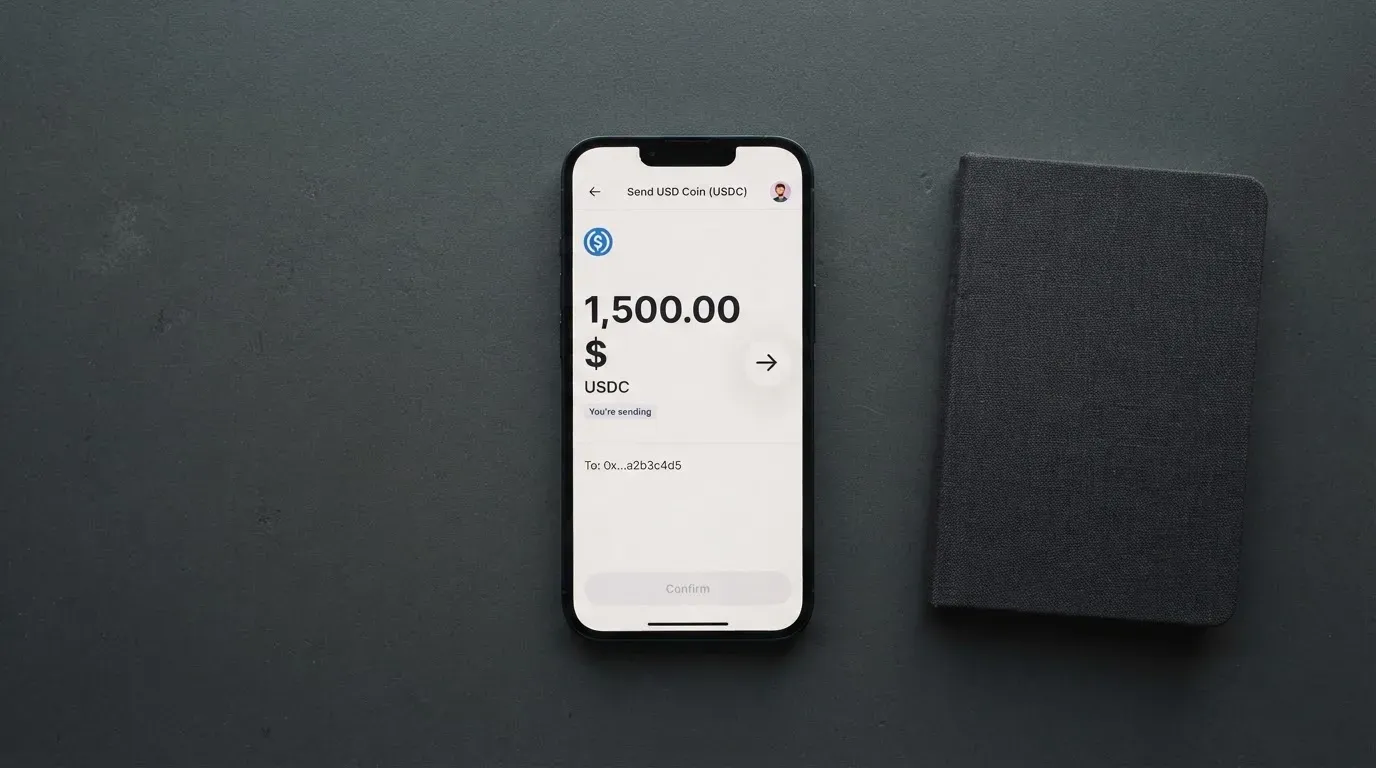
A few practical things to watch. The first is the network: USDT on TRC20 and USDT on ERC20 are different chains with different addresses, and sending USDT on the wrong network is a common way to lose a deposit. RivoCard lists specific networks per coin for this reason, and you should match the network in your sending wallet to the one RivoCard asks for. The second is the asset itself: the wallet must hold a small amount of the native gas token (ETH for ERC-20, TRX for Tron, SOL for Solana) to actually broadcast the transfer, and on-chain gas fees are paid to the network, not to RivoCard. The third is the minimum: the site shows “Starts From $50” near the top-up flow, and it isn’t clear whether that’s a minimum top-up or a starting balance for a particular tier.
Withdrawal works the other way. Crypto withdrawals in USDT, BTC or ETH are described as instant, and bank transfers via SEPA, SWIFT or ACH take one to two business days. The site advertises 24/7 availability with no lock-in, and you can freeze or delete cards at any time. Withdrawal fees are not stated, which is itself a flag worth raising.
Paying with RivoCard day to day
RivoCard is virtual-only and online-first. There is no physical card to tap on a shop reader, no contactless swipe, and the site does not mention Apple Pay or Google Pay. One third-party spec page lists both as supported and then lists both as not supported in the same document; that’s a contradiction on a third-party site, not a confirmation, and I would not assume either wallet works until RivoCard says so officially.
Because the card is prepaid, the balance caps what you can spend — there is no overdraft, and a card with no balance simply declines. The dispute path goes through a “Report Issue” page on the site; the FAQ says unauthorised-charge reports get a response within one business day, and that RivoCard isn’t responsible for merchant-side disputes (a damaged item, a non-delivery, that kind of thing). Top-up fees are non-refundable once processed, and the refund policy lives at rivocard.com/refund-policy/.
There is no cashback on the official pages, no rewards scheme, and no merchant category code list of what is or isn’t blocked. The BINs in the US, UK, Hong Kong and the EU mean a card can look “foreign” to a shop in another region, and address-verification checks tend to be a US/Canada/UK thing, so foreign-issued prepaid cards can be declined at the checkout for reasons that have nothing to do with you. Holds on a declined authorisation can sit on the balance for up to about a week.
What can go wrong with RivoCard
Three things to keep in mind before you fund the card.
The company and the issuer. RivoCard is run by “Rivocard LTD”, and the registration details, jurisdiction and the name of the licensed institution that actually issues the cards are not stated. The site describes itself as a “financial technology platform, not a bank” and says cards are issued by “licensed third-party partners” it does not name. In practice that means the card number on the front belongs to a bank or e-money institution you have to take on trust, and the regulator you’d complain to depends on who that issuer turns out to be.
The user reports. I read the Trustpilot page for RivoCard on 21 October 2026: 3.9 out of 5 across 12 reviews in the last 12 months. Regional pages had a 4.0 from 4 reviews. The themes in the last couple of months are the ones that matter: a $400 deposit where the card sat “Pending” for weeks and the company said it had no matching record (September-October 2026), complaints about slow or missing support replies (September 2026), confusion over fees (October 2026), and one case where a company reply to a negative review exposed the reviewer’s email address (September 2026). I didn’t find an official incident report or a public post-mortem.
The custody and security model. The platform describes itself as not a bank, and the terms don’t address who custodies the crypto you deposit. RivoCard lists card freeze, a one-click “kill switch” and real-time spending limits as safety features, but doesn’t say whether it supports app-based two-factor authentication, doesn’t mention cold-storage segregation, and doesn’t publish proof of reserves. In a category where Mt. Gox, Coincheck and Ronin together lost more than a billion dollars to theft over the years, “we don’t say” is itself a signal.
Support channels. The site advertises 24/7 live chat, a Telegram group, an email or contact form with replies within 24 hours on business days, a knowledge base and enterprise ticketing. The Trustpilot picture suggests the live chat and email don’t always hit that 24-hour target.
What to take instead
If RivoCard’s top-up fee or its thin support track record puts you off, here is how three alternatives compare on the facts I could confirm. None of them are direct clones of RivoCard, and each has its own gaps; treat the score as a starting point, not a verdict.
Cardex — 5.6 / 10. Aims to be available in 200+ countries, with no published list of exclusions, and the App Store listing is Naira-focused. It issues debit crypto cards on Verve, Visa, Mastercard and UnionPay, both virtual and physical, and the card currency is Naira on the listing. The site talks about an “AI-powered conversion rate” that scans global exchanges and picks the best one when you spend; no fee percentage is published. Funding is from USDT, USDC and BTC wallets, and the networks aren’t stated. There is no cashback on the public pages.
CardFlow — 4.9 / 10. Aimed at Nigerians and “global users”, with no country list or exclusions on the official pages. It offers a virtual USD Mastercard, created in 3 minutes, and card creation is free in the FAQ; the monthly fee isn’t stated. Funding is Bitcoin, USDT, ETH or Naira bank transfer, and the networks aren’t stated. There is no published fee schedule and no cashback.
HyperCard — 4.7 / 10. The official pages have no country list, while the App Store page says the card works in “more than 176 countries” — which is an acceptance figure, not an eligibility one. The card is prepaid, the network is not stated on the App Store page, and the balance is in USD or EUR. The App Store page lists no fees; the official pages I could read didn’t list a fee schedule either. Funding is USDT, BTC or ETH in the app, converted to USD or EUR on the card, and the networks aren’t stated. There is no published cashback.
The honest read: Cardex is the most flexible of the three on networks and currencies, but it’s the one I have the least to verify about. CardFlow is cheap and quick but untransparent on fees. HyperCard has the broadest acceptance claim, but the missing fee schedule is a real gap. If you want a physical card, Cardex is the only one in this shortlist that explicitly says it offers one.
Who I’d recommend RivoCard to
I’d point you at RivoCard if you want a virtual card you can top up from a long list of coins — including XMR and DASH, which most of the mainstream cards don’t accept — and you’re comfortable paying 5% to do it. I’d also point you at it if you need a card today, not next week: the 30-to-60-second issuance and the three KYC tiers make it one of the quicker onboarding paths in the category.
I would steer you away if you want a physical card for in-store or ATM use, if you want to add the card to Apple Pay or Google Pay, if you need the name of the licensed issuer up front, or if your monthly spend is high enough that a 5% top-up fee would seriously dent it. The user reports over the last year also make this a card I’d fund with a small working balance, not a large one, until you’ve seen how support responds when something goes wrong.
A few things to check first, in order: confirm the 5% top-up fee on the live fees page before you fund; check the network RivoCard asks for, and match it in your sending wallet; decide which KYC tier you actually need and what document it asks for before you top up beyond the Basic limit; and read the refund policy at rivocard.com/refund-policy/, because top-up fees are non-refundable once processed.
Frequently asked questions
What is RivoCard?
RivoCard is a virtual prepaid card on Visa or Mastercard, funded from a long list of cryptocurrencies and issued by Rivocard LTD. The cards come in merchant-locked, single-use and reloadable forms, and balances can be held in USD, EUR, GBP or JPY.
How does RivoCard work?
You sign up, send crypto to a deposit address, wait for the blockchain to confirm, and then move the balance from your RivoCard wallet onto the card. The card spends that pre-loaded balance at online merchants; the platform says the card is issued in about 30 to 60 seconds.
Is RivoCard a bank?
No. RivoCard describes itself as a “financial technology platform, not a bank”, and says cards are issued by licensed third-party partners it does not name on the public pages.
Who owns RivoCard?
The company is Rivocard LTD. The registration jurisdiction, the company number and the names of the licensed issuer partners are not stated on the public pages I could read.
How do I top up RivoCard?
Send BTC, USDT (on TRC20 or ERC20), ETH (on ERC20), XMR, LTC, USDC, DASH or SOL (on SPL) to the deposit address shown in your dashboard, then move the balance to the card. The site advertises 50+ assets in total, and the funding page shows “Starts From $50”.
Is RivoCard free?
Card creation, replacement and account closure are free on the fees page, and online purchases are 0%. Card top-up is 5% of the amount funded on the fees page, with the terms page listing 10%; conversion, FX and ATM fees are not stated.
Does RivoCard require KYC?
KYC is “optional” in the sense that you can start with Basic, but the platform offers three tiers (Basic, Full and Enhanced) and the higher the limit, the more the platform asks of you. The specific documents for each tier aren’t published.
Can I add RivoCard to Apple Pay or Google Pay?
RivoCard’s official pages don’t mention Apple Pay or Google Pay, and a third-party spec page contradicts itself on the topic. Treat mobile wallet support as unconfirmed unless RivoCard says otherwise.
Is RivoCard safe?
RivoCard is not a bank and doesn’t publish proof of reserves or a custody model in its terms. The platform lists card freeze, a kill switch and real-time spending limits as safeguards, and offers 24/7 live chat and email support, but the Trustpilot record over the last year includes reports of stuck cards and slow or missing support.
How do I delete my RivoCard account?
Account closure is listed as free on the fees page, and the dashboard lets you freeze or delete cards at any time. The specific steps to close the underlying account aren’t published, so the practical path is to log in, withdraw any remaining balance, and use the contact form or live chat to ask for closure.
Virtual cards put to the test – cryptocardtested
Content created by the «cryptocardtested» team