
A fee-free card with the fee schedule left out of the pages
 Available in US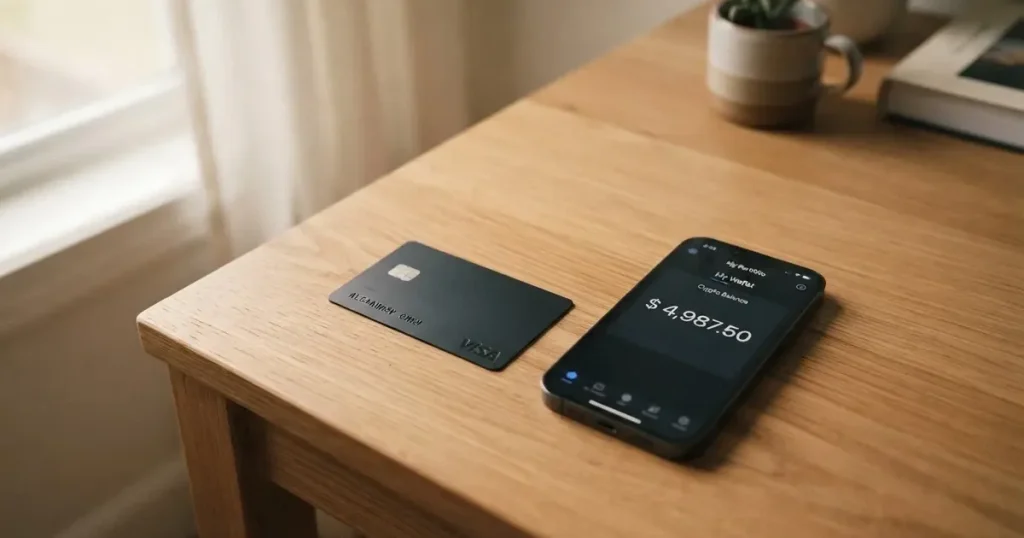
If you have been trying to get an ordinary bank card and have run into walls — a country your bank will not open an account in, a document it will not accept, a name on a list it does not want — then a crypto-branded card is one of the few things still on the table. Bolt’s pitch is unusually clean: no annual fee, no other fees associated with the card, a virtual card in your app the moment you put in a small deposit, and a physical one in the post. That is exactly the pitch, and on the surface it is a good fit for someone who needs a card to spend from rather than a card to be impressed by.
I went through the card’s own pages and worked out what that pitch covers and what it does not. The short version: the headline fee claim is real as written, and it is narrower than it sounds. There is no annual charge and no monthly charge. But the things people actually lose money on — what happens when you spend outside the United States, what a currency conversion costs, what a cash withdrawal costs — are not on the pages at all. That is not a criticism of honesty. It is a factual statement about how much of the schedule you have to take on trust before you can use the card with confidence.
The conditions described on this page are current as of October 28, 2026.
My score is 4.8 out of 10. That is not a bad card. It is a card whose public pages are too thin for the job most people need it to do.
Score breakdown
| Criterion | Mark | Why |
|---|---|---|
| Who can get it | 2 / 10 | Starting data is United States; no countries named at all |
| Cost | 8 / 10 | “There are no annual or other fees associated with the Bolt Card” — but conversion and FX are not disclosed |
| Top-up options | 3 / 10 | Deposits happen in the app; coins and networks not named, and crypto via Zero Hash is not confirmed by any page |
| Reliability and complaints | 6 / 10 | Bolt Financial, Inc. in the starting data; issuing bank not named, and no complaints about the card found |
| Everyday use | 4 / 10 | Virtual card instantly after a $5 deposit, plastic in about 10 business days; Apple Wallet not supported yet, ATM terms not disclosed |
| Total | 4.8 / 10 |
The single highest mark is Cost, and I want to be careful about why. Eight out of ten is not “the card is cheap.” It is “the one thing the card says clearly is genuinely clear.” The lowest is who can get it, at two, because the entire eligibility picture collapses to the word United States and nothing else.
Who will they give you the card
Here is the eligibility answer in one sentence: the only starting point named anywhere on the card’s own pages is the United States.
That single fact does most of the work. If you live in the United States, you are in the audience Bolt appears to be built for. If you do not, you are in the dark. No list of supported countries, no statement that the card is US-only, no waitlist page — just a US starting point and silence. And the audience the card is written for, by its own framing, is US residents who want a fee-free debit card with an account inside the app.
Before you get to country questions, there is an identity gate. The help pages require identity verification before you can request the card. That is not unusual — most cards in this category ask for identification, and it is a legal obligation rather than a preference. What the pages do not tell you is *which* documents. No list of accepted passports, no proof-of-address requirement, no age threshold, no second tier of verification for larger balances. That is stated nowhere on the pages I read, and I am flagging it as genuinely unknown rather than guessing at it.
For a reader in the general position — anywhere in the world, with a nationality and a residence that may differ — this matters more than it does for someone in a single country. Sanctions screening and issuer risk policy are often applied to citizenship and country of birth as well as to address. A US starting point tells you nothing about whether the card turns on where you are, where you were born, or where your money is. You will only find out by trying.
The practical advice: if you are outside the United States, treat this as unconfirmed. If you are in the United States, the identity step is the gate to plan for, and the missing part of that picture is what documents to hand over.
How to get it
The signup path is short, and that is a genuine point in the card’s favour.
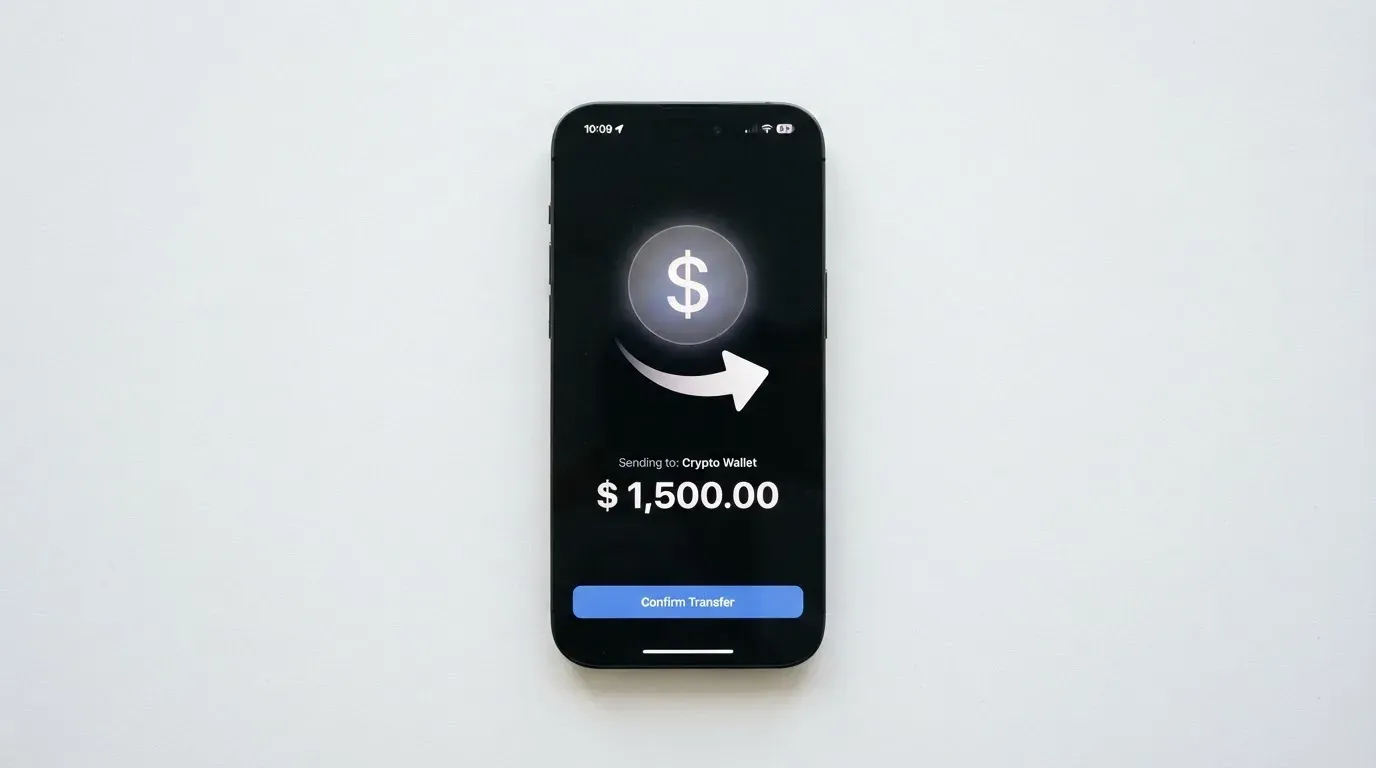
You complete identity verification inside the app first. Once that is done, you request the card. A virtual card is issued instantly — not “within hours,” not “after review” — after an initial deposit of at least $5. That $5 is the whole entry ticket, and it is the same $5 that acts as the first load of balance.
The physical card is a separate product on a separate page, and the only timing given is generous rather than precise: “approximate card delivery time is around 10 business days.” Around, not within. Whether shipping is free, which countries it ships to, and what a replacement costs if it goes missing are all not stated.
Two things about the card itself to hold on to, because they come up later. First, you get a virtual card and a physical card as distinct things — the instant one is not a placeholder that arrives later in a different form, it is a usable card on its own. Second, the card network and the card currency are not stated anywhere on these pages. So when I get to costs, I have to tell you plainly that the single most important number for your own budgeting is missing, and I cannot fill it in with a guess.
There is only one identity verification step described. No additional levels are mentioned, which means either that the card is simple for everyone or that the higher tiers are undocumented.
Fees: what it really costs
Bolt’s cost claim, in the card’s words: “There are no annual or other fees associated with the Bolt Card.”

Read precisely, that is a statement about the card. It is not a statement about everything that happens when money moves. And the difference between those two things is where your money actually goes.
Let me show you the whole schedule as the pages present it — which means showing you the gaps as much as the numbers.
| Fee or limit | What the pages say |
|---|---|
| Issuance | Not stated |
| Annual fee | “There are no annual or other fees associated with the Bolt Card” |
| Monthly fee | None — the same sentence covers “other fees” |
| Crypto conversion | Not stated |
| Foreign exchange / FX | Not stated |
| ATM withdrawal | Not stated; a PIN can be set, but there is no ATM page |
| Daily limits | “All limits are set to default by Bolt”; figures only in the app under Bank/Cards > Limits |
| Monthly limits | Same as daily — default, visible only in the app |
| Tiers or plans | Not stated |
| Card currency | Not stated |
| Withdrawal fee, time, closure balance | Not stated |
Now let me put three ordinary payments against that table, because that is how the abstract becomes real.
A subscription in your home country. This is the payment Bolt is best at, and it should be the cheapest for you. No annual fee, no monthly fee, and if you stay in one currency and one country there is no conversion to think about at all. This is the case the fee-free promise was written for, and here the promise holds.
A dinner paid while you are travelling. To do this you need two things to work: the card currency, which is not stated, and the FX or conversion charge on a non-USD spend, which is not stated. Either the conversion happens at a flat no-mark-up rate — plausible, entirely unproven — or it does not. You are about to find out in the smallest possible way, on a meal you would have paid anyway.
A cash withdrawal at an airport ATM. Here the page tells you something interesting and unhelpful: you can set a PIN, so the function is meant to exist. But there is no ATM page, so no fee, no daily cash cap, no ATM operator surcharge, no foreign-ATM percentage. Foreign-issued prepaid cards are commonly declined by ATMs outright, and where they work, the withdrawal fee is often the largest single charge on any trip.
And the limits deserve their own paragraph, because “default” is doing a lot of quiet work. The card says “All limits are set to default by Bolt” and shows the figures only inside the app. So before you can answer “how much can I spend per day,” you have to install the app, verify your identity, deposit money and go looking. That is a reasonable design choice — it keeps the figures current — but it means the card cannot be evaluated on its public pages for whether the limits fit your life.
None of this adds up to a bad deal. It adds up to a deal you cannot price from the outside. If your spending is domestic, monthly and small, you may never touch any of the empty rows. If you travel, withdraw cash, or convert between crypto and fiat regularly, the empty rows are exactly where your money goes, and you are the one filling them in.
How to Top it up
Funding is the thinnest part of the whole card, and it scored 3 out of 10.
What is solid: you deposit to the Bolt Account from the app. That is the mechanism. What is missing: which coins, on which networks. The help pages do not name a single asset or chain. There is a minimum initial deposit of $5, and other minimums and any deposit fees are not stated.
There is also a line in my starting data suggesting crypto deposits flow through Zero Hash. I could not confirm that on any page I read, so I am giving it to you as unconfirmed — a third-party claim, not a Bolt statement. That distinction matters more than it usually does, because the coin and network you send on are the two things that decide whether your deposit arrives at all. A transfer sent on a network the provider does not support can be lost, or need manual support recovery with no guarantee of success. Blockchain transfers are irreversible. That is a property of the technology, not a Bolt policy.
So the honest picture: you are asked to top up before you have been told what you are topping up with. Compare that with the wider category, where it is normal to name the coins. USDC runs natively on 38 networks as of 16 September 2026 per Circle, including Ethereum, Solana, Base, Polygon PoS, Avalanche, Arbitrum and Stellar. USDT has been issued on Ethereum, Tron, Solana, Polygon, Avalanche and others. Those are the networks a person in the market would expect to be named. Bolt names none.
One trap to know about, because it catches people even with other providers: if you hold USDT on Ethereum and your wallet has USDT but no ETH, you cannot send at all. Gas on that network is paid only in ETH. Tron prices fees differently, through bandwidth and energy resources, often burning TRX. And note that Circle stopped supporting USDC on Tron in February 2024, so “USDC over TRC20” is no longer a native route.
Withdrawing works too — from the app, at Bank/Cards > Bolt Card > Bolt Account > Withdraw. But the fee, how long it takes, and what happens to any balance left when you close the account are not stated.
The pattern across funding and costs is the same one, and I want to name it plainly: the app is the source of truth, and the website is the shop window. Bring your own patience and your own screenshots.
Paying with it every day
Day to day, the picture is uneven in a way that is hard to guess in advance.
You get a virtual card instantly, which means you can start spending before any plastic exists. That is the practical reason to care about this card at all — a physical card is a logistics problem, and the virtual one removes it.
What is missing from daily use is the wallet layer. Adding the card to Apple Wallet is “not supported yet,” described as coming soon. Google Pay is not mentioned at all. So for the phone-tap payment people actually prefer, right now you are reading card numbers off a screen. That is a meaningful downgrade from any mainstream card, and it is the main thing that will make the card feel like a backup rather than a primary.
Then there is the shopping reality. A card number starts with six or eight digits that identify the institution that issued it, and any merchant can look those up to see the issuer and country. If the issuer country does not match your billing address, the shop may apply extra scrutiny, and some merchants decline prepaid or foreign-issued cards outright as policy. Address verification — comparing the street number and ZIP in the billing address you typed against the issuer’s records — is mainly offered in the US, Canada and the UK and is generally unavailable for foreign-issued cards, which causes declines. None of that is Bolt being difficult; it is how card rails work for a US-issued card in a non-US context.
Online payments have their own layer in 3-D Secure: the issuer assesses the risk and either approves without friction or challenges you with a one-time code or a biometric check. Under that scheme, liability for a fraudulent online payment can shift, and in some readings of the rules, shift onto you. Worth knowing before you rely on this card for anything you would mind losing.
Two small positives and two gaps. The app is called the Bolt SuperApp, which tells you the card is the doorway rather than the product. Disclosures mention a “Bolt Account Reward Program Terms” document — but the rate is not stated, so treat any rewards expectation as unconfirmed. And the everyday-use score sits at 4 out of 10 largely because of the Apple Wallet gap and the ATM silence.
One more thing about declined payments, because it catches everyone: a declined authorisation can leave a hold on your funds that stays for several days, typically up to seven. Money you spent and got back is still money you cannot use.
What can go wrong
No official incidents came up in my checks, and I found no complaints about the Bolt card either. That is worth saying plainly, because in this category silence is not always a good sign — it can mean a clean record or a thin footprint. For context, custodial platforms in this space have a real history: Mt. Gox with about US$350 million reported stolen between 2011 and 2014, Coincheck at about US$400 million in 2018, and the Ronin Network bridge at US$625 million in 2022.
Company and paperwork is where the ambiguity sits. The starting data names Bolt Financial, Inc. The issuing bank is not named on the pages I read, though the disclosures reference a “Consumer Checking Account Agreement,” which implies there is a bank relationship somewhere behind this. Card programmes do get terminated by networks: Visa said in November 2022 that it had “terminated our global agreements with FTX,” and the FTX US debit card programme was wound down by its issuer. WaveCrest, a Visa issuer that supplied crypto card brands, was suspended by Visa in Europe in 2018, closing all WaveCrest-issued Visa programmes. If a programme closes, the usual sequence is a notice period, then loading and spending stop, then you are asked to withdraw what is left — one 2026 closure reported by a secondary source had new loads ending 8 July 2026 and spending stopping 8 August 2026, which I flag as a single unconfirmed source. I am not suggesting Bolt is heading anywhere. I am telling you what the failure mode looks like in this category, because it is the one risk you cannot hedge.
Control of the funds is unstated. The app lets you put a temporary block on the card, remove it, apply a permanent block, and set a PIN. That is a decent everyday toolkit. But whether your balance is safeguarded, segregated or insured is not stated, and that is the question to ask before you park anything meaningful in the account. Card rights also depend on how the account is structured: US debit card reversal rights come from Regulation E and credit card rights from Regulation Z, prepaid-card coverage varies, and it should not be assumed. If a charge is disputed, a chargeback is a refund ordered by the issuer with reason codes such as fraud or duplicate billing — but the card’s own dispute process is not stated on the pages.
Sanctions are worth a sentence. Tether says it disables tokens in wallets on the OFAC sanctions list and has frozen funds tied to illicit activity, so stablecoins are not censorship-proof in either direction. That is a constraint you inherit, not one Bolt invented.
If something goes wrong, support is via boltapp.com contact, help.boltapp.com and a Discord chat. Languages and hours are not stated. One housekeeping note: the domain moved from bolt.com to boltapp.com, with help.bolt.com redirecting via a 308; the date is not stated. So if you land on an old bookmark, you are not imagining it, and old screenshots of the site may show a different product than the one you get.
What to take instead
I want this to be useful even if you decide against Bolt, so here is what else is on the table, with the same treatment. Scores are out of 10 as recorded.
| Card | Score | Cost | Fees | Where it works |
|---|---|---|---|---|
| International Visa Card | 6.7 / 10 | $5 one-time virtual issuance, no maintenance fee; plans Classic free, Pro $9.00/month, Max $19.00/month | USD use free on all plans; abroad “Visa exchange rate + 2% FX fee”; deposits of any kind free | Not available to residents or legal registrants of a long restricted list; physical card “Coming soon” |
| UNi Card | 6.1 / 10 | “No annual fee”; issuance fee not stated | “No annual fee or foreign transaction fee”; converted at “live OTC (Over-the-Counter) rates”; “No hidden exchange fees” | Multicurrency Mastercard spending from the UNi.Global balance; physical or virtual not stated |
| Whop Cards | 5.2 / 10 | “No extra fees”; no amounts listed | Conversion and FX amounts not stated | Visa, works anywhere Visa is accepted; 31 US states for consumers, 41 for businesses; unsupported countries listed |
International Visa Card is the strongest of the three on score and the most transparent about money. It tells you the exact FX rule — Visa’s rate plus 2% — which is more than Bolt tells you about anything. It also tells you precisely where it does not work, listing residents and legal registrants of Belarus, mainland China, North Korea, Cuba, India, Iraq, Iran, Israel, Myanmar, Nepal, Nicaragua, Russia, Syria, Turkey, Ukraine, Venezuela and Vietnam, with FATF grey-list countries reviewed case by case with compliance approval, and purchases blocked in North Korea, Cuba, Iran, Russia, Syria, Ukraine and Venezuela. The rule follows residence or registration — citizenship is not mentioned. It is a US-issued Platinum Visa, virtual, paying in USD, funded with USDC or USDT into the USD account free at 1:1 as of an earlier check, with the fee page stating deposits of any kind are free, plus USD, EUR, SEPA, SWIFT and FedNow rails. Its catch: no physical card yet, no cashback stated, and a $9 or $19 monthly tier if you want more than the free Classic plan.
UNi Card has the most attractive fee language in this comparison: no annual fee, no foreign transaction fee, conversion at live OTC rates, and “no hidden exchange fees.” If you live across currencies, that sentence is the whole pitch, and it is the clearest FX statement any of these cards makes. It offers spend-to-earn rewards up to 3%. What it does not tell you is who can get it, whether you get plastic or virtual, or how you fund it.
Whop Cards are the one here with a reward number attached: 5% cashback at select merchants, currently Uber, with more planned. Cards also go to team members. It is a Visa, so it works wherever Visa is accepted, and spend comes from a Whop balance — a pending balance becomes usable as soon as a payment arrives, while standard withdrawals use settled funds. The starting data describes it as backed by stablecoin collateral from a linked wallet, though coins and networks are not named. The catch is reach and vagueness: 31 US states for consumers, 41 for businesses, an explicit unsupported-country list including Belarus, China (Mainland), Cuba, Hong Kong, India, Iran, Iraq, Israel, Myanmar, Nepal, Nicaragua, North Korea, Russia, Syria, Turkey, Ukraine and Venezuela, and no stated basis for the rule — citizenship or residence. “No extra fees” with no amounts on the page, and no conversion or FX figures.
Who I would recommend it to
I would recommend Bolt to a US resident who needs a card they can actually get, who spends in one currency, who can live with a virtual card and reading numbers off a screen until Apple Wallet arrives, and who treats the account as a place for a modest balance rather than a place to keep savings. For that person, the no-annual-fee promise is real, the $5 entry is honest, and the instant virtual card solves a real problem.
I would not recommend it — yet — to anyone whose spending crosses a currency boundary, who withdraws cash, who lives outside the United States, or who intends to hold a meaningful balance. Each of those runs straight into a row in the costs table marked “not stated,” and each of them turns the card’s one clear promise into an incomplete one.
And I would tell anyone reading this to settle one question before depositing: is this card replacing a card that failed you, or is it a convenient extra? If it is the second, the missing numbers barely matter. If it is the first, you are taking on unstated costs precisely where you have already been let down once. That distinction is worth more than the 4.8.
Tax note, briefly and without advising: the IRS treats digital assets as property, so exchanging them for goods, services or dollars generally produces a taxable gain or loss. For personal holdings that is a capital gain or loss, short-term if held one year or less, measured in local fiat at fair market value on the transaction date — which means each card payment funded from crypto can be a separate disposal. Anyone spending from a crypto balance at volume should ask a qualified professional how this applies to them.
Frequently asked questions
What is the Bolt card?
It is a payment card connected to a “Bolt Account” inside an app called the Bolt SuperApp, offered by a company in the starting data named Bolt Financial, Inc. You deposit money into that account and spend from its balance, much like a prepaid card rather than a linked bank debit card. You get a virtual card instantly after an initial deposit of at least $5, and a physical card on a separate page in around 10 business days.
Is Bolt a bank?
The pages do not say so. Bolt Financial, Inc. is the company named in the starting data, but the issuing bank is not named on the pages I read, and the disclosures reference a “Consumer Checking Account Agreement” without identifying the institution. That matters for what happens to your money if the company fails, so if that answer matters to you, ask before depositing.
How does the Bolt card work?
You complete identity verification in the app, deposit at least $5, request the card, and the virtual card arrives instantly. The card spends the balance in your Bolt Account, which behaves like a stored-balance card and therefore cannot overdraw. At the other end of the payment, merchants can look up the issuer identification number at the start of your card number and see it is US-issued.
Is the Bolt card free?
There are no annual or other fees associated with the Bolt Card, in the card’s own words — no monthly charge and no stated issuance charge. But conversion and foreign exchange fees are not stated, there is no ATM page, and withdrawal fees are not disclosed. The free part is the card; what it costs you to move money across a currency boundary remains unstated.
Which countries can use the Bolt card?
Only the United States appears, as the starting point. No list of supported countries is given and no page says the card is US-only. You should not rely on Bolt being available where you live, and if you travel, the card currency and the FX cost of a foreign spend are both not stated.
How do I get the Bolt card?
Download the app, complete identity verification, deposit at least $5, and request the card — the virtual one is issued instantly. The physical card takes about 10 business days, and its shipping cost, destination countries and replacement terms are not stated. The accepted documents, proof-of-address requirement and age threshold are also not stated on these pages.
Does the Bolt card require KYC?
Yes — identity verification in the app is a prerequisite for requesting the card, and a single verification step is what the pages describe. Which documents are accepted is not stated. This is ordinary practice in the category: regulated businesses must verify customers and monitor transactions, and if due diligence cannot be completed they must hold back or end the relationship.
How do I top up the Bolt card?
You deposit to the Bolt Account from the app, with $5 as the minimum initial deposit. Which coins and which networks are not named on the help pages. A third-party claim that crypto goes through Zero Hash could not be confirmed by any page I read. Send on a network the provider does not support and the transfer can be lost, since blockchain transfers cannot be reversed.
Can I add the Bolt card to Apple Wallet?
Not yet. The pages say adding the card to Apple Wallet is “not supported yet” and “will be available soon.” Google Pay is not mentioned at all. Until then, paying by phone means reading the card number off the screen, which is slower and less convenient than the setup any mainstream bank card would give you.
Is the Bolt card safe?
I found no official incidents and no complaints about the card. What is unstated is where your money sits: custody and safeguarding are not described, the issuing bank is not named, and the dispute process is not stated. Set the PIN, use the in-app freeze when you need it, and do not treat a safe-feeling app as a substitute for knowing who holds your funds.
App and neobank cards put to the test – cryptocardtested
Content created by the «cryptocardtested» team