
Cashi review: a virtual Visa that pulls from USDC, USDT and nine chains
 Available in US
Cashi is a virtual Visa debit card funded by stablecoins across a wide spread of networks. In practice, you top up with USDC or USDT on one of nine blockchains, and the card draws against that balance for everyday payments. The pitch is simple and the cost structure is unusually low: there is no Cashi fee on US-dollar spending, only a 1 percent conversion fee on non-USD merchant charges, and crypto deposits carry no Cashi fee beyond the blockchain network charge. Activation costs $5, but that $5 comes back as Spending Credit, so the net effect is zero for the first card.
My view of the product is measured. The card is well positioned for the people it is built for: stablecoin holders who already sit on USDC or USDT in a self-custody wallet and want a clean way to spend without first swapping to a bank. The funding range is unusually broad. What holds the score back is everything that sits around the edges — there is no public list of which countries can sign up, the issuer and licences are not named, only a virtual card exists today with Apple Pay still on the roadmap, and the public beta only opened in August 2026, so there is almost no public track record to lean on.
The conditions described here are current as of October 28, 2026.
Verdict
Cashi earns 6.6 out of 10 in this review. The score breaks down by criterion:
| Criterion | Score | Why |
|---|---|---|
| Who can get it | 5 / 10 | Countries aren’t listed; the card works wherever Visa is accepted, with some merchant categories restricted for regulatory reasons. |
| Cost | 9 / 10 | Activation is $5 returned as Spending Credit; USD payments are free; non-USD payments carry a 1% fee; crypto deposits have no Cashi fee, only the network fee; raising a dispute costs $50. |
| Top-up options | 10 / 10 | USDC and USDT on Tron, Solana, Polygon, BNB Chain, Arbitrum, Ethereum, Bitcoin, Base, plus BTC, ETH and SOL outright; cash deposits and withdrawals in 20+ currencies. |
| Reliability and complaints | 5 / 10 | Cashi says it provides technology services only; the issuer and licences aren’t named; the public beta launched in August 2026 and user reviews are hard to find. |
| Everyday use | 4 / 10 | Virtual Visa only; Google Pay works; Apple Pay is on the roadmap; ATMs are off-limits for the virtual card. |
If you already keep USDC or USDT in a self-custody wallet, Cashi is a clean way to turn that balance into a spendable line. If you need a physical card today, an Apple Pay link today, or the reassurance of a named issuer with disclosed licences, the score reflects the gap. I would also note that the high cost score comes from the fee design itself, not from the depth of testing — there simply isn’t a long public history to draw on yet.
Who will they give you the card
This is one of the more uncertain areas of the Cashi product. The official site and help articles do not publish a list of countries where sign-up is open. The card works “anywhere Visa is accepted,” with a note that “certain merchant types may be restricted for regulatory reasons.” That phrasing is a tell: it shifts the geographic question onto the merchant side rather than onto the issuer side, which usually means Cashi itself is comfortable taking a broad range of applicants, but individual merchants and the card network can apply their own filters.
What the materials do is show flags in the sign-up flow that suggest the app expects users in places like Argentina, Bangladesh, Brazil, Colombia, the Dominican Republic, Spain, Ghana, Kenya, Malaysia, Nigeria and Saudi Arabia. These are sign-up UI hints, not a confirmed eligibility list. The same caveat applies in the other direction — absence from that list does not mean a country is excluded, and presence in it does not mean approval is automatic. If you sit in one of those places, the sign-up form is the only way to know for sure. The help articles, as written, do not say so explicitly.
The other half of the question is who Cashi will not serve. Cashi is described as providing “technology services only.” Financial products — which a payment card is — are issued and managed by licensed third parties. The issuer, the registration country and the licences are not stated in the public documentation. That matters because the rules applied to your application (sanctions screening, age checks, residency proof) sit with that issuer, not with the Cashi brand on the front. Cashi does say the KYC step is “a quick check with your ID and a selfie,” with most applications finishing in minutes and some taking up to 24 hours. The help centre does not describe multiple verification tiers or state what kinds of rejection reasons are common. Proof-of-address and age requirements are also not stated.
So the practical answer is: a broad cross-section of the world in principle, narrowed in practice by what the unnamed issuer is willing to clear, by what your local laws allow, and by the merchant categories the issuer chooses to block. Until Cashi publishes an explicit country list, sign-up is the only test that counts.
How to get it
The application runs entirely inside the Cashi app. There is no web-based sign-up that I could see — you go through the App Store or Google Play download and the flow from there. The steps the help centre describes are short enough to walk through in order.
You start by signing up for a Cashi account, which is the wallet and the card in one product. You then verify your identity with the KYC step: a photo ID and a selfie, most of which clear in minutes, with a 24-hour ceiling on the slower cases. The next step is to add at least $5 to your balance — this is what activates the card. You tap “Activate card for $5,” the $5 is taken, and $5 comes back to you as Spending Credit, which is Cashi’s term for an in-app credit you can spend through the card.
What you get at the end of that flow is a USD-denominated virtual Visa debit card. There is no physical card today. The help articles are explicit that physical cards “will be available in the future,” and the press materials say full launch is expected before the end of 2026. If you need a card in your hand that you can hand to a waiter, this is the gap to be aware of before you commit. Delivery times, replacement cards, and the cost of a future physical card are not stated, because none of that is live yet. The help centre says that if you believe your card details have been exposed, you should contact support by email — there is no replacement flow because there is no card to replace.
Fees: what it really costs
The cost story is the strongest part of the Cashi pitch. Read the help centre carefully and the headline is clear: there is no monthly fee disclosed, no annual fee, and the card is free to keep once the activation round-trip has been done.
| Fee or limit | Value |
|---|---|
| Activation fee | $5, returned as $5 Spending Credit |
| Monthly fee | Not stated |
| Conversion fee (non-USD payments) | 1% |
| FX margin on USD payments | 0% |
| Crypto deposit fee | No Cashi fee; blockchain network fee only |
| Cashi-to-Cashi transfer | Free |
| Crypto conversion spread | Not stated |
| ATM withdrawal | Not stated (virtual card cannot be used at ATMs) |
| Daily spending limit | Set by the user, up to $50,000 |
| Monthly limit | Not stated |
| Raising a dispute | $50 (asking the merchant for a refund is free) |
| Cashback caps (per category) | Not stated |
To make that tangible, walk through three everyday payments. First, you pay $50 in a US-dollar country, say a New York cafe that settles in USD. Cashi charges nothing, and the card takes $50 from your balance. The merchant sees a regular Visa transaction. Second, you pay €45 in a eurozone cafe. Cashi converts €45 to USD at the network’s rate, takes a 1% conversion fee on top, and your balance falls by roughly $50.84 at a EUR/USD rate around 1.13. Third, you pay £30 for a UK subscription. The 1% fee applies again, the conversion is from GBP to USD, and the deduction from your stablecoin balance is whatever that day’s rate plus 1% works out to. In all three cases the only Cashi line is the 1% on non-USD charges; there is no Cashi transfer fee, because the underlying balance is already in stablecoins.
A few caveats matter. The 1% is a conversion fee, not a foreign-exchange margin that you also pay — but the help centre does not say what FX margin the underlying conversion uses, so the 1% may not be the only cost in the rate. The crypto-to-stablecoin spread (i.e. when your USDC came into your wallet) is also not stated, so the cost of getting money into the balance in the first place is your own problem to calculate. And one quiet wrinkle: the help centre mentions that a “hold” above the final amount (a car-rental-style pre-authorisation, for example) is deducted at the moment of authorisation and then adjusted when the merchant settles. That is standard card behaviour, but it is worth knowing that the larger amount is taken off your spendable balance until the merchant releases the difference.
The dispute fee is the one number that stands out. Raising a chargeback costs $50; asking the merchant directly for a refund is free. That is a meaningful deterrent to using the dispute route for small amounts, and a reason to keep receipts and try the merchant first. The help centre also notes that cashback is removed on refund, which is the kind of detail that only matters if you are testing the cashback mechanics.
Top up: how to fund the card
Cashi’s funding menu is wider than most cards in the same category, which is why the top-up section is the strongest in the score. The headline is the list of supported networks: USDC and USDT can be sent on Tron, Solana, Polygon, BNB Chain, Arbitrum, Ethereum, Bitcoin, Base. BTC, ETH and SOL are also accepted, per the activation help article. That is nine networks in total, with the two largest dollar stablecoins across the lot.
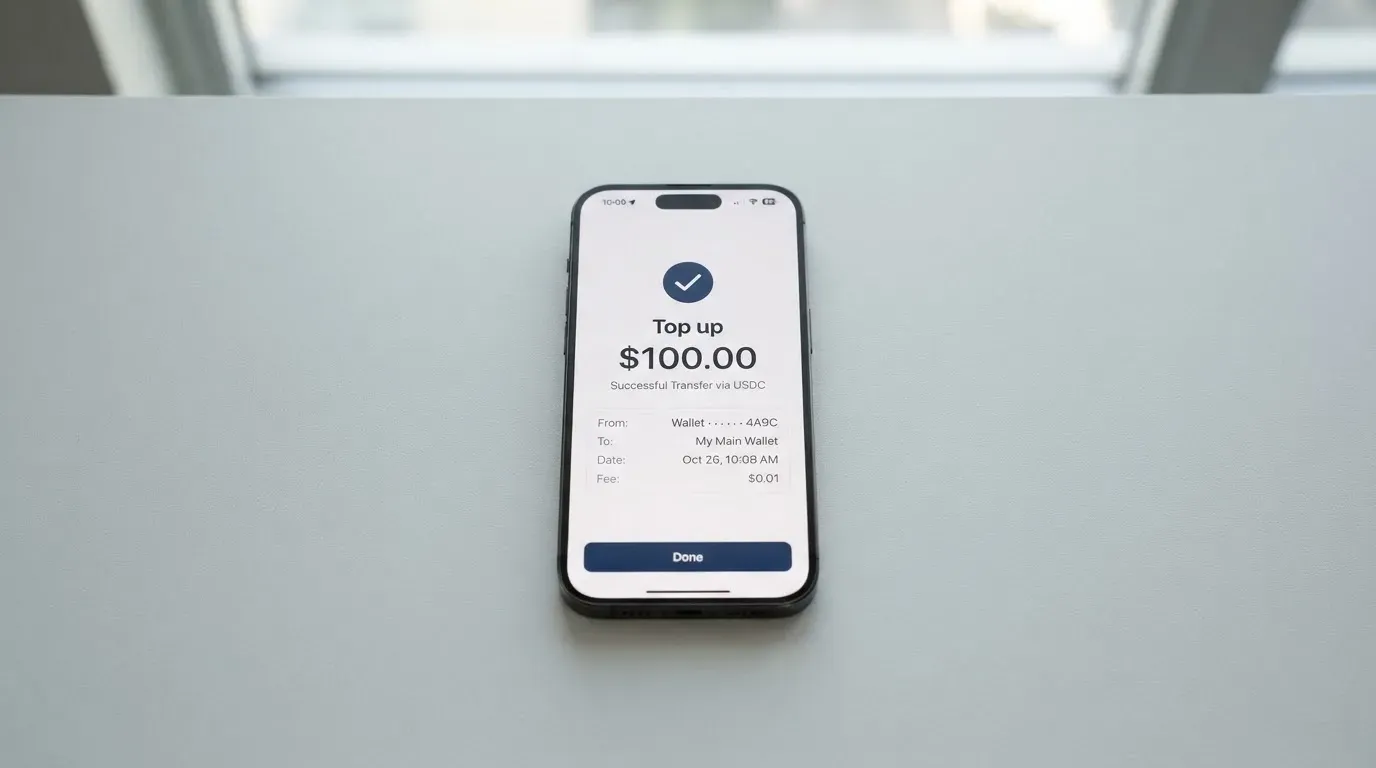
The cost of getting money in is the part of the design worth dwelling on. Cashi does not charge a fee on crypto deposits, and it does not charge a fee on Cashi-to-Cashi transfers. What you pay, when you pay it, is the underlying blockchain’s network fee. On Tron that is typically a fraction of a cent; on Ethereum it can be a few dollars during busy periods; on Bitcoin it varies with mempool conditions. For deposits the network fee comes out of the sending wallet, not out of the Cashi balance, which is the friendlier of the two patterns.
There is no minimum on a crypto deposit and no minimum on a Cashi-to-Cashi send. The $5 figure you see at activation is a balance threshold, not a minimum top-up — you need to have at least $5 on the balance to flip the card on. Cashi also offers cash deposits in 20+ currencies, and cash withdrawals in the same range, with fees that “depend on currency, method and amount” and are quoted in the app before you confirm. The minimums for those cash rails vary by currency and are shown at the quote step rather than on a published schedule.
A few details to keep in mind. First, sending crypto on a network that Cashi does not support, or to an address that belongs to a different network, can mean lost funds. Blockchain transfers are irreversible, and the help centre does not promise manual recovery for misrouted deposits. Second, the USD account built into Cashi (the bank-style USD balance that some features use) is free to receive into, and sends and receives are capped at 3,000 USD over any rolling 7-day window. Third, the help centre is explicit that crypto deposits are no-minimum but that cash deposits carry a minimum which is shown in-app before you commit. The cash-out side uses the same in-app quoting, with the fee coming out at confirmation.
If you are funding from a self-custody wallet, the practical workflow is to copy the Cashi deposit address for the network you intend to use, send the asset, and wait for the network’s confirmation count to clear. Cashi credits the balance once the deposit is confirmed. The whole step costs you the network fee, and nothing else.
Paying with it every day
The card is a USD-denominated virtual Visa. That single sentence does a lot of the work here: in the US-dollar world it behaves like a regular Visa, in the non-USD world it converts at the network rate with Cashi’s 1% on top.
Google Pay is supported for in-store tap-to-pay on Android. That is the one contactless option that is live. Apple Pay is “not available yet, but it’s on our roadmap” — there is a “Does Cashi support Apple Pay?” article in the help centre that I did not read in full, and the same roadmap note appears in the press materials. The help articles also note that iPhone users without Apple Pay can still pay online by entering the card details at checkout. So the everyday experience on iOS is card-on-file rather than tap-to-pay until the roadmap item ships.
A few real-world patterns to expect. Online shopping in a non-USD currency takes the 1% conversion fee and nothing else. Subscriptions, online stores, and travel bookings that fall into the cashback categories are credited with 3%, 2%, or 1% respectively, paid back as Spending Credit, with the credit usable on later purchases. The cashback rates are 3% on eligible subscriptions, 2% on eligible online shopping, and 1% on eligible travel. The eligibility details come from the help centre’s “3-2-1” article, and the broader framing is clear: monthly caps apply per category, and not every merchant qualifies.
A note on the cashback caps, which the help centre goes into in more detail. For the 2% online shopping tier, named online stores are capped at $10 cashback per store and $500 of qualifying spend per store per calendar month; other eligible stores share a $500 / $10 pool. For the 1% travel tier, each booking counts up to $2,000 of spend and the cap is $20 cashback per month. For the 3% subscriptions tier, the cashback is limited to monthly plans, and the named services in the materials are Amazon Prime, Google One, Canva and Uber One, with one charge per service per month counted toward the cap. The exact cap for the 3% tier is not stated in what I read. If a refund is issued, the cashback is removed — a useful piece of small print for anyone testing the system.
ATMs are off the table for the virtual card. The help centre is explicit that the virtual card cannot be used at ATMs, and there is no physical card yet. If you need cash, the path is to use the in-app cash-out in one of the 20+ supported currencies, with the fee quoted at the point of confirmation. Blocked merchant categories are not publicly stated, so anything that Visa itself permits is in principle possible; the only restrictions called out are the “certain merchant types may be restricted for regulatory reasons” line on availability, which is general and unspecific.
In terms of card controls, you can set your own daily spending limit in the app up to $50,000, freeze the card instantly, and configure online payment controls. Real-time activity alerts are part of the package. The dispute and refund mechanics are described in the help centre: contact the merchant first for a free refund, raise a dispute in the app if that does not work, with the dispute cost being $50 per the help centre. Time frames for resolution are not stated.
What can go wrong
Cashi has a thin public track record, and that is itself the first risk to put on the list. The public beta of the app and Visa card launched in August 2026, with press releases dated 11 August 2026 and a full launch expected before the end of 2026. There is no Cashi-specific Trustpilot page, no Reddit threads of note, and no major news complaints that I could find. The press materials describe the company as being in beta and being Hong Kong-based according to one report and Sharjah-datelined according to a release reprint; the public materials do not confirm either.
The second risk is the issuer. Cashi states plainly that it “provides technology services only,” and that financial products are issued and managed by licensed third parties. The issuer, the registration country and the licences are not stated. That is a real disclosure gap: it means the entity that ultimately holds the regulatory responsibility for the card is not named on the materials I read. For a US user the question is which state or federal regime applies; for an EU user the question is whether the issuer holds a CASP authorisation under MiCA and an EMI authorisation for the card side; for everyone else the question is the same one the regulator in their jurisdiction would ask. Until the issuer is named, the answer is “not stated.” Safeguarding, deposit insurance, and what happens to the balance if the issuer fails are also not stated.
The third risk is operational, and it is the one that catches a lot of crypto-funded cards off-guard: the relationship with the card network. Visa does not issue cards to consumers directly; it licenses issuers, and it can suspend a programme. The most prominent recent example was the FTX US debit card, where Visa terminated its global agreements on 13 November 2022 and the issuer wound the programme down. The WaveCrest suspension in Europe in 2018 closed every WaveCrest-issued Visa programme overnight. Neither of those is a comment on Cashi — both are a reminder that the card you hold can stop working through no fault of the front-end brand, with a notice period and then a balance-withdrawal window. The help centre’s guidance for that case is generic: “Transfer any remaining balance out of your Cashi account.” If the account is already closed by the time you learn of a programme shutdown, the help centre adds the unvarnished line: “you won’t be able to access your funds.”
The fourth risk is the one that lives in the funding path. Crypto transfers are irreversible. A deposit sent on a network Cashi does not support, or to an address that belongs to a different network, can be lost or require manual recovery with no guarantee of success. The nine-network list covers the most popular options, but ERC-20 tokens, for example, need ETH in the sending wallet to pay gas, and a USDT-only wallet on Ethereum will simply refuse to send. The “USDC over TRC20” option that some users reach for by default is not a native Cashi option either — Circle stopped supporting USDC on Tron in February 2024. None of these are Cashi problems specifically, but they are the practical failure modes of funding a card from self-custody.
A fifth, smaller, but worth-noting risk is account deletion. The help centre says to “transfer any remaining balance out of your Cashi account” before deletion, and that “after deletion you won’t be able to access your funds.” That is a process instruction rather than a risk, but it is the kind of small print that bites if you read it after the fact. The card itself “cannot be permanently closed yet, only frozen,” which is a related operational detail — you can stop spending, but the card object stays in the app.
Finally, on the support side, Cashi’s channels are email at [email protected], the help centre at help.cashi.com, a Telegram channel at t.me/cashi, and an X account. The site is translated into English, Chinese, Arabic, French, Spanish, Portuguese, Japanese and Korean. The help centre does not list which languages the support staff actually read and write, which means response quality on non-English queries is something you only learn by trying.
What to take instead
Cashi’s strongest pitch is the breadth of stablecoin top-up options on nine networks. The alternatives below are useful comparisons because each one takes a different trade-off — different networks, different geographies, different fee models. None of them is a direct substitute; think of them as the next-most-obvious choices, depending on what you value most.
| Card | Score | Network(s) | Card type | Currencies | Notable trade-off |
|---|---|---|---|---|---|
| Cashi | 6.6 / 10 | Visa | Virtual USD debit | USD card, stablecoin balance, 20+ cash currencies | No country list, no physical card yet, issuer not named |
| Cardex | 5.6 / 10 | VERVE, Visa, Mastercard, UnionPay | Virtual and physical debit, Naira focus | Card in Naira per App Store listing | “200+ countries” but no published list; conversion rate described as “AI-Powered” with no published fee |
| CardFlow | 4.9 / 10 | Mastercard | Virtual USD card, created in ~3 minutes | USD card, balance funded from BTC/USDT/ETH/Naira | Nigeria-centric; no fee table; networks for crypto not stated |
| HyperCard | 4.7 / 10 | Network not stated on App Store | Prepaid card | USD or EUR balance, funded from USDT/BTC/ETH | “176+ countries” for acceptance, not eligibility; fee and network details not stated |
Cardex is the broadest in terms of card-network choice, with four networks under one brand and a “200+ countries” promise on the site, though the actual eligibility list is not published. Its conversion story — an “AI-Powered Conversion Rate” that “scans global exchange rates and picks the best one when you spend” — is interesting marketing but unverified, and the App Store listing is Naira-focused, which suggests a Nigeria-first product. CardFlow is a quicker-to-set-up virtual Mastercard in USD, with funding in BTC, USDC, ETH, USDT or a Naira bank transfer, but it is “Nigeria’s smartest fintech card platform” by its own description and the fee structure is not stated. HyperCard is the most internationally marketed, with a “176+ countries” claim on the App Store listing (which I read as acceptance rather than eligibility), a USD or EUR balance, and a prepaid structure that does not require a bank link, but the underlying network, fees and reward structure are not stated.
What this comparison is good for is showing the shape of the trade-off. Cashi is at the top of the table on the breadth of stablecoin top-up options and the clarity of its fee structure; the alternatives compensate with different card-network coverage, different geographic positioning, or different fiat balances. None of the four alternatives closes the issuer-disclosure gap that Cashi has, and none of them offers a longer public track record. If you need a physical card today, Cardex and CardFlow are the ones to look at; if you need a multi-network card with a published country list, none of the four offers that.
Who I would recommend it to
Read this section as a starting point, not a final yes or no. The right answer depends on what you already have and what you are trying to do.
Cashi is a sensible choice for someone who already holds USDC or USDT in a self-custody wallet and wants a low-friction way to turn that balance into a Visa line. The 1% conversion fee on non-USD payments is competitive, the activation round-trip cancels itself out, and the network menu covers the chains most self-custody users already sit on. If your everyday life is mostly USD, the cost story is unusually clean. If you are in a non-USD country and pay in local currency often, the 1% still works out lower than what many bank-issued debit cards charge for foreign currency, but you do need to know that the conversion is at the network rate plus 1% rather than at a bank rate that includes a margin on top.
Cashi is also a reasonable pick for someone who values a wide funding menu and is comfortable with the absence of a country list. The sign-up flow itself is the eligibility test, and the materials are clear that the underlying verification is short for most users. If you sit in a country that the sign-up form accepts, the experience should be quick. If your country is not accepted, the flow will tell you so.
Cashi is not the right pick for someone who needs a physical card today, who needs Apple Pay for tap-to-pay on an iPhone, who needs ATM access, who needs a named issuer with disclosed licences, or who needs a card with a long public track record. Each of those gaps is real and the materials I read do not paper over them. Apple Pay and the physical card are on the roadmap, but a roadmap item is not a product. The issuer gap is the harder one — it is not clear from the public materials when (or whether) Cashi will name the issuing institution and its licences, and until that happens, the regulatory home of the card is a question mark.
A useful test before you sign up: open the app, run through KYC, and look at what is and is not present in the product. If the gaps line up with what you need, the score of 6.6 understates what the card will be worth to you. If the gaps are the things you actually wanted from the card, the score of 6.6 is generous, and you should look at the alternatives table above for a better fit.
Frequently asked questions
What is the Cashi card?
Cashi is a USD-denominated virtual Visa debit card that draws against a balance held inside the Cashi app. The balance is funded by USDC or USDT on one of nine supported networks, or by cash in 20+ currencies, and the card itself is used like any other Visa for online and in-store payments.
How does the Cashi card work?
You load the Cashi balance with stablecoins (USDC or USDT) or cash, then spend through the virtual Visa. USD payments cost 0% from Cashi, non-USD payments cost 1% to convert, and crypto deposits carry no Cashi fee beyond the underlying blockchain’s network fee.
Is Cashi a bank?
Cashi describes itself as providing “technology services only,” with financial products issued and managed by licensed third parties. The issuer, the registration country and the licences are not stated on the public materials, so Cashi is not itself a bank as far as those materials show.
Who owns Cashi?
Cashi is described in one report as Hong Kong-based and in another as having a release datelined Sharjah, UAE. The ownership, holding company structure and key regulatory licences are not stated in the public materials, so this is a question the company’s own filings, not its product pages, would answer.
Is the Cashi card available in my country?
The site does not publish a country list. The sign-up flow shows flags that suggest the app expects users in places like Argentina, Bangladesh, Brazil, Colombia, the Dominican Republic, Spain, Ghana, Kenya, Malaysia, Nigeria and Saudi Arabia, but the help articles do not treat this as a confirmed eligibility list. The only way to confirm is to sign up and run the KYC step.
How do I get a Cashi card?
You download the Cashi app, sign up for an account, complete the ID-and-selfie KYC, add at least $5 to your balance, and tap “Activate card for $5.” The $5 is returned as Spending Credit, and a virtual Visa appears in the app. There is no physical card yet.
Does Cashi require KYC?
Yes. The verification is described as “a quick check with your ID and a selfie,” with most applications finishing in minutes and some taking up to 24 hours. The help centre does not describe tiers of verification or list common reasons for rejection.
How do I top up the Cashi card?
You send USDC or USDT to a Cashi deposit address on one of nine networks — Tron, Solana, Polygon, BNB Chain, Arbitrum, Ethereum, Bitcoin, Base — or use a cash deposit in one of 20+ currencies. The blockchain network fee applies to crypto deposits; Cashi does not add its own fee.
Can I add the Cashi card to Apple Wallet?
Not yet. The help centre has a “Does Cashi support Apple Pay?” article that describes Apple Pay as “not available yet, but it’s on our roadmap.” In the meantime, iPhone users can still pay online by entering the card details at checkout, and Google Pay works on Android for in-store tap-to-pay.
Is the Cashi card safe to use?
The card has the standard controls — instant freeze in the app, user-set daily limits, online payment controls, 2FA, PIN and biometrics, and real-time activity alerts. The unknown is the issuer: Cashi says it provides technology only, and the licensed third party that issues the card is not named, so the regulatory home of the card, the safeguarding of customer funds, and the insurance position are not stated. As with any crypto-funded card, account-level custody risk sits on the user, since crypto transfers are irreversible.
Virtual cards put to the test – cryptocardtested
Content created by the «cryptocardtested» team