
A virtual Visa that spends only USDC, and what that means in practice
 Available in US
The Currency.com card is a virtual Visa Platinum that spends directly from a USDC balance sitting inside a Currency.com account. There is no physical card, no credit line, and no multi-currency wallet behind it — the card simply debits the USDC you have on the platform at the moment you tap to pay. That single design choice shapes almost everything about this product: who it suits, what it costs, and where it starts to feel restrictive.
The conditions in this review are current as of October 28, 2026.
Verdict: 6.5 out of 10
The card is a niche product done competently. It is genuinely useful for people who already hold a USDC balance on Currency.com and want a way to spend it in the real world without first converting to a bank account. It is less useful for anyone who wants a flexible everyday payment card, because USDC is the only fuel, the FX fee applies the moment you spend in any non-USD currency, and a 1% processing fee sits on top of every transaction. There is no physical card, no rewards programme described on the help pages, and the card-issuing institution is not named publicly. The platform behind the card, Currency.com, has a reasonable but not outstanding reputation: 4.2 out of 5 on Trustpilot from 2,006 reviews, with recurring complaints about frozen accounts and slow compliance checks.
I would recommend the Currency.com card to existing Currency.com account holders with a USDC balance who want a clean way to spend it. I would not recommend it as a first crypto card or as a general spending card.
| Criterion | Score | Why it earns that mark |
|---|---|---|
| Who can get it | 8 / 10 | The card is advertised as available globally, but the country decision is case-by-case and sanctioned territories are excluded. |
| Cost | 6 / 10 | The card itself is free with no monthly or annual fees, but a 1% processing fee, up to 1% FX fee, up to 1% cross-border fee and 2% ATM fee add up quickly. |
| Top-up options | 4 / 10 | USDC only, either by on-chain deposit or by buying on the platform. Networks are not listed on the help page. |
| Reliability and complaints | 6 / 10 | The platform is registered with FINTRAC and authorised in Gibraltar, but the card-issuing bank is not named. Trustpilot reviews regularly mention frozen accounts and slow verification. |
| Everyday use | 8 / 10 | Virtual Visa issued instantly, Apple Pay and Google Pay supported, ATM up to $750 per transaction, and USDC-funded spending. No physical card, no rewards, no spending limits described. |
| Total | 6.5 / 10 | A solid but narrow tool for a specific kind of user. |
Who will they give you the card
Currency.com describes the card as available globally, but immediately softens that with the line that the country of residency of the applicant is one of several factors in the decision and that the final answer is case-by-case. The card cannot be used in certain countries, including sanctioned territories, and the help pages do not publish a list. The only firm requirement that the help pages state is that you must already be a verified Currency.com account holder. There is no published minimum age, and the card is described as a single virtual product with no tiers — a single card per account.
For the reader, the practical question is not “is my country on a list” but “will my KYC pass”. The card lives inside the same verification flow as a Currency.com exchange account, and an account that has not been verified cannot order a card. The implication is that anyone who has been able to deposit and trade on Currency.com can in principle get a card, and anyone who has been turned away from the platform will not be able to. The case-by-case language, plus the fact that a list of supported countries is not published, is worth reading as a polite “we will tell you when you try”.
How to get it
There is no separate sign-up form. The card is ordered from inside a verified Currency.com account, in the Cards section of the app. The verification flow itself is the standard KYC package for the platform: profile data, a government-issued ID or passport, sometimes a proof of address such as a bank statement or utility bill (mobile phone bills do not count), and a liveness test. The help centre says the automated process takes an average of five minutes, but the gap between “automated” and “approved” can be longer when documents need a manual review, and account reviews are a recurring complaint on Trustpilot.
Once the account is verified, you need a minimum USDC balance in the wallet, then order the card. It is a virtual Visa Platinum issued instantly: no plastic is posted, no delivery address is collected, and the card details appear in the app the moment the order is confirmed. There is no physical card described anywhere on the help pages, no mention of replacement cost, and no mention of a delivery window because there is no delivery.
Help text on the card page describes it as “a Visa credit card” in one place and as a balance-spending card in another, and the second description is the one that fits the way the product actually works: it only spends the USDC balance, with no credit line, no instalment plan and no borrowing. Card currency is USD; any non-USD transaction goes through the FX layer and is charged the corresponding fee.
Fees: what it really costs
The card itself is free. There is no order fee for the virtual card, no monthly fee, no annual fee and no account maintenance charge. The minimum requirement is a USDC balance, not a payment. That is the good news.
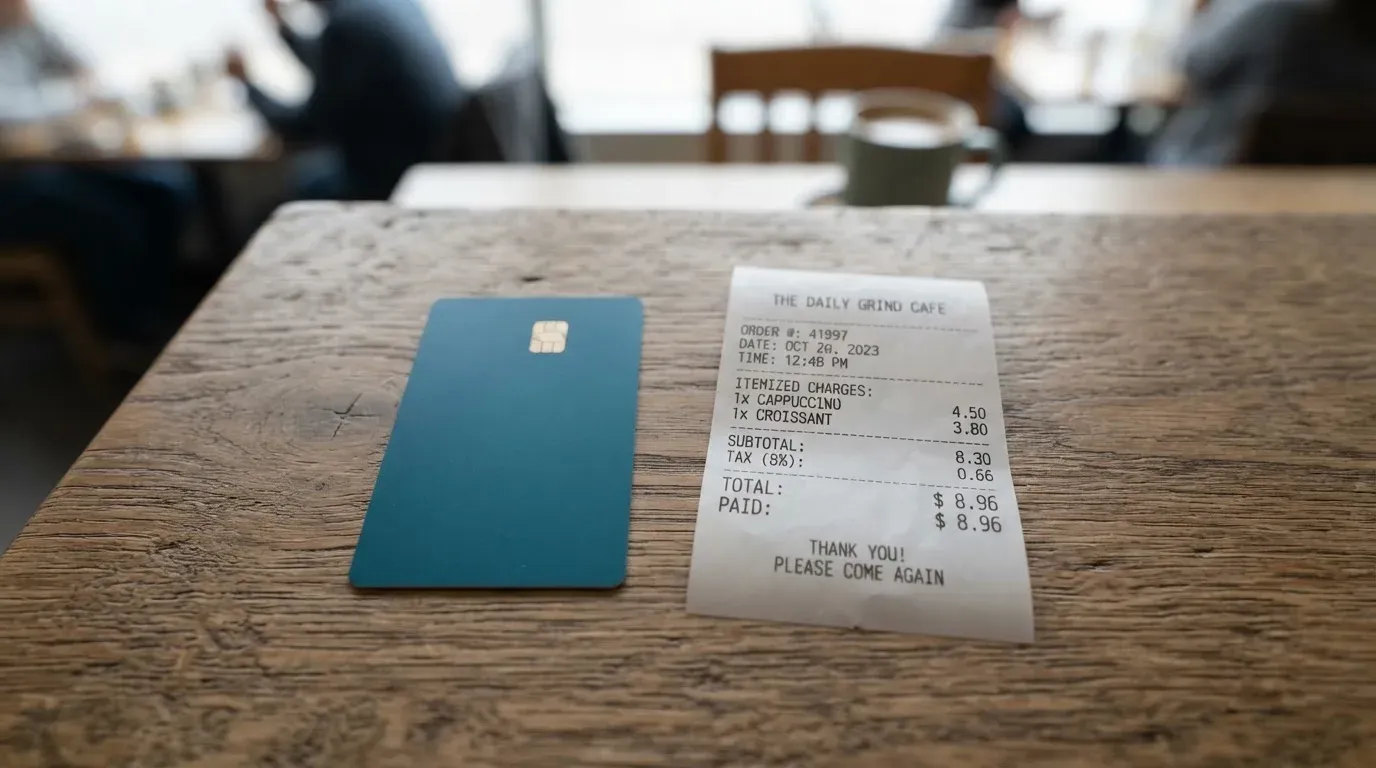
The bad news is the fee stack on every transaction.
| Fee or limit | Value |
|---|---|
| Card issuance | Free (virtual only) |
| Monthly / annual fee | None |
| Processing fee | 1% |
| FX fee (non-USD) | Up to 1% |
| Cross-border fee | Up to 1% |
| ATM fee | 2% |
| ATM per transaction | $750 (including ATM surcharge) |
| ATM daily cap | Up to $750 |
| ATM attempts in 24 h | 3 (declined attempts count) |
| USDC deposit | No platform fee; blockchain gas fees may apply |
| Card spending limits | Not stated on the help pages |
The account itself has deposit and withdrawal limits that depend on the verification tier, but those are platform-level, not card-level. Tier 1 caps deposits at $500 per transaction, $1,000 daily and $3,000 monthly, with a $15,000 lifetime cap. Tier 2 lifts those to $15,000 per transaction, per day and per month, with a $30,000 lifetime cap. Tier 3 raises the same numbers to $50,000 with a $300,000 lifetime cap. These limits affect how much you can move on and off the platform, not how much you can spend on the card.
Three everyday payments, worked through
Picture three purchases in a normal week.
A $50 coffee in New York, paid by tapping the virtual card in Apple Pay. The merchant charges in USD, so the FX fee (up to 1%) does not apply. The 1% processing fee is 50 cents. The card debits 50 USDC plus 50 cents in fees from your Currency.com wallet. Total cost: $50.50.
A €40 lunch in Berlin, paid the same way. The merchant charges in EUR, the card converts to USD, and the FX fee (up to 1%) and the 1% processing fee both apply. These fees total 2% of the transaction amount, depending on the rate the card network gives you.
A $200 cash withdrawal from an ATM in Bangkok. The 2% ATM fee is $4, and the ATM operator’s own surcharge (often $3 to $5 in Thailand) is part of the $750 per-transaction cap, not added on top. If the surcharge pushes the total over $750, the transaction declines. The card also counts any declined attempt against the three-per-24-hours limit, so a typo at the wrong machine can lock you out for the rest of the day.
The pattern to take away is that the card is genuinely cheap in USD within the United States and noticeably more expensive the moment a currency conversion happens, because two fees stack on the same transaction. The platform’s own crypto exchange carries a separate 1% transaction fee on top of card fees if you buy the USDC through Currency.com rather than depositing it.
Top up: how to fund the card
The card runs on USDC and only on USDC. There are two ways to put USDC behind it, and no documented way to use anything else.
The first route is an on-chain deposit. You send USDC from an external wallet to the deposit address shown in your Currency.com account. After the transaction confirms on-chain, the USDC is credited and “available for card use within minutes”, according to the help centre. The platform does not charge a deposit fee, but the underlying blockchain will charge its own network fee (gas on Ethereum, bandwidth and energy on Tron, and so on), and that fee is set by the network, not by Currency.com. The card page does not list which networks are supported for USDC deposits, so the practical way to find out is to open the deposit screen in the app and see which networks appear.
The second route is to buy USDC on the Currency.com platform itself, either from the spot market or through a card purchase, and have it sit in the account balance that the card draws from. This is convenient but adds the platform’s 1% transaction fee, plus the spread on the conversion from whatever you paid with into USDC.
A few small but important things the help pages do not say:
- The minimum top-up for the card once it is issued is not stated; only a minimum USDC balance is needed to order the card.
- Fiat top-up directly into the card balance is not described. The path is “fund the account, then spend from it.”
- The balance that the card spends stays a USDC balance in the Currency.com account. There is no separate “card balance” you can withdraw from in fiat. If you want cash out, you withdraw from the account, and that follows the platform’s tier-based limits.
If you already hold a USDC balance on a self-custody wallet, the deposit is the cheaper route. If you are buying USDC specifically to spend on this card, the platform-purchase route is the only one described, and the 1% transaction fee should be budgeted in.
Paying with it every day
Once the card is in the wallet, the experience is meant to be invisible. The card details appear in the Currency.com app, and you can add them to Apple Pay or Google Pay for tap-to-pay at any contactless terminal. Online, the card behaves like any other Visa: card number, expiry, CVV, with 3-D Secure stepping in for higher-risk payments.
A few practical points that come from the help pages and the way the product is structured:
- The card is virtual only. There is no plastic, no card printing, no delivery. The card is added to a mobile wallet, not handed to you in an envelope.
- Some merchant categories are blocked at the card network level — gambling and adult content are the two examples the help pages name. The wider blocked list, and how it differs from country to country, is not published.
- USDC is a USD-pegged stablecoin, and the card enforces amounts in USD. “Local currency conversion is handled automatically, and the FX fee will apply for non-USD transactions”, which is a polite way of saying that every non-USD purchase carries the conversion cost on top of the processing fee.
- There is no rewards or cashback programme described on the help pages. The “rewards” field is simply not stated.
- The Currency Com Limited iOS app has not collected enough ratings to show an overview; the Android app, com.currency.application.android, lists 1K+ downloads and was last updated in September 2026. Neither rating is a strong signal in either direction.
- For disputes, the help pages describe the standard Visa process: freeze the card in the app first, then contact support. Unauthorised transactions go through the standard Visa fraud and dispute process. Goods not received means contacting the merchant first, then escalating to a Visa dispute with date, amount, merchant and a description. Pending authorisations typically settle in one to three business days, and the help pages suggest contacting support if nothing has moved after five business days. A hard deadline for filing a dispute is not stated.
The account you sit behind the card is custodial, which is worth saying once. Currency.com holds the credentials; you do not manage private keys. The platform says it offers instant freeze and unfreeze from the app, 3-D Secure for online payments, Visa fraud monitoring, and that card details are shown only inside an authenticated session. Two-factor authentication and safeguarding of customer funds are not described on the card pages themselves, although they may be elsewhere on the platform.
What can go wrong
This is the section where the product starts to feel like a small piece of a much larger financial company, and the rest of the company is where most of the reader’s risk actually sits.
Currency.com itself is not a bank. The platform behind the card is CURRENCY COM INTERNATIONAL INC., registered in Ontario, Canada with FINTRAC as a Money Services Business (registration C10001741, Mississauga), and Currency Com Limited, a Gibraltar company (117543) authorised by the Gibraltar Financial Services Commission as a DLT Provider under licence 25032. The card-issuing bank or institution is not named on the help pages, which is unusual for a Visa product and worth noting. One unofficial source, TradeInformer dated 12 March 2026, says the card is powered by Rain, a Visa Principal Member that settles with Visa in stablecoins. This is not confirmed by the card’s own pages, and the help centre does not name the issuer, so it should be read as an unofficial data point rather than a fact.
The Trustpilot picture is mixed. Currency.com as a platform — not the card specifically — has 4.2 out of 5 from 2,006 reviews, with around 69% five-star and 10% one-star. That is a reasonable score for a crypto exchange but not an outstanding one. The recurring complaints, and these are user reports, fall into a few patterns: frozen or locked accounts, slow compliance review (one user reported business funds held for over 15 days in a May 2026 review), accounts terminated without a clear reason (2023 reports), unclear balances and dormant-account fees (2023), complaints about delistings and high fees (2024), and login confusion after a redirect to Dzengi.com (2023). None of these are card-specific, but they are the environment the card lives in.
The card itself sits on top of the platform, which means three things.
First, USDC is not your private key. The card is custodial, the account is custodial, and if Currency.com freezes your account for any compliance reason, the card freezes with it. There is no offline recovery flow, no seed phrase to restore on another wallet, and no way to spend the balance from outside the platform. Custodial platforms also have a track record of catastrophic failures — Mt. Gox, Coincheck, the Ronin bridge — and the lesson from those events is that holding funds with a custodian carries counterparty and hack risk that you cannot diversify away from inside the same product.
Second, USDC is a stablecoin, not a dollar. The card’s value follows USDC, and USDC is intended to track USD. The mechanism Circle describes is full cash and short-dated Treasury backing, redeemed 1:1, with monthly reserve attestations, but the peg has slipped before. In March 2023, during the US banking stress, USDC temporarily lost its peg. Anyone planning to hold a large USDC balance to fund a card should think of that balance as a stablecoin balance, not a USD balance, even if the two are usually the same number.
Third, sanctions and country rules cut both ways. The help pages say the card “cannot be used in certain countries, including sanctioned territories”, and that the country of residency is one of the factors in the case-by-case decision. KYC and AML rules are the reason for the verification flow in the first place, and the same rules are the reason an account can be frozen, closed or restricted at any time. The platform publishes a help centre in English only, with support reachable by email and a “Contact us” link; hours, languages beyond English, and a backup phone line are not stated.
A final category of risk is the network. USDC deposits are on-chain, blockchain transfers are irreversible, and if USDC is sent on a network the platform does not support, or to an address belonging to a different network, the funds can be lost or need manual support recovery with no guarantee. The card pages do not list which networks Currency.com accepts for USDC deposits, so the answer has to come from the app’s deposit screen at the moment of sending.
What to take instead
The Currency.com card is one of several cards in the same general category. None of these is a perfect substitute — they each have a different cost structure, a different rewards model and a different licensing footprint — but it helps to see them side by side.
Young Card (5.7 / 10)
Young Card is a cashback card that pays in YNG tokens, with the rate set by the user’s Club tier. Essential tier earns 0.1% cashback, Gold 1.8% and Platinum 3.6%; Bronze and Silver rates are not stated. Cost, supported countries, the card form factor and funding routes for Young are not stated on an official page I could verify, so anything beyond the cashback structure should be checked on the issuer’s own site before deciding. The trade-off versus Currency.com is the rewards model: a paid-in-token cashback versus a card that simply spends the USDC balance with no reward.
MSX (6.4 / 10)
MSX is closer to Currency.com in shape but does not publish much of the cost, country or funding detail on official pages. Its score of 6.4 reflects that there is a real product behind the brand but not enough public detail to compare line by line. If you are considering MSX, the practical move is to verify the same three things the Currency.com review asks: where the card can be issued, what the funding routes are, and what the fee stack looks like on a non-USD transaction.
Bybit Card (6.0 / 10)
Bybit Card is the most documented of the three and the easiest to compare with Currency.com on facts. It is offered in Argentina, AIFC (Kazakhstan), Georgia, Kazakhstan, Australia, Mexico, Brazil, Peru and Asia Pacific, and the official pages say explicitly that the product is not meant for customers in the European Economic Area. Bybit’s fiat-service restricted list (for deposits, withdrawals and One-Click Buy, not the card itself) includes Belarus, Russia, Serbia, China and the United States, and the card fiat currency depends on the country used in Advanced Identity Verification.
Bybit offers both virtual and physical cards, with virtual card issuance free in all regions “until further notice” and physical card issuance or replacement ranging from free (Brazil, Mexico, and for VIPs in some regions) to 29.99 USD/USDT in Australia. The card draws on a Funding Account plus a Flexible Easy Earn balance, fiat first, and converts crypto at the One-Click Sell rate plus a 0.9% crypto conversion fee (0.5% in Argentina). FX fees vary by region: 2% on top of the network rate in Australia, Asia Pacific, Georgia and Mexico, 2% in Kazakhstan for purchases outside Kazakhstan, 7% in Argentina, 1.5% in Brazil and 1% in Peru.
The rewards side of Bybit Card is denser than Currency.com’s: from 5 October 2026 only crypto-funded transactions earn points or cashback, with tiers from Base (2%, $5 monthly cap) up to Infinite (10%, $600 monthly cap), points pending for four calendar days, and a 1% instalment bonus on Pay Later. The cost of all that is a more complex product, more country-by-country rules, and the fact that two of the largest crypto markets (the European Economic Area and the United States) are explicitly out of reach.
The choice between the three comes down to what you are optimising for. If the question is “spend a USDC balance with the simplest possible fee stack”, Currency.com is the most direct answer. If the question is “maximise cashback on crypto-funded spending and I am in one of the supported countries”, Bybit Card is the more rewarding tool, at the price of more moving parts.
Who I would recommend it to
I would recommend the Currency.com card to a narrow group of readers, and I would steer the rest towards alternatives.
The narrow group is people who already hold a USDC balance on Currency.com, want a way to spend that balance directly in the real world, and are happy with a card that lives entirely inside the app and on their phone. For that reader, the card does what it says: a virtual Visa that debits USDC, available immediately, with Apple Pay and Google Pay for the contact and online cases, and an ATM that works up to $750 per transaction for the cash cases. The fees are not trivial — 1% processing on every transaction, plus up to 1% for FX and cross-border — but for a USDC holder who would otherwise have to convert to fiat and transfer to a bank card, the trade-off can be worth it.
I would not recommend the card to several other readers.
- People who want a physical card. There is no physical card. If the idea of adding the card to a mobile wallet and never holding a piece of plastic bothers you, this product is not for you.
- People who want rewards. No cashback, no points, no tier benefits are described. If the question is “which crypto card pays me back for spending”, look at Bybit Card or Young Card instead.
- People who travel widely. The fee stack on non-USD transactions adds up, and there is no multi-currency balance to soften the cost. For a frequent traveller, a card that holds several currencies or charges a flatter FX markup is a better fit.
- People who want a regulated, named issuer for the card itself. Currency.com is registered with FINTRAC in Canada and authorised in Gibraltar as a DLT Provider, which is the right shape for the platform, but the help pages do not name the card-issuing bank. An unofficial source points at Rain. If you want the issuer’s name on the front of the T&Cs, ask support before ordering.
- People who hold a large balance in any one place. The card is custodial on top of a custodial platform, and the platform has a Trustpilot pattern of frozen accounts and slow reviews. Holding a meaningful balance behind a single product, with a single point of failure, is the kind of decision worth making with eyes open.
If the Currency.com card does not fit, the alternatives in the previous section are the most direct substitutes, and a broader look at crypto cards in general is the place to start before signing up to any of them.
Frequently asked questions
What is the Currency.com card?
The Currency.com card is a virtual Visa Platinum that spends directly from a USDC balance held in a verified Currency.com account. It is issued instantly inside the app, with no physical card, no credit line and no separate card balance. Every transaction debits USDC, with a 1% processing fee on top, and up to 1% extra for FX and cross-border transactions.
How does the Currency.com card work?
You hold USDC in your Currency.com wallet, the card is linked to that wallet, and every payment is converted from USDC at the moment of authorisation. Local-currency conversion is handled by the card network and the FX fee applies when the purchase is in a currency other than USD. Apple Pay and Google Pay are supported once the card is in the app.
Is Currency.com a bank?
No. Currency.com is a financial technology company, not a bank. The platform behind the card is CURRENCY COM INTERNATIONAL INC. (Ontario, Canada; FINTRAC Money Services Business registration C10001741) and Currency Com Limited (Gibraltar, company 117543; DLT Provider authorised by the Gibraltar Financial Services Commission, Licence No. 25032). The card-issuing bank is not named on the help pages.
Who owns Currency.com?
The two operating entities above are the ones named on the help pages. Ownership of those entities is not described on the card pages and is not the same question as who issues the card itself, which remains unnamed in the public help centre.
Is the Currency.com card available in my country?
The help pages say the card “is available globally” but that the country of residency is one factor and the decision is made case by case, with sanctioned territories excluded. There is no published list of supported countries, so the practical answer is to complete the account verification and see whether the card option is offered.
How do I apply for the Currency.com card?
You do not apply for the card directly. You complete KYC for a Currency.com account (profile data, government ID or passport, sometimes a proof of address, and a liveness test), hold a minimum USDC balance, and then order the card from the Cards section of the app. The card is virtual and issued instantly.
Does the Currency.com card require KYC?
Yes. The card requires a verified Currency.com account, and the platform’s KYC package includes identity verification and proof of address, with an automated average time of 5 minutes. Manual reviews can take longer, and slow compliance review is a recurring complaint on the platform’s Trustpilot reviews.
How do I top up the Currency.com card?
The card is funded from the USDC balance in your Currency.com account. You can either deposit USDC on-chain from an external wallet to the platform deposit address, or buy USDC inside the platform. After on-chain confirmation the USDC is available for card use “within minutes”. Fiat top-up into the card balance is not described on the help pages.
Is the Currency.com card free?
The card itself is free: no order fee, no monthly fee, no annual fee and no account maintenance charge. The fees are on transactions: 1% processing, up to 1% FX, up to 1% cross-border, 2% ATM. The platform’s own USDC purchase carries a separate 1% transaction fee.
Is the Currency.com card safe?
The card uses 3-D Secure for online payments, instant freeze and unfreeze from the app, and Visa fraud monitoring, and the platform’s help pages describe the wallet as custodial. The wider risks are platform-level: Trustpilot reviews report frozen accounts and slow compliance checks, the card-issuing bank is not named publicly, and the account holds your USDC in custody rather than under your own private keys. Stablecoin balances also carry the usual depeg risk, and on-chain deposits are irreversible.
Exchange cards put to the test – cryptocardtested
Content created by the «cryptocardtested» team